The three points where access has to change
JML isn't a piece of software or a framework you adopt — it's just a name for three moments that already happen in any company with more than a handful of people, whether or not anyone is tracking them:
- Join. Someone starts. Everything their role needs — email, the shared drive, the scheduling tool, the point-of-sale, a building key — has to exist and work on day one, or their first week is spent waiting on requests instead of doing the job.
- Move. Someone changes role: a promotion, a transfer between locations or teams, a shift from part-time to full-time. The new role needs access the old one didn't, and the old role's access needs to come off — both halves, not just the grant.
- Leave. Someone's last day arrives. Every account they had gets closed, everything they personally owned — a shared drive, a calendar, an admin seat — is handed to someone staying, and every piece of equipment they were issued comes back.
Say it out loud and it sounds obvious. The reason it needs a name at all is that the three legs don't fail the same way, and the one that fails quietly is the one nobody names.
Why the mover is the one that gets skipped
A joiner has somebody waiting on them — a manager who needs them productive, a team that's short-staffed until they're set up. A leaver has a date on a calendar and, usually, a checklist someone reaches for on their way out. A mover has neither.
The grant half of a move happens on its own, because the person is visibly blocked without it — they can't do the new job without the new system, so somebody makes sure they get it, fast. The revoke half has no equivalent pressure. Nobody is blocked by someone who moved off the team a year ago still having access to that team's folder. It isn't urgent, so it waits, and a thing that only ever waits tends to never actually happen.
Run that a few times over someone's tenure — three internal moves, each one adding access and never subtracting it — and they end up carrying every system from every stop along the way. Nothing about their record looks unusual, because each grant was legitimate when it was made. The problem isn't any single decision; it's that revoking was never anyone's job.
Handing over is not the same as revoking
Disabling somebody's account is not the same action as moving what they personally owned, and treating them as one step is where a leaver leg that looked complete turns out not to be. A shared drive or folder someone set up, a team calendar, a distribution list or shared alias, an admin seat on a tool the rest of the team still uses, a recovery contact on another account, an API key created under their login — little of that travels with the account closure unless somebody moves it first. Some suites will offer to transfer a departing person's files as you delete them; plenty of the rest simply stays where it was, now attached to a login nobody can use.
Note what you write down and what you don't. The useful record is that an API key or a recovery contact exists under that person's login, so somebody knows to reissue or reassign it — never the key itself. A hand-over list should never become the place your secrets are kept.
The fix is ordering, not more checking: reassign what a person owns to someone who is staying before the account goes, not after. Recovering it afterward ranges from a quick support ticket to genuinely not possible, depending on the system, and you rarely find out which until you're already trying.
Exposure scoring: why time is the risk, not the event
A checklist tells you whether an item is ticked. It can't tell you whether the unticked one in front of you matters today. An access item closed a day late is close to harmless; the same item still open two weeks later is a different situation entirely, even though the checklist shows the identical unticked box in both cases.
The useful question isn't “is this done” — it's “how long has this been open, and how sensitive is the system it's open on.” A low-sensitivity account left open for a week is a non-event. A critical one left open for that same week is not.
Put those two facts together — a sensitivity weight for the system, multiplied by the days the item has sat open past its due date — and you get a single number per open item. That is what exposure scoring means, and sorting by it turns a flat list into a queue in the order you should actually work it. The number also moves on its own overnight, which a tick box never does.
What a small company actually needs to run this
None of this requires an identity platform or an IT department. At the size where JML tends to be run by hand — an HR manager, an ops lead, an owner wearing the HR hat along with three others — three things cover it:
- One list of the systems that exist. Not every tool anyone has ever used, but the ones people actually get accounts on: email, the shared drive, the scheduling and payroll tools, the point-of-sale, the building.
- One decision per role about who should have what. Made once, in a quiet moment, instead of improvised under pressure on someone's first morning or their last afternoon.
- A record of what changed and when. Who has what, at what level, and how long an open item has been sitting there. That's what turns “is this done” into “how much does this one matter right now.” Because it maps every employee's access, keep it restricted to the people who actually run the process.
All three fit in one spreadsheet. If you want to see the shape of it, the free single-person onboarding & offboarding checklist is those three things for one joiner or one leaver — 18 common systems already filled in, with the hand-over-first flag set. No signup.
Common joiner-mover-leaver mistakes
- Running only two-thirds of it. A join process and a leave process, with nothing written down for a move, leaves the exact leg that accumulates risk with no process at all.
- Revoking before handing over. Closing the account first feels like the safe move. It's the one that strands whatever that person owned, sometimes for good.
- Treating every open item the same. A checklist with one column — done or not done — can't distinguish a critical system open for an hour from a low-sensitivity one open for a month. Both read as an unticked box.
- Skipping the effective date. Without one date that a role change or a departure is measured from, “how long has this been open” has no answer, and the whole idea of prioritizing by time falls apart.
Related templates and concepts
For one person at a time, the free single-person onboarding & offboarding checklist above is enough. Once you're running more than one, the Onboarding & Offboarding Equipment & Access Tracker adds the two things a fixed list cannot do for itself: it works out the order, and it handles the mover as a first-class case rather than a joiner and a leaver stapled together.
If you're weighing that against a platform that can revoke access for you, access tracker spreadsheet vs IT onboarding software covers what each one genuinely does and which comes first. The templates for HR & team leads hub has the rest of the toolset.
Templates that implement this
Templates that run the joiner-mover-leaver process
3 templates
An eight-tab workbook with a 46-system catalog: a ranked close-first queue for what's still open, and the grant, revoke and hand-over list computed for every role change.
- $24.95 Spreadsheet

Onboarding & Offboarding Equipment & Access Tracker — Joiner, Mover & Leaver Workbook for Excel and Google Sheets
An onboarding and offboarding tracker for Excel, Google Sheets and LibreOffice — rank open accounts and unreturned laptops by sensitivity and days open.
Team & TalentView details - $19.95 Spreadsheet
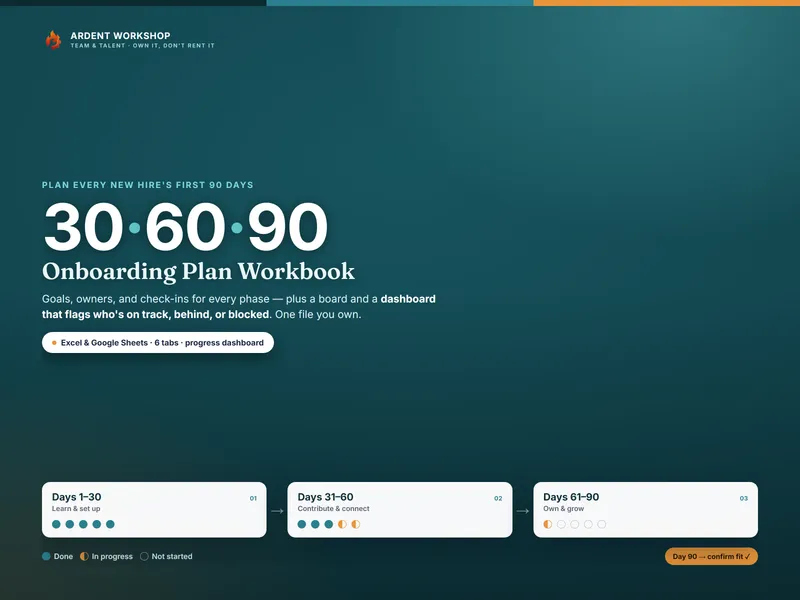
30-60-90 Onboarding Plan Workbook — New Hire Onboarding Tracker for Excel & Google Sheets
A 30-60-90 onboarding plan for Excel & Google Sheets — plan and track every new hire's first 90 days with goals, check-ins, and a progress dashboard.
Team & TalentView details - $19.95 Spreadsheet
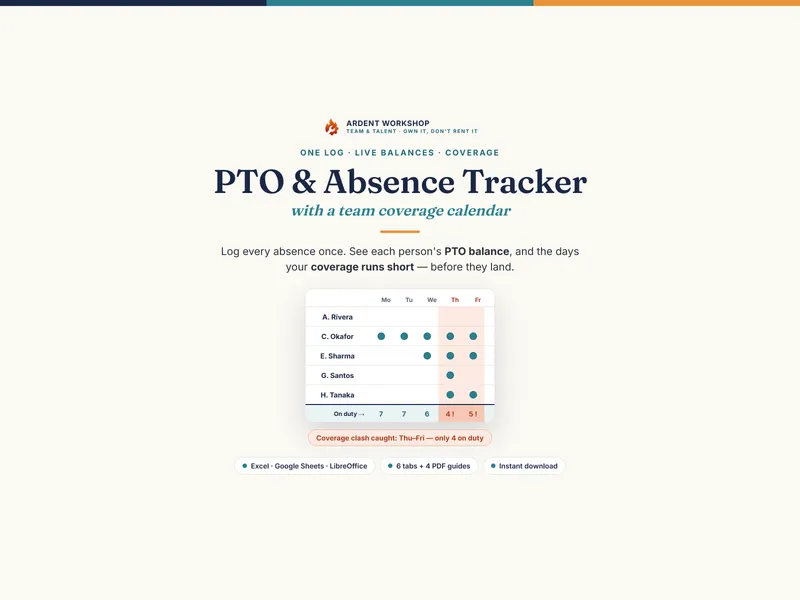
PTO / Absence & Coverage Tracker — Employee Leave & Vacation Tracker with a Team Coverage Calendar (Excel + Google Sheets)
A PTO and absence tracker for Excel & Google Sheets — log leave once, see each person's balance, and a team calendar that flags coverage clashes.
Team & TalentView details