The honest framing is "own it, don't rent it." A journaling app's broker import and replay are real conveniences, and a spreadsheet can't match them. But a journal is a record you will want in five years. With a hosted app, your access runs through the vendor's service; a workbook you own is a file on your own drive or Google account that keeps working, with the same formulas.
Short answer: pick an app if broker auto-import and trade replay matter most. Pick an owned workbook if a one-time cost, no stored brokerage login and formulas you can read matter most.
Three options: a blank spreadsheet, an owned workbook, a subscription app
A blank spreadsheet is a common starting point: a few columns for date, symbol and profit. It is free and yours, but it often stops at total profit and a win rate, and a win rate alone can mislead. Eight winners of $50 and two losers of $300 is an 80% win rate and a losing method. At the other end sits a subscription journaling app, which imports fills, replays trades and draws the charts, often in exchange for a subscription and a broker connection. An owned trading-journal workbook sits between them: the measurement of the app (R-multiple, expectancy, profit factor, mistake cost, drawdown) in a file you keep, with manual entry as the price.
Spreadsheet vs. journaling app, side by side
| Consideration | Trading journal workbook (owned) | Journaling app (hosted) |
|---|---|---|
| You own it | Yes — a file on your own drive or Google account | Access runs through the vendor's service |
| Cost | One-time purchase, keep forever | Many are monthly or yearly subscriptions |
| Getting trades in | Typed by you, one row per trade | Broker import or auto-sync — a real time saver |
| Replay and charting | No — it measures trades, it does not chart or replay them | Often yes — a real strength |
| Brokerage login | None stored; no brokerage connection | A broker connection is used for auto-sync, where offered |
| Formulas | Yours to read and change | Built into the app |
| Measures | R-multiple, expectancy and profit factor by setup, symbol, weekday and side; mistake cost; drawdown in the order trades closed | Varies by app |
| If you stop paying | You still have the file and your history | Depends on the app; check its export options |
What the spreadsheet measures
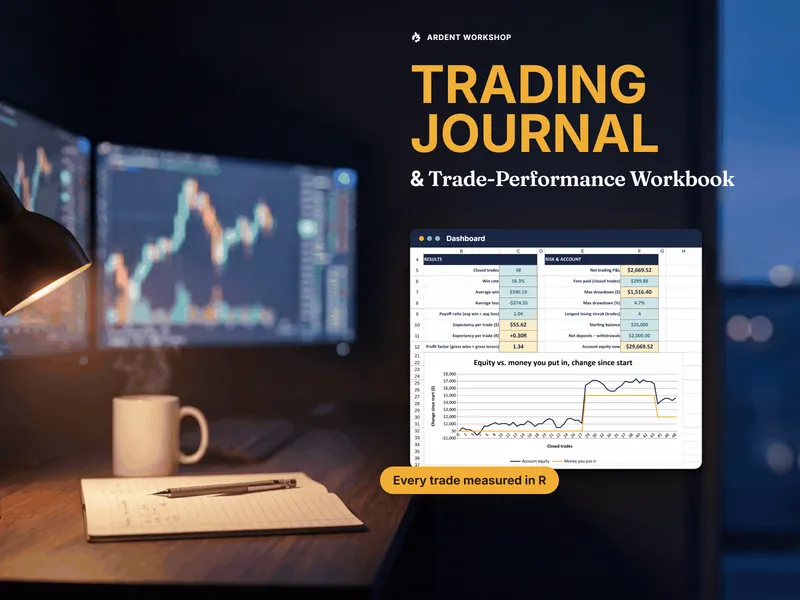
The workbook's job is to turn a list of trades into a read on whether your method has paid over the trades you logged. Each trade gets an R-multiple, which is net P&L divided by planned risk, so a 125-share stock trade and a one-contract futures trade compare directly. From there it computes expectancy (what an average trade has returned) and profit factor (gross wins divided by gross losses). It also prices each mistake tag in dollars against your clean trades, and tracks drawdown in the order trades closed so that deposits and withdrawals can't distort it. In the sample workbook (fictional data), 48 closed trades show a 56.3% win rate, expectancy of +0.30R or +$55.62 a trade, a profit factor of 1.34, and a maximum drawdown of $1,516.40 (4.7%). New to the terms? Start with what an R-multiple is and what trading expectancy is.
When a journaling app makes sense
If you place many trades a day, typing every fill is a real cost, and broker import will earn its subscription in saved time. If you learn best by replaying a trade against the chart, or you want charts drawn for you, an app does what a spreadsheet does not. Some traders run an app for the daily import and replay and keep an owned workbook as the permanent record and the expectancy math. Just don't let a rented service be the only home of your trading history.
When an owned workbook is the better fit
If you trade a handful of times a day or a week, entering a row is quick and the measurement matters more than the automation. If you would rather not connect a brokerage to a third-party service, a file with no connection and no stored logins is the simplest answer. If you want to read the formulas, change them, and pay once, the workbook is the better fit.
Who should pick which
- Pick an app if you are an active, high-volume trader who wants broker auto-import, trade replay and built-in charts, and you are comfortable with a subscription and a broker connection.
- Pick the workbook if you trade at a measured pace, want R-multiple, expectancy, mistake cost and drawdown in a file you own, and prefer a one-time cost and no brokerage login.
- Use both if you want an app's import and replay day to day and an owned file as the durable record.
- Stay with a blank sheet only until you want more than total profit and a win rate, which a win rate alone can't tell you.
Where to start
Try the free trading journal trade log, a one-tab file pre-filled with sample trades that works out net P&L, planned risk, R-multiple and a running win rate, then run the whole thing with the Trading Journal & Trade-Performance Workbook, an 8-tab file you own for Excel and Google Sheets.
Not advice: the workbook records and measures your own trades. It gives no trade signals, does not connect to a brokerage, and stores no logins. This is not investment, tax or financial advice, and it is not affiliated with or endorsed by any broker or journaling app.
Frequently asked questions
- Is a trading journal spreadsheet or a journaling app better?
- They are good at different things. A journaling app can import trades from your broker, replay a trade against the chart, and draw charts for you, and many trade-journaling apps are monthly or yearly subscriptions. A trading journal spreadsheet is a file you buy once and keep: you type in each trade, and its formulas compute R-multiple, expectancy, profit factor and drawdown in a file you can read and change. If broker auto-import and replay matter most, an app is the better fit. If ownership, a one-time cost and keeping your brokerage login out of a third-party service matter most, the spreadsheet is.
- Does a trading journal spreadsheet connect to my broker?
- No. The Trading Journal & Trade-Performance Workbook does not connect to a brokerage and stores no logins. You enter each trade yourself, and that is the trade-off for never handing a broker connection to anyone. If you trade many times a day, typing every fill is a real cost, and an app with broker import will save you that time.
- What can a spreadsheet measure that matters?
- The things that tell you whether your method pays. The workbook computes each trade's R-multiple (net P&L divided by planned risk), then expectancy and profit factor by setup, symbol, weekday and side. It also puts a dollar cost on each mistake tag, measured against your clean trades, and tracks drawdown in the order trades closed, so deposits and withdrawals can't distort it. To learn the terms, see what an R-multiple is and what trading expectancy is.
- Can I try the spreadsheet approach for free first?
- Yes. The free trading journal trade log is a one-tab, ungated file pre-filled with sample trades. It computes net P&L, planned risk and R-multiple on each row and a running win rate. It does not include expectancy by setup, profit factor, drawdown, the Edge Finder or Mistake Cost; those are in the paid workbook.