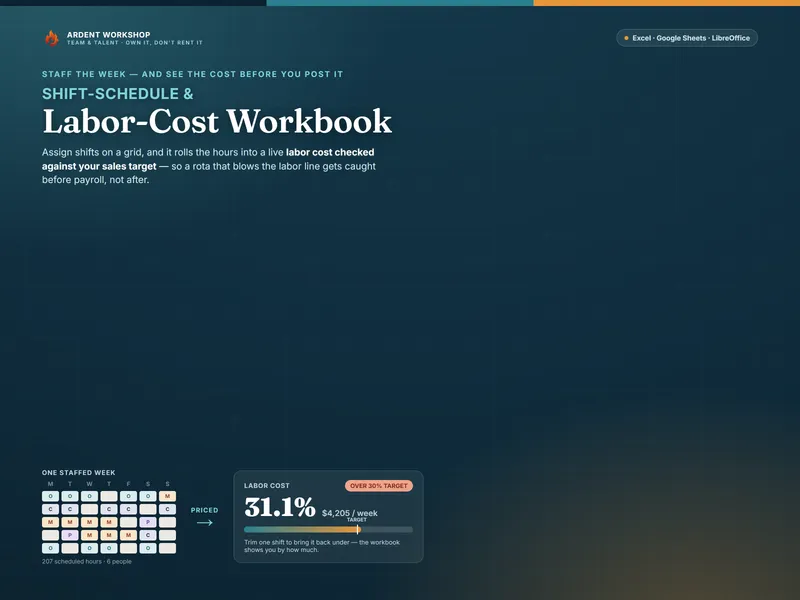
This isn't template-versus-app, exactly. They serve different scales of the same job. The mistake is subscribing to a per-seat scheduling platform to fix a problem a small team doesn't have yet — we can't see what the week costs before we post it — when the tool for that is a workbook you can own outright.
What each one is for
- A schedule workbook builds and costs the week. Assign shifts on a grid, add up the hours, and — in one built for it — price the schedule into a labor cost, split into regular and overtime, checked against your sales target. It answers "who's working, and can we afford it."
- Scheduling software runs the process. Publish the rota, collect availability, approve swaps, message the team, and often clock people in. It answers "how do I manage all of this for a lot of people."
Knowing what a week costs and managing the swaps within it are not the same problem — which is why a workbook and an app can both be about "scheduling" and still not replace each other. The labor-cost-percentage explainer covers the number the workbook is built around.
When a schedule workbook is exactly right
- You run one location, or a handful of people, and build the week yourself.
- Your real question is cost — you need the labor-cost percentage before you post, not after payroll.
- Overtime creeps up on you and you want to see it while you can still move an hour.
- You'd rather own the file than rent a platform per seat, every month.
- You post the rota on a wall, a group chat, or a shared sheet — not a self-serve app.
At this stage a workbook beats an app outright for the cost question. The free Shift Schedule Starter grid is a no-signup taste that staffs a week and flags a thin day, and the templates for HR & team leads hub collects the rest.
The signals you also want scheduling software
- Managing the process is the daily grind. Many people, constant swaps and no-shows, across shifts or locations.
- You need availability and time-off handled. Requests, approvals, and conflicts chased by the system, not by you.
- Staff self-serve their shifts. People pick up, swap, and check the rota on their phones.
- You clock people in for payroll. Time and attendance tied to the schedule.
Even then, the app runs the rota while the workbook answers whether the week is affordable — so a costing workbook can keep earning its place beside a scheduler, especially if the scheduler hides labor cost behind a higher tier.
Side by side
| What matters | Schedule workbook | Shift-scheduling software |
|---|---|---|
| Answers | Who's working, and can we afford it | How do I run scheduling for many people |
| Cost | One-time, low — you own the file | Ongoing subscription, often per user |
| Labor cost & overtime | Built in — priced to a % of your sales target | A paid tier at best; often left out |
| Rota & shift swaps | You build it; no self-serve swaps | Full — publish, swap, approve |
| Availability & time-off | Track it yourself | Requests and approvals handled |
| Time & attendance | Not tracked | Often built in |
| Data ownership | The file is yours, offline | Hosted in the vendor's platform |
| Best for | One location, costing the week | Running rotas at scale |
The honest order of operations
Cost before complexity. Most small operations don't lose money because shift swaps are hard to manage — they lose it because the labor line drifts a few points over, unnoticed, week after week. A workbook that prices the schedule as you build it fixes that for the price of one file. Add a scheduler later, if and when managing the process across many people becomes the job.
Start with the schedule you own
Whatever you eventually use to publish the rota, you first need a fast, honest way to see what the week costs — and to catch a thin day. The Shift-Schedule & Labor-Cost Workbook staffs the week on a grid, prices it into a labor-cost percentage against your sales target, and flags your coverage gaps — one owned file for Excel, Google Sheets, and LibreOffice. Own the schedule; add an app only when the process, not the cost, becomes the problem.
Frequently asked questions
- What's the difference between a schedule template and shift-scheduling software?
- A schedule template is a spreadsheet you fill in to build the week — who works which shift, how many hours, and (in a good one) what it all costs. Shift-scheduling software is a hosted app that builds and publishes the rota, handles availability and time-off requests, lets staff swap shifts from their phones, and often tracks clock-ins. The template is a file you own and edit; the app is a per-seat subscription that runs the scheduling process for you. For one small team at one location, the template usually does the job; the app earns its keep when the process itself — swaps, requests, clock-ins across many people — is the daily grind.
- Can a spreadsheet replace shift-scheduling software?
- For building the week and knowing what it costs, yes — and a workbook does one thing most small-business schedulers don't: it prices the schedule into a labor-cost percentage against your sales target as you build it. What a spreadsheet doesn't do is publish the rota to staff, collect availability, approve shift swaps, or clock people in for payroll. If your pain is "I need to see the cost of this week before I post it," the workbook is the fix. If your pain is "managing swaps and availability for twenty people is eating my week," that's an app.
- How much does a schedule template cost vs scheduling software?
- An owned schedule workbook is a single low one-time cost — you keep the file, edit it offline, and pay nothing monthly. Shift-scheduling software is typically a recurring per-seat subscription that grows with your headcount. For a team of six at one location, paying every month to build a weekly rota is renting far more platform than the job needs; the workbook covers the schedule and the labor cost for the price of a couple of coffees, once.
- Do scheduling apps show labor cost?
- Some larger workforce-management platforms do, as a paid tier. Many of the common small-business scheduling apps focus on the rota, messaging, and swaps, and treat cost as an add-on or leave it out. Either way it's usually behind a subscription. The point of an owned workbook is that the labor-cost math — regular and overtime, priced to a percentage of your sales target — is the core of the file, not a locked feature, and it's yours to keep.