Ninety-six chapters behind on one. Two volumes behind on another. Which is the bigger evening?
The Webtoon & Light-Novel Tracker is an eight-tab Excel and Google Sheets workbook that converts every reading backlog into hours — the one unit they can actually be compared in — ranks what you could clear tonight, and prices what your coin unlocks really cost per hour of reading. It is a reading tracker built for serialized work, where the finish line keeps moving and no two series are counted the same way.
Because that is the problem a book tracker has never had to solve. A book has a last page. A webtoon has an episode that came out on Wednesday and another coming next Wednesday, so the question is never “how much is left” but “how far behind am I, and is that getting better or worse”. And the units never match: episodes here, chapters there, volumes somewhere else, prepub parts somewhere else again.
Want to try it first? The free caught-up starter sheet is a single tab that computes the hours — a real taste of the engine, no signup.
How far behind are you, really?
Tell it three things about a series — the latest one out, where you are, and how many minutes one unit takes you — and it works out how far behind you are and what that is in hours.
Then it does the thing a list cannot. The Catch-Up Queue ranks everything you are behind on by the hours it would take, fewest first, so the row at the top is the one you could genuinely finish this evening. There is nothing to type on that tab; it reads straight from your catalog and reorders itself the moment you move your position.
That ranking is not the same as ranking by units behind, and that is the entire point. In the worked example, a manhua you are 23 episodes behind on sits above a light novel you are 2 volumes behind on — because that is under two hours against eight.
| Series | Behind | Unit | Hours to catch up |
|---|---|---|---|
| The Understudy Immortal | 23 | Episodes | 1.9 |
| A Very Ordinary Necromancy | 5 | Parts | 2.1 |
| Salt-Glass Regent | 2 | Volumes | 8.0 |
| Tenth Floor, No Windows | 96 | Chapters | 19.2 |
Are you gaining ground, or just keeping up?
My Pace is not something you type. The workbook reads it out of your own reading log — the units you logged in the last four weeks — and sets it against how fast the series actually releases.
If the series is outrunning you, the Catch Up In column says “Not at this pace” rather than inventing a comforting number, and a second block on the queue lists exactly which series those are and how much ground you lose each week. If you simply have not opened something in a month, it says “No sessions in 28 days” instead — because a stale log is a different problem from a treadmill, and it deserves a different decision.
What the reading actually costs
Coins are sold in packs, so a single episode never feels like money.
The Unlock Ledger takes every fast pass, coin pack, rental, volume, credit and subscription month with what it bought, and computes cost per unit — then the workbook computes cost per hour, using that series’ own minutes. Those two rank in opposite orders, which is the useful part: a light-novel volume at 12.40 per unit works out at 3.10 an hour, while a weekly fast-pass habit at 1.50 per unit is 12.86. Per unit the volume looks extravagant. Per hour, the coin habit is the expensive one.
A platform guide that will not go stale
Platform terms change several times a year — tiers, coin rates, whole features. So the built-in guide describes the ten mechanics rather than any platform’s current prices: fast pass, ad pass, wait timers, coins, rental versus purchase, subscription, per volume, author-direct, borrowing, and free-on-a-delay. Each says what it really costs, how to log it, and the trap in it. An index of 17 platforms then says which you will meet where, and a 26-term glossary settles the vocabulary — binge wall, prepub part, simulpub, scanlation, regression, villainess. The same tab carries a starting-point table of how long one unit runs across seven formats, from a five-minute manhua episode to a four-hour light-novel volume, so the one number the whole engine depends on is not a guess you have to make cold.
No prices appear anywhere in it, deliberately. A stale number is worse than none.
What you get
An eight-tab workbook that opens in Excel, Google Sheets and LibreOffice Calc — and if Sheets is your home, a one-click “Make a copy” link, already set up and tested, with no import to do. Alongside it: a Start Here guide that teaches the method in about five minutes, the printable platform reference, and print-and-fill catch-up sheets for the days you would rather hold a pen.
It opens on a worked example so you can see it working, and you clear that out when you are ready for your own. Cells you type into are light-orange and cells that calculate are pale-teal — and every tab also names its calculated columns in writing, so the distinction never depends on seeing the colors.
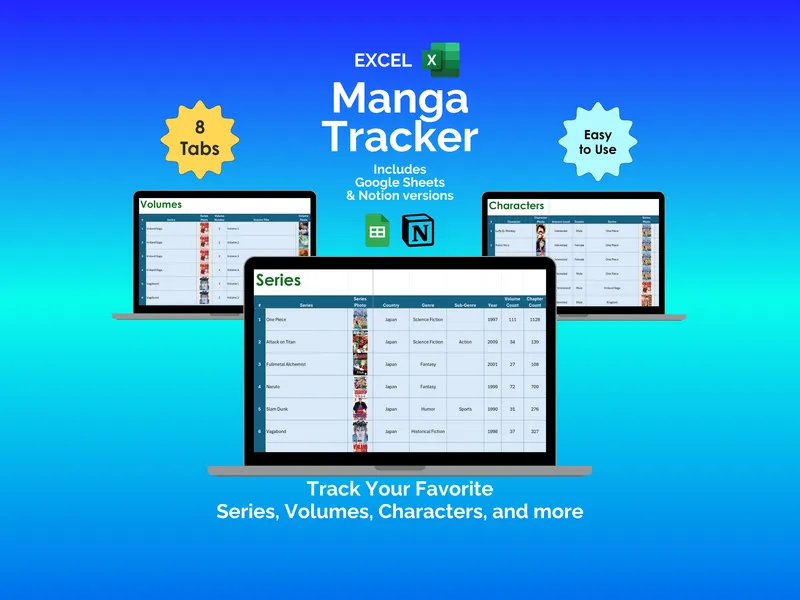
Already have the Manga Tracker? That one catalogs a collection you own, volume by volume. This one is built for the moving finish line: what is still coming, how far behind you are in hours, and what the unlocks cost. If you read both ways, they sit happily side by side.
Own it, don’t rent it
No account. No subscription. No app deciding what to show you, and no reading list trapped inside someone else’s walls. It is a file you keep — on your own computer or in your own Drive — that will still open in ten years, long after a platform has quietly delisted the series you were halfway through.
A note on what this is: a personal reading log, not purchasing or financial advice. The example catalog is fictional and illustrative — every series title, rating, note and amount in it was invented to show the workbook in use and checked against the published works we could find. The Platform Guide describes how serialized reading is charged for in general and quotes no prices; check a platform’s own help pages for its current terms. Platform, publisher and app names belong to their owners; this product is not affiliated with or endorsed by any of them.