What this is: a new-hire onboarding pack of 19 print-and-write-on sheets across 9 PDFs, 108 pages, for a small employer with no HR department and no onboarding software. You print the sheets and fill them in by hand; nothing in the pack has on-screen form fields. Half of it is the welcome packet you hand the new hire on day one. The other half is the back-dated countdown you work in the weeks before that.
How you run it
- Fix the start date and fill in the Back-Date Worksheet — the sheet that turns each lead time into a real date.
- Work the Countdown Run backward from it — the 30-task prep list — longest lead times first.
- The evening before, fill in the Readiness Score — the go/no-go check — and act on the verdict.
- Print the Welcome Packet, fill in the pages that need your words, and hand it over on day one.
- On day five, hand over the What Was Missing? slip and leave the room.
- Write what it says onto Fix Before Next Hire — that amends your next countdown.
Two of the 19 sheets are free, no email required: the First-Day Agenda & Who-to-Ask pair.
What a new-hire welcome packet leaves out
Almost every welcome-packet template gives you the thing the new hire reads: a welcome page, a first-day agenda, a place to write who’s who. Those are worth having, and they’re in here.
But a new hire’s first impression is not set by the packet. It’s set by whether anything was ready — whether the laptop existed, whether the door let them in, whether anyone was expecting them at the front. And in a small business, readiness is not a policy problem. It’s a lead-time problem: the laptop that takes ten business days to arrive, the door fob the landlord’s agent controls, the payroll cutoff you already missed.
So this pack has two halves, and most of what you can buy is only the first one.
| A welcome packet alone | This pack | |
|---|---|---|
| The pages the new hire reads | Yes | Yes — 9 sheets |
| The manager’s prep, back-dated in business days | No | Yes — a 30-task Countdown Run |
| A written way the first week improves the next one | No | Yes — day-five slip into Fix Before Next Hire |
The manager’s half: a back-dated onboarding countdown
The Countdown Run is 30 prep tasks, ordered by the number of business days each one typically needs, banded from fifteen days out down to the morning itself. Every task carries four things: the lead time, who does it, a box to tick, and one plain line saying what the new hire experiences if you miss it — not “delays onboarding”, but they spend the morning watching somebody else use a screen instead of working.
Sixteen of the thirty are marked CRITICAL, in the word and not only in color, because color alone disappears on a black-and-white office printer. Critical means day one visibly does not work without it: no way in, no computer, nobody expecting them, no work to do, not on payroll.
How to turn a lead time into a date on the calendar
The Back-Date Worksheet prints the arithmetic beside every critical task due before the
start date — start − 10 business days — so you write your start date once and work backward
to the real date each one falls on. The relation stays printed on the page, which means the method survives being
photocopied and handed to someone else.
The day-before readiness score that can tell you to move the start date
On the evening before, the Readiness Score asks you to tick the 15 critical items due by then — fifteen of the sixteen; the last one falls on the morning itself and is ticked off on the final countdown sheet instead. Every box is labeled with the task it stands for, so the number means something. Then it gives you a verdict — ready, fixable before morning, or move the start date, because a first day spent waiting is an impression you only get to make once.
What goes in the new hire’s welcome packet
Nine sheets go in the folder on their desk: the welcome page, how we work here, an hour-by-hour first day, the first-week schedule, who to ask about what, where things are and how things work, who their buddy is, a first-week training checklist with a sign-off column, and the What Was Missing? slip you hand over on day five.
Two things make these different from the blanks you can download free. First, the subjects are already there — the who-to-ask sheet prints the questions a new person actually has (pay, calling in sick, the thing that’s broken, the alarm) and you fill in the names; the cut-out desk card adds a question you feel silly asking. Second, the pages where a corporate voice does the most damage carry an instead-of / write-something-like margin, with a fuller 12-pair wording bank in the reference PDF. “We are thrilled to welcome you to our dynamic team” is what a template gives you. “We’re glad you’re here. Your desk is set up, and Maria will walk you through your first morning at nine” is what you’d actually say.
The day-five question that closes the loop
At the end of the first week you hand the new hire the What Was Missing? slip and leave the room. It asks three questions: what wasn’t ready when you started, what you still don’t know but wish you did, and what you’d tell the next person starting here.
Ask early. The guide’s argument is that a new hire can see what was missing for roughly the first couple of weeks, and then the view closes as the strange becomes normal. Whatever the slip says goes onto the Fix Before Next Hire sheet, and that sheet becomes amendments to your next Countdown Run.
It is the one mechanism in this pack by which one person’s first week is written into the next one’s.
Printing it: paper sizes, scale and the cut-out sheets
The three files you actually feed through a printer — the Manager Prep Pack, the New-Hire Welcome Packet and the cut-out sheets — each ship in US Letter and A4, laid out separately for that sheet rather than scaled from one to the other. The guide, the worked example and the reference are read rather than filled, so they are US Letter only.
Print everything at 100% / actual size, never “fit to page” — scaling moves the trim marks on the cut-out sheets. Print the desk-card sheets on card stock if you have it; they get handed across a counter and written on.
Every one of the 19 sheets is also shown answered in full for an invented small bakery, so you can see the level of detail that makes a sheet usable before you write anything.
The cut-out sheet set gives you 12 desk cards four to a sheet, a signed equipment-issued receipt with a replacement-value column and a total row you add up, and a tools-and-accounts request slip — one sheet that replaces asking three different people in three different inboxes.
What this pack isn’t
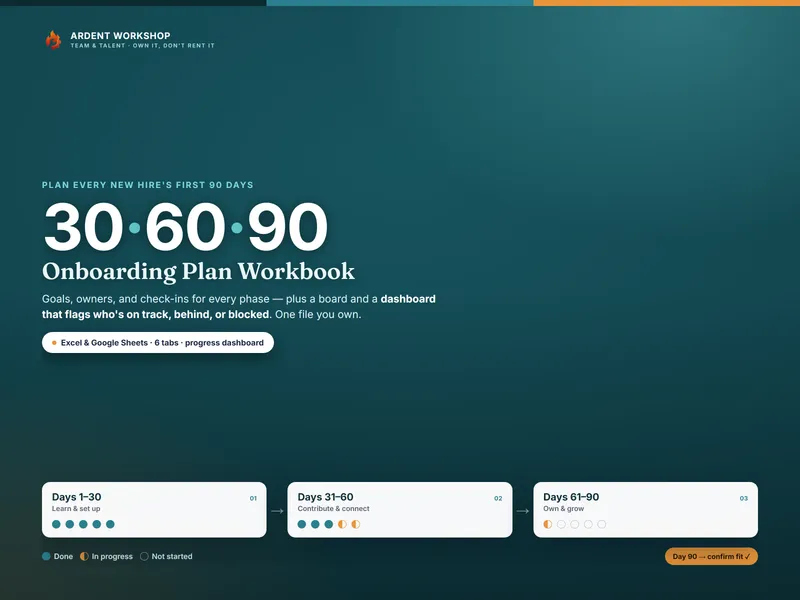
Not a personnel file, not a payroll system, and not a 30-60-90 plan. The first week is where it stops. When the first week is over, the Onboarding / 30-60-90 Plan Workbook takes it from day six to day ninety, and the Onboarding & Offboarding Equipment & Access Tracker keeps the running register that the receipt slips in here feed.
One safety rule for printed onboarding sheets
These sheets get handed over, pinned to walls and carried in pockets, so the pack is explicit about it: write down where things are and who to ask — never the alarm code, the door code, a PIN, or a password. Access is granted to a person, not copied onto a card.
Own it, don’t rent it
There’s no seat here, no subscription, and no account to keep paying for. It’s a zip of nine PDFs you download once and print for every hire you ever make — for as long as you keep hiring. It sits in the Team & Talent line alongside the rest of the hiring and onboarding tools.
Templates and general guidance — not HR or legal advice. Employment paperwork, eligibility and work-authorization checks, and record-keeping rules vary by jurisdiction; check what applies where you employ people. Every business, person, address and figure in the worked example is invented.