The price was right when you set it. Then everything under it moved.
You priced that coaster set the week you bought the machine. Since then the birch went up, you replaced a tube, your electricity bill changed twice, and you have learned which blanks scorch on you and which never do. The listing price never moved, because nothing told it to.
The Laser Engraving Business Workbook is a 10-tab spreadsheet for Excel, Google Sheets and LibreOffice Calc that works out the true cost per piece of everything a laser engraving shop sells — sheet yield from your own sheet and piece dimensions, a machine-hour rate for each laser, and a failure rate measured from your own failed-burn log — and then re-prices the whole catalog when one of those costs moves.
That is the gap it fills. Not “what should I charge for this job” — most free calculators answer that, including our own. This one answers the harder question: what does everything I sell cost me today, and which listings are now behind?
Start free, if you want to
The Laser & CNC Job Cost Calculator (opens in new tab) on Ardent Seller prices one job in your browser — material, machine time, labor, fees — and it is free with no signup. It is a good place to start and an honest way to see whether this way of costing makes sense to you. What it cannot do is remember. It has no catalog, no material list, no history, and no way to learn what your shop actually wastes. The calculator prices a job; this workbook runs the shop.
There is a free file from us as well, and it is the other half of that: the Laser Settings & Material Test Log is the Settings Library tab on its own — 26 dialed-in settings from the sample shop pre-filled, power, speed, passes, focus, lines per inch and air assist per material and per machine, a power-by-speed test grid, and the same PU-versus-PVC safety note. It records what worked; it does not cost anything out. Free, no signup, and nothing in it expires when you decide you want the rest.
Sheet yield: a piece does not cost a sheet. It costs a slice of one.
Most laser pricing sheets ask for “material cost” and leave you to work it out on the back of an envelope. This one asks for the things you can actually measure: the sheet size, the piece size, the kerf your beam removes, and the edge margin you cannot cut into.
Then it does the grid math. It lays your piece out across the sheet and down it, tries the same thing rotated ninety degrees, keeps whichever fits more, and divides the sheet price by the pieces the grid yields. A 3.75-inch coaster on a 20 × 12 sheet of 3 mm birch comes out at 15 pieces and 23 cents each — with the offcut shown as a percentage, so a wasteful piece size is visible before you cut fifty of them.
Your own failure rate, not a flat guess
Most pricing calculators ask you to guess a waste percentage, and then to trust it. That number is doing an enormous amount of work and nobody has ever checked it.
The Failed Burns log is where you write down the burn that went in the bin: the cause, the material, the machine, how many pieces, the machine minutes you lost, and the hands-on minutes you had to do over. Nine causes in the dropdown, from a flare-up to a typo you approved on the proof.
The Blanks & Materials tab counts those rows against the good pieces your finished orders made, per material, and hands the catalog a real rate. Acrylic and slate do not fail at the same rate, and one number for both is one number that is wrong twice. Until there is enough history to trust, the tab says so plainly in a basis column and holds your default — and when a material starts failing far above that default, it flags it before the rate is even settled.
The same tab carries each blank’s stock: what you have on hand, less what finished orders consumed and failed burns ruined, with a REORDER flag that fires before you find out mid-job.
The machine-hour rate: an hour of laser is not free, and it is not your wage
The Machines tab gives each laser its own dollar-per-hour rate from three real components:
- Depreciation — what you paid, over the hours you expect to get out of it.
- Tube or diode-module wear — the replacement part over its rated hours. A tube is not a repair bill you meet once every few years; it is a cost on every hour you run, from the day it is fitted — in the sample shop that ships with the workbook, that is 3.3 cents an hour for the diode module and 32 cents for the CO2 tube.
- Power — the wall draw of the laser and its extraction, at your own electricity rate.
Six machine slots, so a diode, a CO2 and a fiber each carry their own number — and a SKU is charged at the rate of the laser that actually cuts it. The tab also keeps an hour meter, fed by the burn minutes on your finished orders plus the minutes you lost to failed burns, with an offset for anything you ran before you started logging.
One catalog, re-priced the moment a cost moves
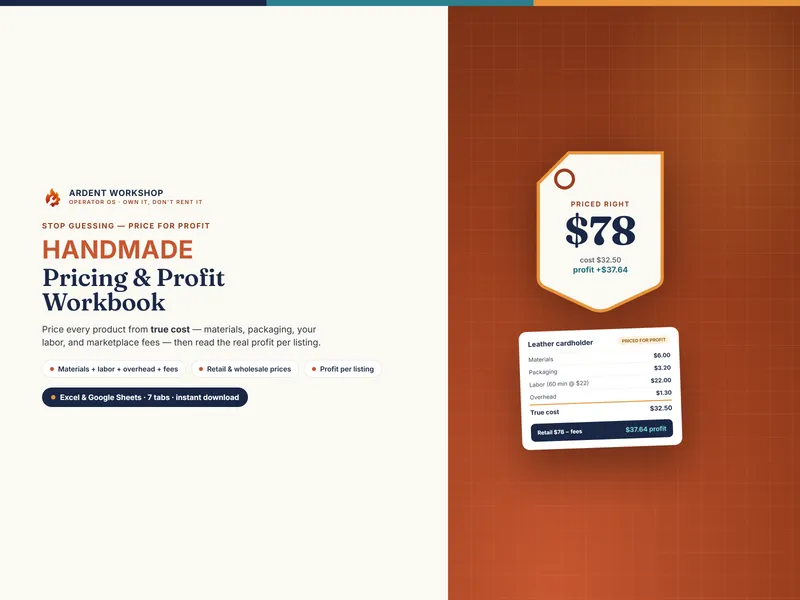
The SKU Catalog is where it all lands. Fifty rows, one per thing you sell. Each carries a true cost — blank cost from the yield math, burn time at that machine’s rate, your setup, weeding and finishing minutes at your loaded labor rate, the measured failure allowance, packaging, and marketplace and payment fees — and works back out to three prices: a floor you will not go below, a target you want, and a premium for the work that deserves it.
Then it checks what you charge today against all three and says, in plain words, which side of your own margin you are on: ON TARGET, PREMIUM, UNDER TARGET, or UNDER FLOOR.
Change a blank price on the materials tab, a tube price on Machines, or the electricity rate on Shop Setup, and every row that touches it moves the same afternoon. The dashboard then keeps a top-five re-price list, the listings furthest below their target price, and tells you what each would need to be raised by, so a re-pricing afternoon is a short list rather than an audit.
Settings that stay yours, and maintenance that counts hours
The Settings Library keeps power, speed, passes, focus, lines per inch and air assist per material and per machine — because a setting that sings on a 60 W CO2 means nothing on a 20 W diode, and the wattage of each is carried across so the numbers are never read out of context. Each row records the tube or module hours it was dialed in at, and raises a RE-TEST flag once the source has aged past the threshold you set. Twenty of those cards print for the wall, with twelve blanks for the materials you have not dialed in yet.
The Maintenance tab sets each task’s interval in machine hours, not weeks, and reads the hour meter the file has been keeping. A lens gets dirty from burning, not from the calendar — so a heavy month brings the lens clean forward and a quiet one does not.
The order queue: personalized orders, and what each one actually kept
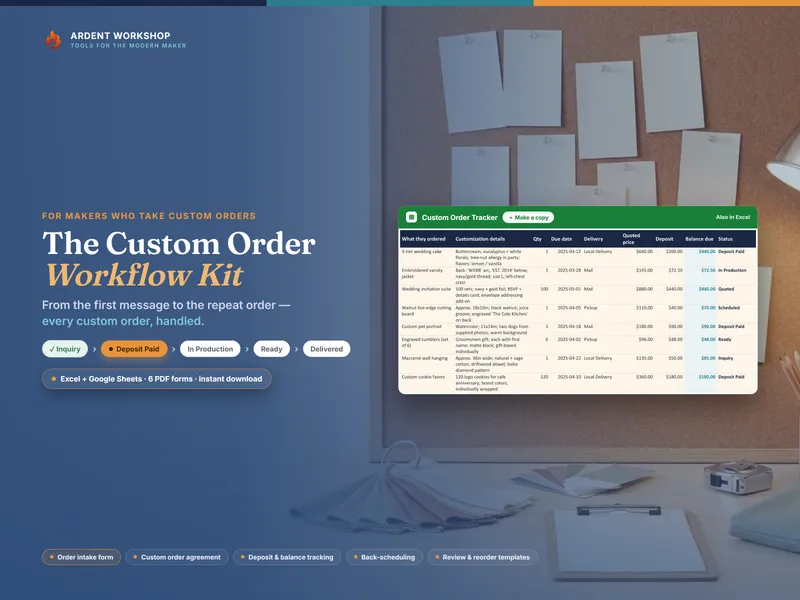
The Order Queue holds 150 rows. Paste the customer’s exact wording into the row so it is never retyped, then track the proof rounds, the approval, the due date and the stage — Proof, Approved, Engraved, Shipped, or Canceled. A watch column computes SEND PROOF, CHASE PROOF and OVERDUE from the dates in the row against the chase window you set once.
Two columns are the ones a generic order tracker rarely has. Proof rounds beyond the ones you include are priced at your loaded rate and come straight off that order’s margin — so a customer on their fourth revision stops being a vague irritation and becomes a number you can point at. And setup and artwork minutes belong to the one-off job that needed them, instead of being smeared across a catalog price that every other buyer pays.
Own it, don’t rent it
This is a file, not a subscription. One payment, and the cost history lives on your own machine in a format you already have — Excel, Google Sheets, or LibreOffice Calc. The Google Sheets version is a genuine “Make a copy” link, not an import: click it and the whole workbook lands in your Drive with every dropdown, computed flag and live formula already working.
Maker inventory software is usually monthly, built for makers in general rather than for a laser shop, and holds your cost history on somebody else’s servers. A blank spreadsheet is free, and costs you evenings instead. This sits between them.
Growing past a spreadsheet?
If the shop outgrows a workbook — multiple people touching stock, a real inventory to value, a sales history behind every blank — Ardent Seller (opens in new tab) is the app we build for that. There is no rush, and nothing here depends on it.