Ask a sticker seller what one sticker costs them and you’ll usually get the sheet price divided by how many they cut. It’s a reasonable guess and it is always too low — for three reasons that compound, and all three are already paid for.
Want a taste first? The free Sticker Yield & Cost-Per-Sticker Calculator costs one cut on one material right in your browser. This workbook costs your whole catalog.
What a sticker really costs
A printer can’t reach the edges of a sheet, so a nominal 12-inch square is nearer 11.5 by 11 inches of usable area. Bleed and gutters make every piece bigger than its finished size, so a 3-inch round with a sixteenth of bleed and an eighth of a gutter occupies a 3.25-inch pitch on the sheet, not three inches. And some of what you cut — misprints, a wandering cut, a lifted corner — will never be sellable.
The Yield Calculator is the tab nothing free will do for you. Give it a piece size, the bleed you print, and the gap you leave between pieces, and it counts whole pieces across and down, shows how much of the sheet ends up as trim waste, and divides the loaded sheet cost — stock plus ink plus laminate — by the pieces you can actually sell. In the worked example, a 3-inch round on matte white vinyl fits 9 to a sheet — and 49.7% of that sheet never becomes product, because a circle covers only 79% of its square and the bleed, the gutters and the leftover strip take the rest. It costs $0.1913 per good sticker, not the $0.1856 you get by dividing.
Change one number and the whole row moves. Tighten the gutter on a 2-inch round from an eighth of an inch to a sixteenth and a fifth row appears: 25 pieces from the same sheet instead of 20, and 20% off your cost per sticker, permanently. The same 2-inch sticker as a kiss-cut on a 2.6-inch backing card — same stock, same spoilage — fits only 12 to the sheet, so it costs 67% more to make for a sticker a buyer can’t tell apart in a photograph.
It isn’t the vinyl
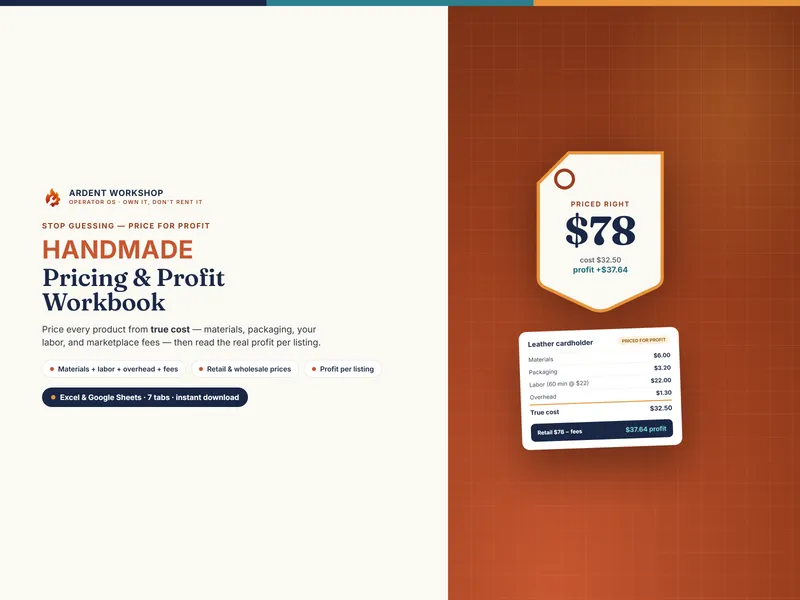
Here’s the part that reframes everything. On a $3.75 die-cut single the material is 19 cents — and your own hands are 73 cents, postage is $1.10, and the marketplace takes 93 cents. Postage and fees are close to fixed per order, so they eat a cheap item alive. That is the whole reason packs, sheets, and prints exist, and the Product Costing tab shows it on every listing you sell: material from the Yield Calculator, packaging, labor at your own hourly rate, shipping, and channel fees looked up automatically, netted to profit and margin and flagged against your target.
Which designs actually carry the shop
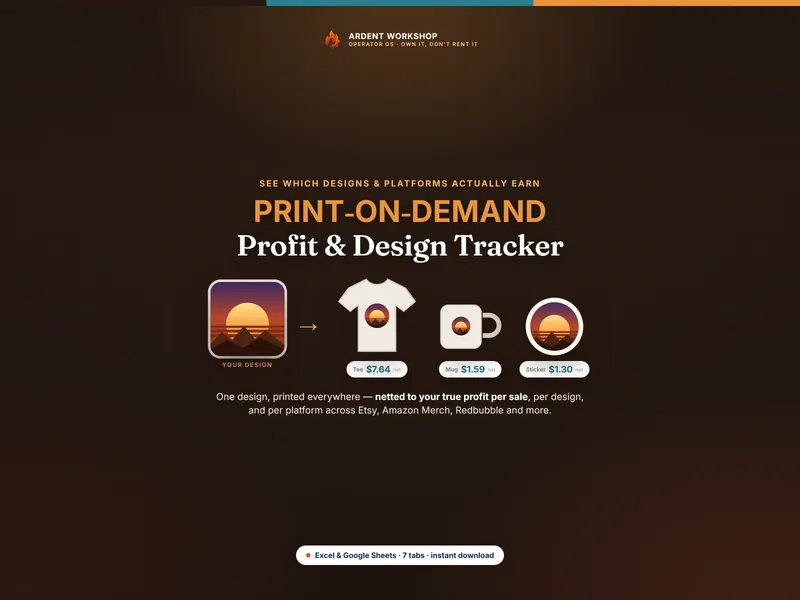
The Design Dashboard rolls your Sales Log up by design, by channel, and by product form. In the illustrative data one design tops both lists at $614.64 net — but only $2.44 a unit, because it sells as singles, while another earns $5.28 a unit on 37% of the volume. Ranking by gross would tell you to make more singles. Ranking by net tells you to put the winner in a pack.
The channel rollup underneath is where the illustrative shop gets its worst news: the row for orders that arrived through an offsite ad is negative. Ten units went out and cost the shop money, and no storefront report would have told you.
The Print Run & Waste Log does the same honesty check on production. Log sheets in, good pieces out, rejects counted, and it flags each run On plan, Over plan, or Well over plan against what the Yield Calculator predicted. In the example, one run came in 28% over its planned cost per good piece because a quarter of it was unsellable — what a tired blade costs, and invisible without a log.
Know the discount before you advertise it
Every listing has a discount at which it earns you exactly nothing, and it’s different for every listing. The Promo & Bundle Planner computes it from each listing’s own cost per good piece, postage, and channel fees. In the worked example you can take 56.2% off a $3.75 single that charges $1.29 for shipping. The Pricing guide runs that same sticker shipped free and the headroom collapses to 21.8%, because absorbing postage is a price cut you already made. It also nets a buy-3-get-1 order properly (one order, one set of fees, four stickers made) and back-solves the pack price that matches singles: a five-pack listed at $12 would need to be $14.24.
Free calculators do one product at a time. This does your whole catalog.
Own it, don’t rent it
This is a file you keep — sitting between a blank spreadsheet (free, but you build every formula yourself) and a monthly subscription (overkill, and gone the day you stop paying). Buy it once and use it across every design, every substrate, and every channel, forever. It opens in Excel, Google Sheets, and LibreOffice, and ships with a native Google Sheets version you copy to your Drive in one click — no import, nothing to rebuild.
When the shop outgrows a spreadsheet — real material stock on the shelf, reorder points on vinyl and mailers, print runs matched to orders across channels — it graduates cleanly to Ardent Seller (opens in new tab), the living version of this workbook: your stock and your designs become tracked items, your sales become transactions, and your true profit is computed for you across the whole operation. There’s a free plan to start.
What’s included
A 9-tab workbook — Read Me, Material Library, Yield Calculator, Product Costing, Design Dashboard, Sales Log, Print Run Log, Promo & Bundle Planner, and Channel Fee Reference — plus five PDF guides: a Start Here guide, the Material Yield & Cost Per Sticker guide, a Pricing, Promos & Bundles guide, the Print Production & Channel Reference with a 16-term glossary, and Printable Production Sheets for the bench. It’s an instant digital download, pre-loaded with a worked example you overwrite with your own designs.
Every figure in the guides is computed by the same model the spreadsheet uses, so a guide can’t quote a number the workbook doesn’t produce. The example material prices, ink figures, printer margins, and channel fees are illustrative — suppliers change prices, printers differ in what they can reach, and fees vary by country and plan, so you measure and enter your own. This is a business reference, not financial, accounting, or tax advice, and is not affiliated with or endorsed by any marketplace, payment processor, printer manufacturer, or material supplier.