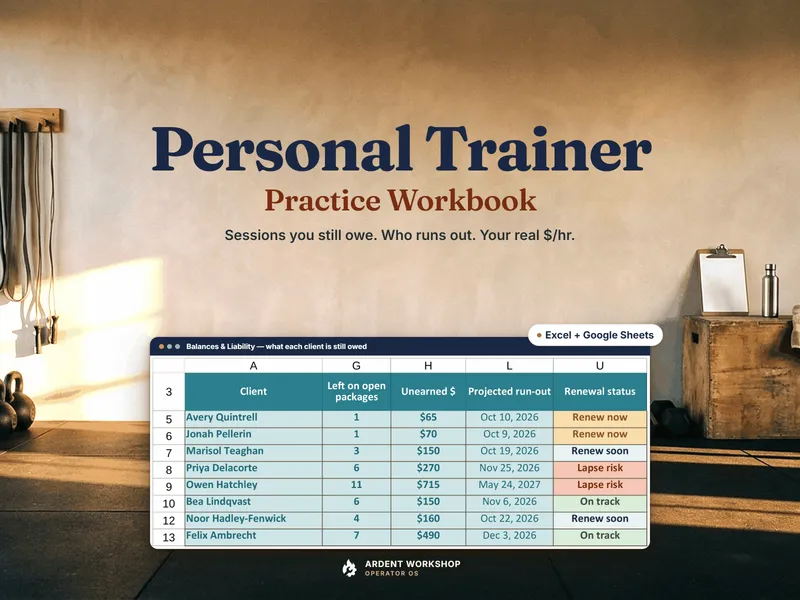
This isn't really spreadsheet-versus-app. It's “the right tool for the job in front of you.” Training apps are built around delivering workouts and taking bookings. Most of them are priced per month, and many scale with how many clients you carry. The questions that decide whether a practice is healthy are different: how much of the cash you've taken is still owed back as sessions, which packages are about to run out, and what a client really pays you per hour after the drive and the admin. A workbook you own answers those, and an app can do the part clients see.
When an owned workbook is exactly right
- You sell session packages and want to know, in dollars, how much of what you have collected is still owed back as undelivered sessions.
- You want to see which clients will run out or lapse next at their real pace, not a guess from memory.
- You want your late-cancel and no-show policy applied from the hours of notice, so the fee, the deducted session, the free cancel or a one-off waiver is a number and not an awkward conversation.
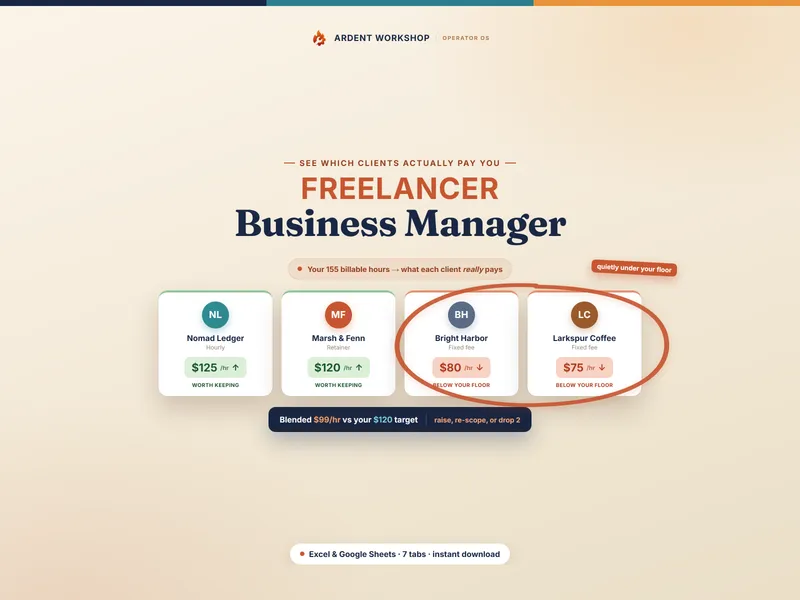
- You want each client's effective hourly rate once travel, admin time, platform fees and late cancels are counted.
- You want something private and bent exactly to how you train, with no monthly or per-client fee.
At this stage a good workbook does the practice math that booking and workout apps are not built around. The personal trainer hub collects the tools made for it, and the free Trainer Package Balance Tracker is a no-signup taste of package tracking: sessions left and expiry dates.
The signals you've outgrown it
You don't decide to switch. The practice tells you. The tells:
- Clients want an app. They expect to see their workouts, log sessions and message you in one place, and a file you keep cannot do that.
- You're delivering programs by hand. Building and sending workouts one client at a time is the job an app is designed to take over.
- Booking is a daily text thread. You'd rather clients pick an open slot and reschedule themselves.
- Collecting payment is manual. You'd rather have cards on file and online checkout than send reminders and payment links yourself.
- You run a bigger team. Several trainers, locations and class schedules are past what one file should coordinate.
One or two of these is normal. All of them, every week, is the work telling you it is time to look at a connected system, not before.
Side by side
| What matters | Practice workbook | Training software |
|---|---|---|
| Cost | One-time purchase, yours to keep, no monthly or per-client fee | Generally a monthly subscription, often scaling with client count |
| Packages & sessions owed | Sessions left and unearned dollars per client, counting only cash received | Varies by app; none of the apps we reviewed showed it from your own records |
| Run-out & renewals | Projected at each client's real pace, with a renewal forecast | Varies by app |
| Cancellation policy | Applied from the hours of notice against your Setup window | Varies by app |
| Real hourly rate | Effective rate after fees, travel and admin time | Varies by app |
| Client app & workouts | No, a workbook does not deliver programs to clients | Yes, the core of most of these apps |
| Online booking & payments | No, you schedule and invoice yourself and record what's collected | Often self-booking, cards on file and online checkout; varies by app |
| Where your data lives | In a file you keep (Excel, Google Sheets, LibreOffice) | In the app's system, behind the subscription |
| Best for | Independent trainers and small studios who need the practice numbers | Trainers who deliver online programs, take online bookings or manage a larger team |
When software is the better choice
Plenty of trainers should pay for an app, and a workbook should not talk them out of it. If your clients live in a workout app, if you coach online and deliver programs and check-ins at volume, if you want clients to book and pay themselves, or if you manage a roster of trainers and classes, the software is doing a job a spreadsheet cannot. Workout delivery, a booking page and card payments are client-facing, and that is where an app wins outright. If it saves you more hours than it costs each month, subscribe.
The two also stack. The honest version of the decision is usually “app for what clients touch, workbook for what you need to know.”
Run your practice either way
Whatever tool books your sessions, you still need a fast, defensible way to see what you owe and what each client earns you. The Personal Trainer Practice Workbook shows every client's sessions left and the unearned dollars still owed back, forecasts who runs out or lapses next, applies your cancellation policy from the hours of notice, and works out each client's effective hourly rate after fees, travel and admin. It is 17 tabs with an 18-page guide and a 10-page policies and renewals playbook. Own the practice math; rent the client app only when your clients and calendar demand it.
Not ready to buy? Try the free Trainer Package Balance Tracker first, no signup, to see every client's sessions left and expiry date in one pre-filled tab, then run the whole practice in the workbook.
New to the terms? Start with what a training package is, or browse every tool on the personal trainer hub.
Frequently asked questions
- Do I need personal training software to run my business?
- Not to run the money side. Tracking what each client has paid for, how many sessions are left, when a package will run out, and what you earn per hour is arithmetic, and a workbook does it for a one-time cost. Software earns its place when you want to deliver workouts in an app, let clients book and pay online, or message clients inside one system. Those are client-facing jobs a spreadsheet does not do.
- What can trainer software do that a spreadsheet can't?
- Apps like Trainerize, TrueCoach, PT Distinction and Mindbody or Glofox are built around workout delivery or booking, and features vary by app: a client app, programs and check-ins, an online schedule, or card payments. A spreadsheet will not send a client a workout, show them a booking page or charge a card. What a workbook does well is the practice-side math on the sessions and packages you have already sold.
- Can a spreadsheet track package liability and renewals?
- Yes. A well-built workbook shows how much of the money you have collected is still owed back as undelivered sessions, projects when each client's package will run out at their real pace, and flags who is due to renew. The Personal Trainer Practice Workbook does this from your own package sales and session log. None of the apps we reviewed put a dollar figure on sessions owed from your own records, though they may do other things well.
- How does software pricing compare with an owned workbook?
- Trainer software is generally priced per month, and many plans scale with the number of clients you have. A workbook is a one-time purchase you keep, with no monthly or per-client fee. Plans and prices change often, so check the current numbers for any app you are weighing. The question to ask is whether the client-facing features save you more time than the recurring fee costs.
- Can I use both a booking app and a workbook?
- You can. Let the app handle the schedule, workouts and payments clients see, and keep the workbook for the numbers you need behind them: sessions owed, run-out dates, effective hourly rate after travel, admin and fees, and your cancellation policy applied from the hours of notice. The workbook stays yours even if you change apps.