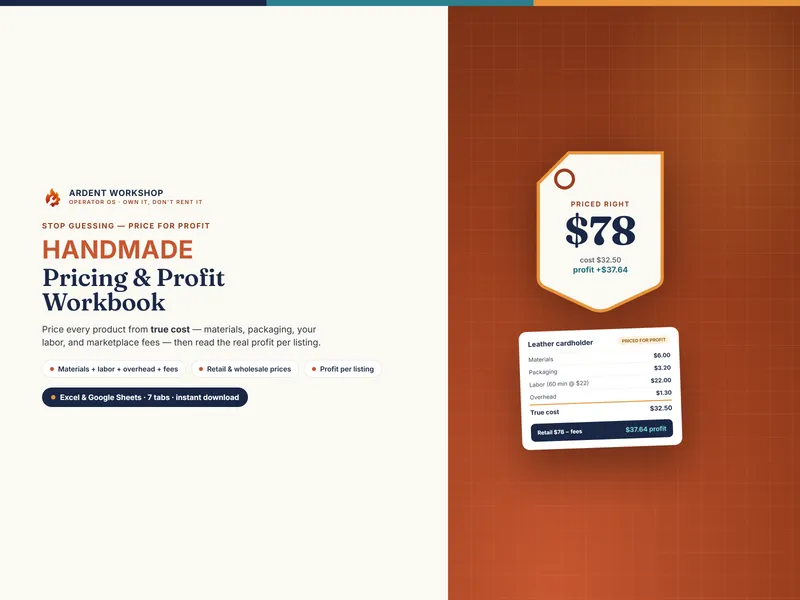
This isn't really spreadsheet-versus-software. It's "the right tool for where your bench is today." Most makers should start on a workbook and stay there considerably longer than the software marketing suggests — because the hard part of jewelry pricing is not automation, it's getting the two material costs right in the first place.
Why jewelry breaks a generic pricing tool
Most pricing templates and most general small-business apps assume your materials have a price you look up once. Jewelry has two material costs, and neither behaves like that.
- Metal is bought by weight, at a price that moves. A pendant costed in the spring at one silver price is a different pendant in the autumn, at the same sticker. Nothing on your bench tells you it changed.
- Everything else is bought in lots and spent one piece at a time. A pack of a hundred jump rings, a five-foot spool of chain, a parcel of six cabochons, a bottle of flux. Each is a few cents; together they can outweigh the metal in a small piece entirely.
A tool that models only one of those — or neither — will produce a confident number that happens to be wrong. That is true of a generic app and of a generic spreadsheet alike, which is why the comparison worth making is between a jewelry-specific workbook and jewelry software, not between "a spreadsheet" and "an app."
What a jewelry workbook does well
- Metal in one place. Enter what your invoice says — per troy ounce, pennyweight, gram or kilogram — plus any mill markup for rolling or drawing, and get a cost per gram. Change that one cell and every piece built from that metal recosts.
- A component inventory, not a price list. Each component as the lot you bought it in, divided into a cost per unit, with on-hand quantities and a reorder point.
- A bill of materials per piece, including the solder joins, the pickle, the polishing papers, the box and the mailer.
- Three counters compared in dollars per bench hour — retail, wholesale and consignment — rather than a single retail number.
- A batch run-rate, so a ten-up wholesale run is costed at what it genuinely takes rather than ten times the one-off.
- It's a file you keep. No monthly fee, no account, and your costs and price history are not sitting in someone else's system.
What software adds — and when that's worth paying for
- A live metal price feed. Your catalog reprices without you typing anything. Genuinely useful if you work in gold, where a month of drift is real money; much less so if you work mostly in brass and copper.
- Automatic stock decrementing. Components come out of inventory as production is recorded, instead of you maintaining an on-hand column by hand.
- Lot traceability. A finished piece tied back to the parcel its stones came from — which starts to matter for repairs, insurance and higher-value work.
- Multi-user access once there is more than one pair of hands at the bench.
The honest test is arithmetic, not aspiration: if updating prices and counting stock by hand costs you two hours a month and you value your bench hour at $32, that manual work is worth about $64 a month — so a subscription priced above that costs more than the work it removes.
Which stage are you at?
| If this is you | The right tool |
|---|---|
| Solo bench, one to a few hundred pieces a year, mostly silver and base metal | An owned workbook. Reprice monthly from your invoice and keep the fee. |
| You've never costed a piece from its actual components | A workbook, without question — automation on top of a wrong cost is a faster wrong answer. |
| Weighing up your first wholesale order or gallery | A workbook that shows dollars per bench hour by channel, before you send the line sheet. |
| Working substantially in gold, quoting commissions weekly | A workbook still works, but date your metal prices and re-quote often — or start pricing a feed. |
| A second pair of hands, stock across several files, lots you need to trace | Connected software. This is the point a folder of spreadsheets starts to creak. |
The middle rung people forget
The choice is usually presented as "a spreadsheet you build yourself" or "software you rent forever." There is a rung between them: a designed, jewelry-specific workbook you own outright — the structure and the method already built, no subscription, and your file stays yours.
And when the bench genuinely outgrows a file — a second maker, stock across several places, components you want counting themselves down as pieces are made — that is the moment connected software earns its keep, not before.
Start with the cost, not the tool
Whichever you end up on, the first job is the same: get your metal onto a cost-per-gram basis, write down the drawer once, and time a piece honestly. A tool that automates a guess just produces the guess faster.
For the method end to end, read how to price handmade jewelry, or start with the multiple everything hangs on in what is a jewelry markup. Every tool for makers is on the templates for craft sellers hub.
Frequently asked questions
- Do I need a jewelry pricing app, or is a spreadsheet enough?
- For a solo bench, a spreadsheet is usually enough for years. Jewelry pricing is arithmetic with two moving parts: metal costed by weight at a price you set, and components costed by the unit you actually spend them in. A workbook does both, adds your studio overhead and your hourly, and compares retail, wholesale and consignment. What it will not do is fetch today's metal price by itself or decrement your stock as you make. Those are the two things an app buys you, for a monthly fee.
- What can jewelry software do that a workbook can't?
- Three things, mainly. It can pull a live metal price feed so your catalog reprices without you typing anything. It can decrement components from stock automatically as production runs are recorded, instead of you updating an on-hand column. And it can tie a finished piece back to the specific lot its stones came from, which matters for repairs, recalls and higher-value work. A workbook models all three by hand; software does them unattended.
- How do I price jewelry that uses metal bought by weight?
- Convert whatever your supplier quotes into a cost per gram, then multiply by the finished weight of the piece plus a scrap allowance for the metal that never reached it. The conversion is where most homemade sheets go wrong: a troy ounce is 31.1034768 grams, not the 28.3495 g ounce on a kitchen scale, and casters and refiners often quote per pennyweight (1/20 of a troy ounce) instead. Get the unit right once, in one place, and every piece you cost afterwards is built on something true.
- How much does jewelry pricing software cost vs a workbook?
- A pricing-and-materials workbook is a single low one-time cost you own forever (this one is $24.95). Jewelry studio and inventory software is typically a recurring monthly subscription, often tiered by user count or catalog size. The subscription earns its keep once the manual work it removes — repricing a large catalog, counting stock, tracking lots — costs you more time each month than the fee. Before that point you are renting capability you are not yet using.
- Can a spreadsheet handle wholesale and consignment pricing?
- Yes, and this is where a well-built workbook often beats a generic app. The useful comparison is not margin percentage but dollars per bench hour: what the same piece pays your hands at your own counter, at a stockist's keystone, and after a gallery's commission. A spreadsheet can lay all three side by side and flag which channels a piece can actually afford to stand at. Many pricing apps only ever compute one retail number.