Most managers can name the person they’d least want to lose — and, if they’re honest, carry a quiet worry that they might. The Stay-Interview & Retention-Risk Tracker gets that worry out of your head and onto one page: who is at risk of leaving, how much it would hurt, and what you’ve actually committed to do about it — before the resignation, not after.
Score every person on two things — flight risk (how likely they are to leave) and impact (how much it would hurt to lose them) — and the workbook auto-ranks your whole team into a prioritized retention queue, from Quiet Backbone in the bottom-left to Critical Flight Risk in the top-right. No agonizing over a mental list; just a short, ordered set of who to talk to first.
New to stay interviews? Try the free single-team flight-risk checklist — triage one team by hand, then upgrade here for auto-ranking, a live dashboard, the question bank, and per-person action tracking.
What is a stay interview?
A stay interview is a short, deliberate conversation with someone who still works for you, to learn what keeps them, what frustrates them, and what would make them leave — while you can still act on the answer. It’s the opposite of an exit interview, which asks the same questions when it’s already too late. This workbook pairs that conversation with a simple retention-risk score, so the insight turns into a tracked plan instead of a good intention.
Score flight risk and impact — the priority fills in
On the Retention Tracker tab, you list your people and pick a Flight Risk and an Impact score from the dropdowns. That’s it. The Priority Score, the Priority Tier — one of four: Critical, Elevated, Monitor, or Stable — and a suggested next step all calculate for you and read from a single source of truth, so the tracker always agrees with itself. Then, for anyone at risk, you record the retention action you’ve committed to — with an owner, a due date, and a status — right beside the score.
See your whole team’s retention risk on one dashboard
The Priority Dashboard lays your team out on a 3×3 risk-by-impact grid, flight risk across and impact up, with a live count in every cell and totals by tier. Every cell names its priority tier in text, so the heat-map reads even without color. It’s the view to bring to a retention review — the conversation starts from the picture, not a spreadsheet. A crowded Critical corner is a warning worth naming; a high-impact person with no backup is a single point of failure hiding in plain sight.
Stay-interview questions that reveal what keeps them
The Stay-Interview Questions tab is a curated question bank — what keeps people, what frustrates them, where they want to grow, the manager relationship, and the honest question — plus how to run a stay interview that lowers risk instead of raising it. The Stay-Interview Log captures what you hear, so the conversation becomes the evidence behind the score.
What’s inside
- Retention Tracker — the working tab: two scores per person, auto-ranked into a tier, with action tracking.
- Priority Dashboard — your whole team on the 3×3 grid with a live count per cell and totals by tier.
- Risk Matrix — what each of the nine cells means and its suggested action (the reference the tracker reads from).
- Stay-Interview Questions — a curated question bank for the conversation itself.
- Stay-Interview Log — the evidence behind each flight-risk score.
- Scoring Guide — how to score the two axes fairly, the signals to read, and the habits that keep it honest.
- Review Log — a dated record of each retention or stay-interview round.
- Read Me — how the tabs fit together and where to start.
- Four PDF guides — Start Here, the retention-risk method & scoring guide, reading the matrix & retention actions, and a printable stay-interview & action sheet set.
Works in Excel, Google Sheets, and LibreOffice
One .xlsx that opens in Microsoft Excel and LibreOffice Calc — or, for Google Sheets, open the included one-click link and click Make a copy to drop a ready-made native version straight into your Drive, no importing and nothing to set up. It ships pre-loaded with a worked example — a fictional twelve-person organization that fills every tier — so the method is obvious on open. Overwrite it with your own team. It’s an instant digital download: nothing ships, and the workbook and all four PDF guides are yours the moment you check out.
Own it, don’t rent it
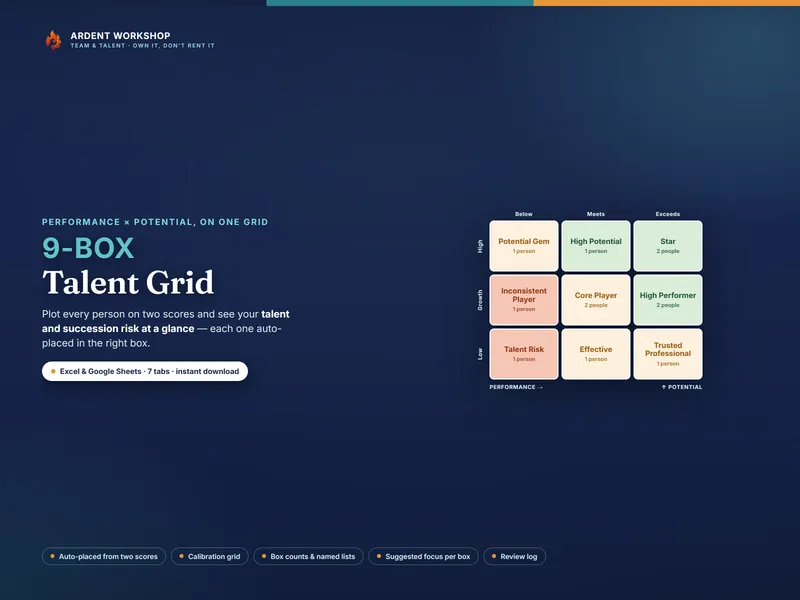
This sits between a blank spreadsheet (free, but you build and maintain everything) and a per-seat engagement or HR platform (overkill for most teams, and a recurring bill that holds your people data behind a login). It’s the structure you keep: a connected, owned workbook, with no seats and no monthly fee. See the same team’s performance and potential on one grid with the companion 9-Box Talent Grid, and find more people-ops tools in the full Ardent Workshop catalog.
What this is — and what it isn’t
The Stay-Interview & Retention-Risk Tracker is a retention-planning and management template — not HR, legal, or professional advice, and not an objective assessment of any real person. A risk score is a prompt for a conversation, not a verdict: never use it against someone, and never make a pay, promotion, or exit decision on the score alone. A stay interview is a good-faith conversation, not a tactic. The example team, scores, and notes are fictional and illustrative. Keep your people’s data confidential to those who need it, the way your own privacy policy and local law require. Stay interviews and retention-risk scoring are generic, widely-used people practices; this product is not affiliated with or endorsed by any consultancy or framework owner.