Every business has one or two people it could not easily lose — the person who runs operations, holds the key client, or is the only one who understands the payroll system. The Succession-Planning & Key-Person-Risk Workbook gets that quiet worry out of your head and onto one grid, in a shape you can act on before a resignation forces your hand.
Score each critical role on two axes and it’s placed automatically into one of nine risk cells — from Critical Gap (a business-critical seat only one person can fill) to Stable. No dragging, no guessing — just a clear, ordered list of where your business is exposed.
It’s a succession planning template built for founders, operations leads, and HR managers — anyone who keeps a business running and wants a documented plan, not just a quiet worry.
Want to start small? Try the free single-team key-person-risk checklist — spot the gaps in one team by hand, then upgrade here for auto-placement, a coverage map, and a full succession plan.
What is key-person risk and the bus factor?
Key-person risk (or “key-man risk”) is the exposure a business carries when one person is the only one who can do something essential — hold a relationship, run a system, or make a decision. The measure of it is the bus factor: how many people would have to be lost before the work stops. This workbook makes that visible, seat by seat, by scoring two things for every critical role: how much it would hurt to lose it, and how protected it is today.
Score two axes — the risk cell fills in
On the Critical Roles register, you list the roles you’d worry about losing and pick a Criticality (Moderate / High / Critical) and a Coverage (Single point / Thin / Covered) score from the dropdowns. That’s it. The risk cell, its zone, and a suggested focus all calculate for you and read from a single source of truth, so the register always agrees with itself. You never place a role by hand.
See your single points of failure on one coverage map
The Coverage Map tab lays your roles out on the familiar 3×3 grid, coverage across and criticality up, with a live count in every cell. The top-left corner is the danger zone — business-critical seats only one person can fill. It’s the view to project in a leadership or succession review: the conversation starts from the picture, not a spreadsheet.
Plan successor readiness — now, in a year, or not yet
The Succession Plan tab is the who’s-ready-when half. For each critical seat, name the candidate successors and score their readiness, their flight risk, the development action that would close the gap, and a target date. A “Retain — at risk” flag surfaces the ready successor you’re most likely to lose, and the Risk Summary counts your bench by readiness — so an act-now seat with nobody behind it is impossible to miss.
What’s inside
- Critical Roles — the working register: two scores per role, auto-placed into a risk cell.
- Coverage Map — every role on the 3×3 grid with a live count per cell.
- Succession Plan — successor readiness, flight risk, and the action to close each gap.
- Risk Summary — counts, named lists, single-point-of-failure totals, and your bench by readiness.
- Risk Grid — what each of the nine cells means and its zone (the reference the register reads from).
- How to Score — how to score criticality and coverage honestly, with an anchored definition for each level.
- Review Log — a dated record of each succession or risk review.
- Read Me — how the tabs fit together and where to start.
- Four PDF guides — Start Here, the key-person-risk method & scoring guide, reading the register & succession actions, and a printable risk grid & succession planning sheet.
Works in Excel, Google Sheets, and LibreOffice
One .xlsx that opens in Microsoft Excel and LibreOffice Calc — or, for Google Sheets, open the included one-click link and click Make a copy to drop a ready-made native version straight into your Drive, no importing and nothing to set up. It ships pre-loaded with a worked example — a fictional company whose roles fill all nine risk cells — so the method is obvious on open. Overwrite it with your own roles, and add rows for a larger business. It’s an instant digital download: nothing ships, and the workbook and all four PDF guides are yours the moment you check out.
Own it, don’t rent it
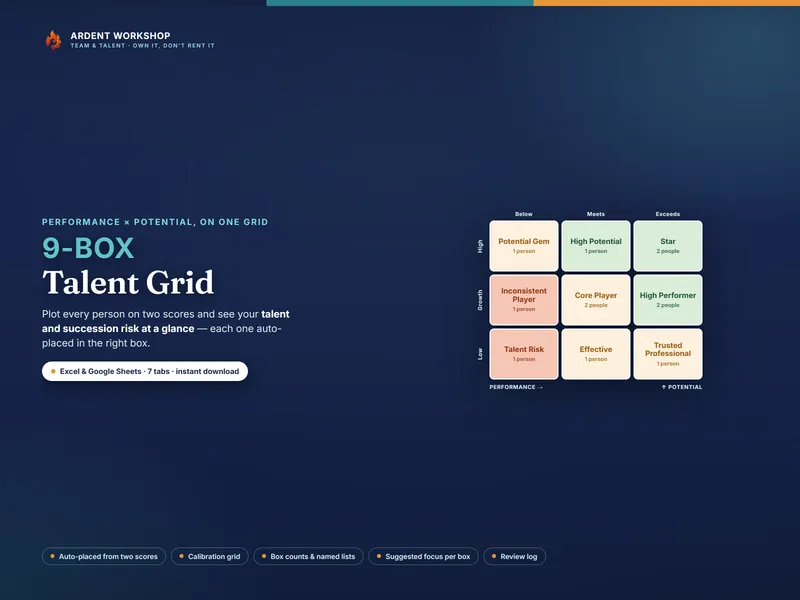
This sits between a blank spreadsheet (free, but you build and maintain everything) and a per-seat talent-management platform (overkill for most businesses, and a recurring bill). It’s the structure you keep: a connected, owned workbook, with no seats and no monthly fee. Score how your people perform and where they could grow with the companion 9-Box Talent Grid — its succession read is the natural partner to this register — and find more people-ops tools in the full Ardent Workshop catalog.
What this is — and what it isn’t
The Succession-Planning & Key-Person-Risk Workbook is a business-continuity and succession-planning template — not HR, legal, or professional advice. A risk cell is a starting point for a plan, not a verdict on the person in the seat: naming a single point of failure is about protecting the business and the person, never about ranking or threatening anyone. The example company, roles, and scores are fictional and illustrative. Keep your people’s data confidential to those who need it, the way your own privacy policy and local law require. Succession planning and key-person-risk analysis are generic, widely-used business-continuity practices; this product is not affiliated with or endorsed by any consultancy or framework.