One driver, two businesses, one tax bill
Cab & Desk is four finished driver products plus one new workbook, the Cab & Desk Hub. The Hub puts your trucking profit and your gig-driving profit side by side on two Schedule C columns, takes your trucking per diem off first, and works out one self-employment tax and one quarterly set-aside across both. It also tells you whether standard mileage or actual expenses wins for the gig car, and checks your truck’s repair bills against the reserve your cost per mile assumes.
Some owner-operators drive for a gig app between loads or in the off season, and some gig drivers are saving toward their own authority. The trucking spreadsheet tracks the truck and the gig app tracks the gig, but the IRS sees one person. Self-employment tax is figured on the combined net, the estimated-tax payment is one payment, and two separate flat-percentage guesses can leave you short at the January deadline.
What’s in the bundle: the four products
Each one ships as its own complete download, the same files sold on their own, not cut down for the bundle.
- Owner-Operator Trucking Ops Workbook — the truck run as a business: cost per mile with deadhead, a load log with a profit-per-load check, settlements, and a fuel and IFTA log, with guides and printable trip sheets.
- Gig-Driver Earnings & Mileage Workbook — the car’s real pay: a shift log, true hourly pay by platform, cost per mile, the mileage deduction and expenses, with printable driver logs.
- Vehicle & Auto Records Binder — every vehicle’s papers: renewals and coverage, a service schedule, repairs, recalls and warranties, loans and leases, and where the documents and keys live.
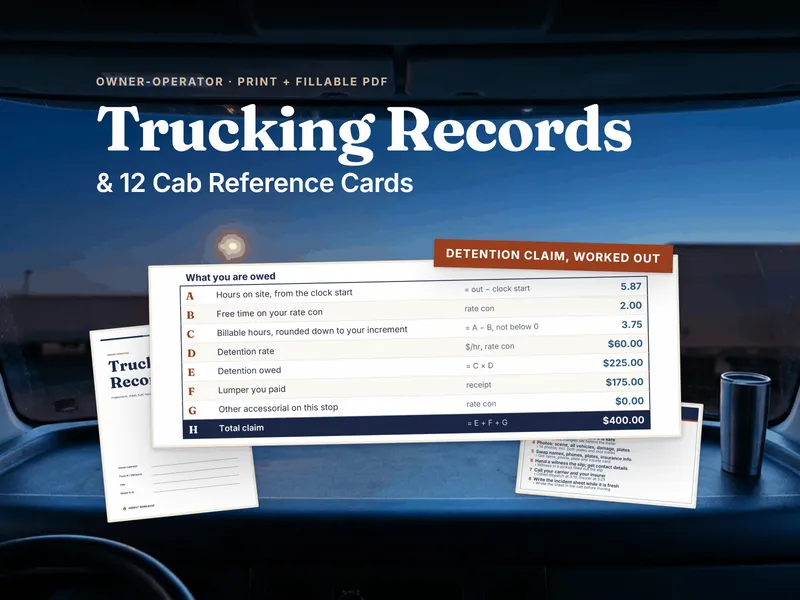
- Owner-Operator Trucking Records & Cab Reference Card Set — the paper for the cab: record sheets, cab reference cards, fillable money slips, a 52-week log and a fully filled worked example, in Letter and A4.
And the Cab & Desk Hub, which only comes with the bundle
Four files in a folder is not a business. The Hub is an 11-tab workbook for Excel and Google Sheets that sits on top of all four. Once a month you copy 15 numbers into its Monthly Log, and every column says which file and tab the number comes from.
Two Schedule C businesses, one set-aside
The Two-Business Year tab lays trucking net and gig net side by side in each of the 4 estimated-tax periods. It takes one self-employment tax on the combined net (92.35% of it at the 15.3% self-employment rate, with the Social Security part capped at the wage base) and adds an income-tax estimate at your own rate, so the set-aside reflects your year instead of a flat guess. You see what has been set aside, what you have paid, the running shortfall, the next IRS due date and what to send by then. A prior-year safe-harbor payment sits beside it.
Per diem comes off first
Type the days you were away overnight, and the Hub multiplies them by the IRS transportation-industry per diem rate and the 80% deductible share for drivers under DOT hours-of-service rules. The result goes on its own trucking line before the set-aside is worked out. The rates sit on the Setup tab with their IRS sources and dates, and you can change them.
Standard mileage or actual expenses for the gig car
Mileage Method works out both deductions for the car every month: business miles at the IRS rate in force, and the business-use share of fuel, repairs, insurance and depreciation. It tells you which one is larger, by how much, the per-mile break-even, and the IRS first-year rule for choosing a method.
Is the truck’s maintenance reserve real?
Your cost per mile assumes a few cents a mile for maintenance, repairs and tires. Maintenance Reserve divides what you actually logged by every mile and returns Under-funded, On track or Over-funded, the cents per mile to change, and what that gap costs over a year.
Deadlines, situations and the year-end packet
- Deadline Clock: 17 dates across the truck, the gig car, the driver and the business (IFTA quarters, Form 2290, UCR, IRP plates, the MCS-150, the DOT medical card, the CDL, insurance, registration, inspections and the estimated-tax payments), each worked out from the last time you did it, with days left, a status and the file to open.
- Which File: pick one of 27 situations, from a roadside inspection to a slow gig week to an IFTA quarter coming due, and it names the file and tab to open first and what to do there. 19 of them show a live figure from the Hub.
- Year-End Hand-off: 23 figures and documents for your tax preparer, each with its source file and tab and how complete it is.
A limit worth knowing up front
The Hub does not open, read or import the four product files. You copy a handful of monthly totals in; it does the math across both businesses and points at the file and tab where each number lives. The deadlines are reminders you set, not DOT compliance advice, and nothing here is an ELD or an hours-of-service record.
The printed guides
- The Cab & Desk Map — how the four products fit together, the Hub tab by tab, and your first hour (17 pages).
- Which File Do I Open — the 27 situations, the deadline list and the year-end packet, printable for the cab or the desk (14 pages).
- The Driver’s Year on One Page — the deadlines and the four uneven estimated-tax periods on one sheet for the wall.
How it arrives
Instant download, nothing mailed. You get five numbered .zip files: unzip all five into one folder, then unzip the product .zip inside each of parts 2 to 5 where it sits. Open the Cab & Desk Map PDF first, then the Hub’s Start Here tab. The Hub and the workbooks open in Excel or Google Sheets, and the guides are PDF.
Who it’s for
- Owner-operators who also drive for a gig app and want one tax set-aside instead of two guesses.
- Gig drivers building toward their own trucking business who want the truck’s cost per mile, loads and IFTA ready when they get there.
- Drivers with more than one vehicle who need the tractor’s and the car’s renewals, inspections and repairs on one clock.
- Anyone who hands a tax preparer a shoebox and would rather hand over a packet with every figure and its source.
Try the free tools first
The Cost Per Mile Calculator, the Gig Driver Hourly Calculator, the Daily Vehicle Inspection Checklist and the Vehicle Information Sheet are free and ungated, no email needed. The full versions of that cost-per-mile and hourly math are inside this bundle, and the Hub’s Monthly Log points you to the totals to copy in.
Own it, don’t rent it
This is one purchase, with files you keep, for less than buying the four products one by one. The workbooks open in Excel or Google Sheets, and the guides and printables are PDF. Nothing to renew, nothing that stops working.