It’s a Tuesday night, twelve weeks before the shower, and you’ve got a notebook full of half-written guest names and a phone full of Pinterest screenshots. You open the Baby Shower Planner Excel workbook, and the first thing you see is the Dashboard — a calm grid of pie charts for invitation, RSVP, shopping, event, and thank-you status, plus a bar chart of pending items waiting for attention. This Excel baby shower planner is built for moms-to-be, sisters, best friends, and anyone hosting a baby shower who wants every moving piece in one place.
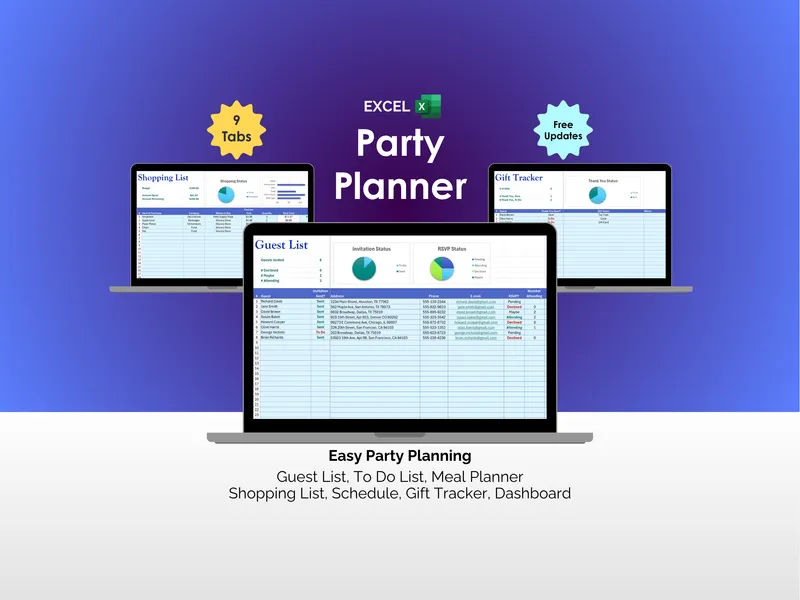
You start where every shower starts: the Guest List tab. You type in names, mailing addresses for the paper invitations, phones, and emails, then watch the Invitation Status and RSVP Status pie charts update as replies come in. A column for Dietary Needs catches Aunt Jen’s gluten allergy and your cousin’s vegetarian partner — small notes that will matter later. The baby shower planning spreadsheet feels less like data entry and more like keeping a guest book that does math for you.
Ten weeks out, you flip to the To Do List. You enter tasks like “send invitations,” “order diaper cake,” and “confirm venue,” each with a Due Date, Status, Category, Priority, and an Assignee so your sister actually owns the favors instead of just “helping.” A ”% Tasks Complete” counter and a “Days Until Party” countdown sit at the top, and a small To Do Priority chart tells you, honestly, whether you’re on pace or in trouble.
Six weeks out, the food question lands. On the Meal Planner tab you sketch snacks, lunch, and dinner against a guest count, then flip a column to push ingredients straight onto the Shopping List tab. Shopping List tracks each item’s category, Product Name, Quantity, Unit Price, Total, where to buy, allergens, and status — with a Shopping Status chart comparing Budget to Actual Remaining so the cute cupcake tower doesn’t quietly eat the decoration budget.
Two weeks out, you turn to the fun. The Games tab holds your shortlist — Baby Bingo, Blindfolded Diaper Changing, Charades — with a notes column and a few starter links to game ideas from sites like The Bump and Pampers if you need inspiration. Next door, the Schedule tab takes your Date of Party, Start Time, and End Time and lists each event (“Guests Arrive,” “Open Presents,” “Guests Depart”) with its own Ready status, so the day has a spine instead of vibes.
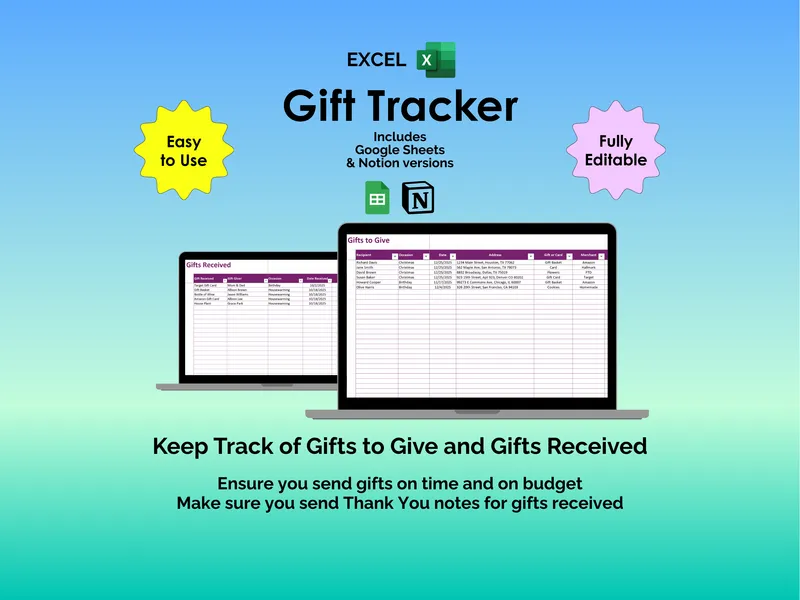
The night before, you do one last sweep on the Dashboard, fix the two yellow slices, and breathe. The day of, your phone stays in your pocket and the spreadsheet does the remembering. Afterward, the Gift Tracker quietly becomes the most important tab: every guest, every gift given, and a Thank You Status column with a pie chart that won’t let a single card slip through — because forgetting Grandma’s hand-knit blanket is not a survivable mistake.
What sets this Excel baby shower planner apart is that all seven tools — Guest List, To Do List, Meal Planner, Shopping List, Games, Schedule, and Gift Tracker — feed into a single Dashboard, so you’re not flipping between apps or color-coded sticky notes to know where you stand. You get the working Baby Shower Planner.xlsx plus a Baby Shower Planner - Example.xlsx prefilled with sample data so you can poke around before committing your real guest list, free updates, and prompt support if anything snags.
Twelve weeks from now, it will be a Tuesday again — only this time, the notebook is empty, the phone is quiet, and the workbook has every name, every gift, and every thank-you note accounted for.