A plain bill list tells you what is due. This bill tracker spreadsheet for Excel answers the harder question: which paycheck pays which bill, and will my balance dip below my cushion before the next payday? Enter each bill and payday once. It assigns every bill paid from your forecast account (the account your bills come out of, set on Setup) to the paycheck that has to cover it, shows what is left after each check, walks that balance forward 90 days to its lowest point and the days under your cushion, catches late payments from your log, and turns annual bills into a monthly set-aside.
New to bill tracking? Try the free bill tracker — a single Bills tab that works out each next due date, in Excel or imported into Google Sheets — then come back here for the paycheck planner, the 90-day balance forecast and the late-payment check.
Which paycheck pays which bill?
Pick a month on the Paycheck Planner and every bill due date is assigned to the latest payday on or before it. For each check you see the bills it covers, the total to cover and what is left after bills. Bills due before the month’s first payday are flagged Needs money already in the account, so the rent that lands before you get paid is no longer a surprise. Below that, an itemized list gives one row per due date and names the check that pays it.
The planner counts the bills paid from the forecast account you choose on Setup. Bills charged to a card are covered by that card’s own bill. In the example household, the rent due October 1 lands “Before payday 1” and the month has six paychecks from two earners and a side job. Those are sample values, there to show the tab working.
Will my balance dip before payday?
The Cash-flow Forecast starts from your forecast account’s balance and runs 90 days, day by day: paydays in, bills and everyday spending out, with a running balance. It reports the lowest projected balance and its date, how many days fall below your cushion, the first day below and the balance on day 90, with a line chart of balance against cushion. In the example the low point is $297 on October 14, three days under a $400 cushion, just before the October 15 payday. If the forecast account matches no bill or income, a CHECK SETUP line tells you.
Enter each bill once
On the Bills tab each bill gets an amount, a frequency, a due day from 1 to 31, an autopay yes or no, the account it is paid from, a payee or website, a category and a status. The workbook calculates the next due date, days until, a due status (Overdue, Due soon, Autopay, Upcoming or Paid), missed due dates, monthly and annual equivalents, the last paid date and a flag for duplicate names. It holds up to 60 bills.
Eight frequencies are built in: weekly, every 2 weeks, twice a month, monthly, every 2 months, quarterly, twice a year and annual. Every-2-weeks is a true 14-day cycle, and a bill due on the 31st lands on February 28 or 29 and on April 30 rather than breaking the calendar. The Income tab uses the same engine for up to 12 income sources.
Was that bill paid on time?
Log each payment on the Payment Log with the date paid, bill, amount, any late fee and a confirmation number. It works out which due date the payment covers, how many days late it was and whether it was On time or Late. Year at a Glance then shows every bill by month as Paid, Late, Unpaid, Auto or Not due, with months paid, late count, unpaid count and late fees per bill. The log holds 400 rows.
What do I need to deal with today?
The Dashboard opens with an ACT NOW list: the manual bills that are overdue or due within your window, soonest first. Autopay bills stay off it. Below that you get the monthly picture (take-home, bills, everyday spending and what is left over), due, paid and late counts, late fees this year, the next-90-days low point, the sinking-fund set-aside, bills by category with a chart, your five biggest bills, the biggest price increases and income by category. Up to 20 bill categories and 20 income categories are yours to rename.
How do I save for annual and quarterly bills?
Sinking Funds takes your non-monthly bills and shows the steady monthly set-aside (the annual cost divided by 12), what you have saved so far, what is still needed and the monthly amount to be ready on time. Each fund gets a status of Ready, On track, Behind or Short (Short shows the gap and the days until it is due). It handles up to 15 funds. Price Watch lists bills whose amount changed and ranks them by annual impact, so a quiet price increase shows up in dollars per year.
See it on a calendar
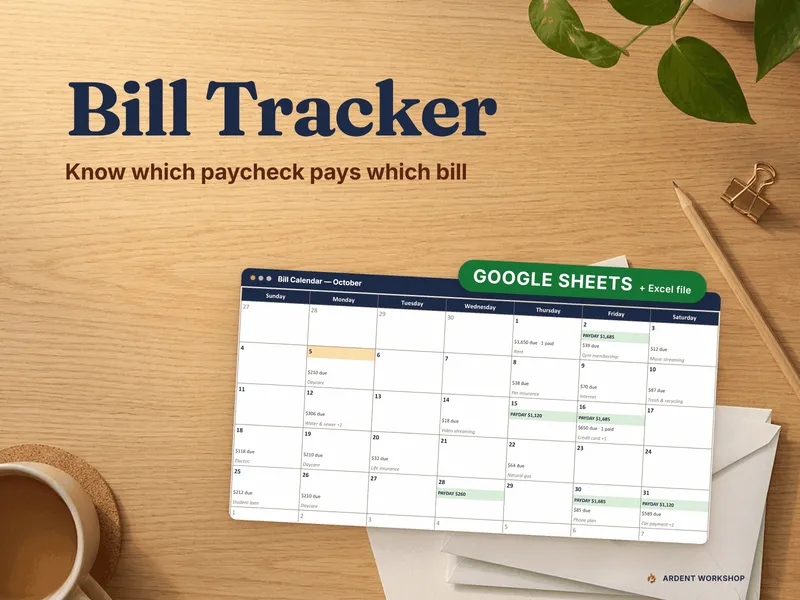
The Calendar tab shows any month with paydays and bills on the days they land, including the 29th through the 31st, and month totals that match the Paycheck Planner.
What is in the download
- 01-Bill-Tracker.xlsx, a 12-tab workbook: Read Me, Setup, Dashboard, Bills, Income, Payment Log, Paycheck Planner, Cash-flow Forecast, Year at a Glance, Calendar, Sinking Funds and Price Watch. It opens pre-filled with a fictional sample household, 23 sample bills in all, and a clear-the-sample path when you are ready to enter your own.
- 00-START-HERE-Bill-Tracker-Guide.pdf, a 13-page guide: setup in about 15 minutes, the paycheck method, the forecast, late detection, sinking funds, autopay hygiene and auditing your bills.
- Printable sheets in Letter and A4: a monthly bill checklist, a paycheck plan, a year-at-a-glance grid and a sinking-funds sheet, for anyone who likes paper on the fridge.
- A one-click Google Sheets copy and the Open in Google Sheets PDF with the Make a copy link, plus READ-ME-FIRST.txt.
How it works in Excel and in Google Sheets
The workbook runs in desktop Excel 2016 or later (Windows and Mac) and in LibreOffice Calc. There are no macros and no Excel 365-only functions, so nothing needs an upgrade, an add-in or a sign-in. The Setup tab has an as-of date override: the sample is pinned to October 5, 2026 so the example looks the same whenever you open it, and you clear it to use today’s date.
The download also includes a native Google Sheets copy, so you can work in either one. The Google Sheets listing is the same product: Bill Tracker for Google Sheets.
Own it, don’t rent it
One-time purchase, no monthly fee. This is a spreadsheet you own: no app account (the optional Google Sheets copy needs a free Google account), no subscription, every cell editable and the whole thing working offline. It does not connect to your bank, send reminders or notifications, or track debt payoff. It keeps your bills, your paydays and your plan in one file on your own computer.
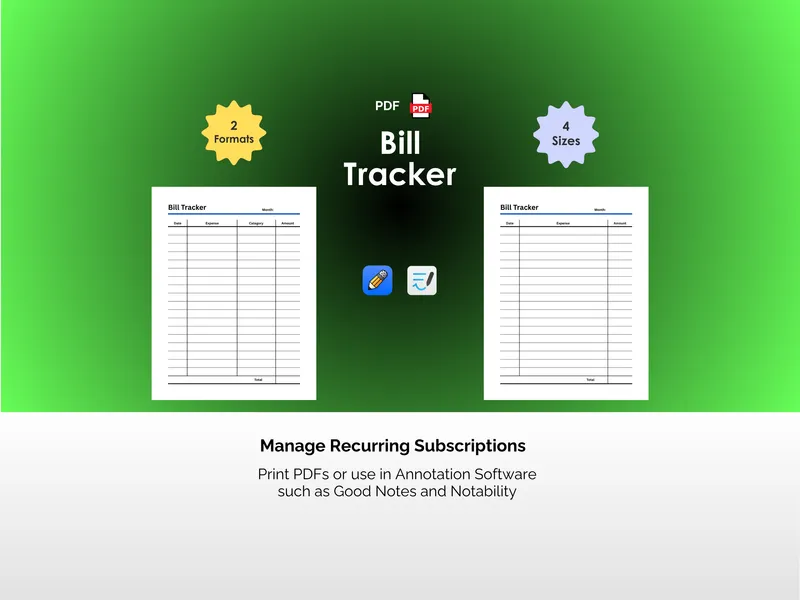
Prefer paper only? There is a separate printable edition: Bill Tracker (PDF).