Set side by side, this looks like an easy call: software does more. It assigns work, it chases people, it keeps a record, it scales. All of that is true and none of it is the reason most small onboarding goes wrong. What actually derails a new hire's first day in a small business is almost never “the task wasn’t assigned in a system.” It's that nobody counted backward from the start date, so the laptop with a ten-day lead time got ordered on day two.
What each one is for
- A printable onboarding packet is paper, on purpose. A back-dated countdown that turns “order the laptop” into a real date on a calendar, a readiness check the evening before, and a welcome packet the new hire can hold, write on, and take home. It answers “is everything ready, and does the new hire have something in their hands on day one?”
- Onboarding software is a system that acts. It assigns tasks to the people who own them and chases them automatically, collects signatures and documents without paper, holds an auditable record, and — for a company hiring continuously — scales in a way a stack of printed sheets doesn't. Where it's wired to payroll and identity, accounts get created without anyone remembering to do it by hand. It answers “automate the process and keep proof it happened.”
That second list is real and worth taking seriously — a comparison that only lists what paper does well isn't an honest one. The question is whether your business needs a system that acts on its own, or a page that makes sure a person does the right thing on the right day, which is a smaller and cheaper problem to solve.
When a printed packet is exactly right
- You hire occasionally, not continuously. A few openings a year doesn't justify a recurring per-employee bill to chase tasks a manager can track on one page.
- Your team isn't at a desk. On a shop floor, in a delivery van, or in a kitchen, nobody's logged in to see an assigned task or sign a document mid-shift. A printed sheet works exactly the same way there as it does in an office.
- The new hire doesn't have a company login yet. On day one, before any account exists, a packet needs nothing but a printer. Software that's meant to onboard them can't reach them until an account does.
- Nobody owns the chasing job. Automated reminders only help if a person is expected to act on them; in a business with no HR function, the manager doing the hiring is also the one who has to notice and act, printed or not.
- You want the prep visible on one sheet. This is the load-bearing one. A countdown that shows every prep task back-dated from the start date, with its lead time and its owner, makes the gap visible before it becomes the new hire's first-day problem — which is exactly the failure that costs small employers the most and the one task-assignment software doesn't automatically fix, because it still depends on someone entering the lead time correctly in the first place.
At this size, the packet isn't a lesser version of the platform — it's doing the part of the job that a small employer actually has: counting backward, and handing the new hire something real on day one. If you're onboarding one person right now, the free first-day agenda & who-to-ask sheets cover the day itself, no signup required.
The signals you may want a full platform
- You're hiring continuously, not occasionally. Once you're onboarding people every week rather than every few months, manual chasing and a stack of printed sheets per hire stop scaling the way a system that assigns and reminds does.
- You need signatures and documents collected without paper. Offer letters, policy acknowledgments, and tax or benefits forms routed for e-signature instead of printed, signed, and filed.
- You need an auditable record. A platform holds a dated, searchable history of who did what and when — useful for a formal review or a dispute in a way a filed sheet of paper can be, but isn't automatically.
- You need it wired to payroll and identity. New hires flowing into the systems that create accounts and pay them, without anyone re-keying it by hand.
- You're managing joiners, movers, and leavers across many systems. Where accounts and access are the job, an access tracker spreadsheet vs IT onboarding software walks that decision on its own terms.
None of that is small, and a printed packet has no version of it. Even then, the countdown and the readiness check don't stop mattering — a platform can assign “order equipment” as a task, but it still needs someone to have entered the right lead time for it to chase on time. The prep problem is upstream of the system either way.
Printed packet vs onboarding software, side by side
| What matters | Printed packet (owned files) | Onboarding software |
|---|---|---|
| Cost | One-time, plus paper and printing — you own the files | Ongoing subscription, typically per employee per month |
| Who chases the tasks | The manager, reading the sheet | The system, reminding the task owner automatically |
| Where it works | Anywhere — shop floor, van, kitchen, no login needed | Wherever the task owner is logged in |
| What the new hire holds | A physical packet — reads it, writes on it, takes it home | An account and a login, usually created before day one |
| The record it leaves | A filed, dated sheet of paper | A searchable, auditable history in the platform |
| The prep / lead-time question | The whole point — a countdown back-dated from the start date | A task you can assign, if someone enters the lead time |
| Setup | Print it and start counting backward — same day | Implementation, configuration, and rollout |
| If you stop paying | Nothing changes — you already own the files | Access to the tool, its records, and its automation ends |
| Best for | Occasional hiring, no HR function, hands-on teams | Continuous hiring, distributed teams, compliance needs |
The honest middle ground
Plenty of small employers end up running both, and that's not a contradiction — it's a division of labor. The countdown and the welcome packet handle the week itself: the prep that has to happen on paper because the new hire doesn't have an account yet, and the readiness check that catches a missed lead time before it becomes a first-day problem. Onboarding software, where a business has grown into needing one, handles the parts paper genuinely can't: e-signature paperwork, automatic reminders across a bigger team, and a record built for review. The mistake runs in both directions — buying a per-employee platform to solve a prep problem paper already solves, or trying to run continuous, distributed hiring on printed sheets nobody's chasing. How many hires you make a year, whether your team is at desks, whether anyone actually owns the chasing job, and whether you need a record for compliance are the real questions — not which one sounds more modern.
A good buddy assignment matters in either setup — see what an onboarding buddy is for what the role actually covers.
Get the prep done either way
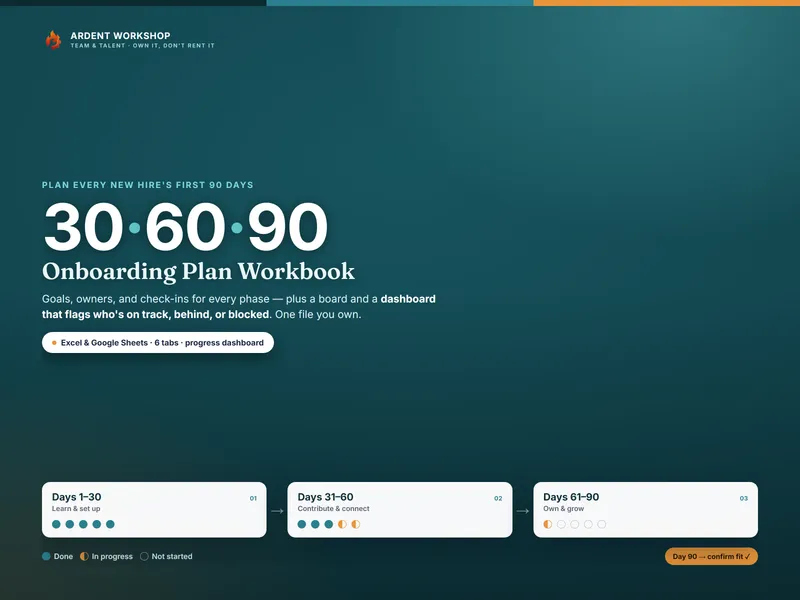
Whichever stack you end up on, somebody still has to count backward from the start date. The New-Hire Welcome Packet & First-Week Printables Pack is 19 print-and-fill sheets across 9 PDFs: a Countdown Run of 30 prep tasks back-dated from the start date in real business days, a Readiness Score you fill in the evening before, and the welcome packet itself for the new hire to keep. It also carries a day-five feedback slip that feeds a Fix Before Next Hire sheet, so the countdown gets better every time you run it. Once the first week is planned, the 30-60-90 Onboarding Plan Workbook carries the plan past it, and the Onboarding & Offboarding Equipment & Access Tracker covers what needs granting and returning alongside it. Print the packet for every hire you ever make; add a platform when the chasing and the record are the job, not the prep.
Frequently asked questions
- What's the difference between a printable onboarding packet and onboarding software?
- A printable onboarding packet is paper: a welcome packet the new hire reads and keeps on day one, and a back-dated countdown of prep tasks the manager works in the weeks before that, both filled in by hand. Onboarding software is a platform that assigns those same kinds of tasks inside a system, chases the people who own them automatically, collects signatures and documents without paper, and keeps a record you can pull up later. One is a physical document you print, hand over, and file; the other is a system you log into. Neither is a lesser version of the other — they solve different parts of the same week, and a lot of small employers end up using pieces of both.
- Can a printed packet replace onboarding software?
- For the job most small employers actually have — making sure the laptop, the badge, and the paperwork are ready before day one, and giving the new hire something to read and hold on their first day — a printed packet does it completely, and it does the prep-timeline part better than most software does out of the box, because the countdown is the whole point of the page rather than one setting inside a bigger tool. What a packet can't do is assign a task to somebody else's calendar and nag them automatically, collect an e-signature, or hand you a searchable record months later for an audit or a dispute. If you're hiring continuously, need automatic reminders across a distributed team, or need a system of record for compliance, software earns its cost. If you're hiring occasionally and nobody owns a chasing job, the packet is the right size of tool.
- How much does a printable onboarding packet cost vs onboarding software?
- A printed packet is a one-time cost for the file, plus whatever you spend on paper and printing — no monthly fee, no per-hire charge, and no account to cancel. Onboarding software is typically priced per employee per month, sometimes with a minimum seat count. The subscription pays for itself once you're hiring often enough that the automatic chasing and the audit trail are doing real work every week. Paying a recurring per-employee fee to onboard a handful of people a year buys a lot of system for a job a printed packet already does.
- Do we need onboarding software if most of our team isn't at a desk?
- Not necessarily, and this is often the deciding factor rather than headcount. Onboarding software assumes somebody is logged in to see the assigned task, sign the document, or check the box — which works well for office and remote teams and much less well on a shop floor, in a delivery van, or in a kitchen, where the new hire and often the manager aren't in front of a screen during the shift. A printed packet works exactly the same way in all of those places: it's the same page whether it's sitting on a desk or clipped to a board by the time clock. If your team is mostly hands-on rather than desk-based, that alone can make paper the more practical choice even before cost or hiring volume enter into it.