The columns of a working register
A risk register that gets used is closer to a spreadsheet than a document. PMBOK-aligned registers share a common column set:
- ID. A short identifier (R-001, R-002). Risks get referenced in status reports; they need a stable handle.
- Description. What could happen, in one specific sentence. "Vendor X delays delivery past June 15" beats "vendor risk."
- Category. Schedule, budget, scope, technical, external, organizational. Helps you spot clusters.
- Likelihood. 1–5 (or Low/Med/High). How likely it is to occur.
- Severity (impact). 1–5. How bad if it does.
- Score. Likelihood × Severity. The cell colour on the matrix.
- Response strategy. Avoid, Mitigate, Transfer, or Accept. (See below.)
- Mitigation actions. What you're actually doing about it, with dates.
- Owner. Single person on the hook for managing the risk — not the same as the project owner.
- Status. Open / Closed / Triggered / Monitoring.
The four response strategies
Every risk in the register gets one of four response strategies. Picking the right one is the actual risk-management decision; everything else is documentation.
- Avoid. Change the plan so the risk no longer applies. (Drop the feature that depends on the flaky vendor.)
- Mitigate. Reduce likelihood or impact. (Add a backup vendor; build a fallback path.)
- Transfer. Move the risk to a third party. (Insurance, fixed-price contracts.)
- Accept. Acknowledge the risk and plan to handle it if it occurs. (Often the right answer for low-impact risks — don't spend $50,000 mitigating a $1,000 problem.)
The risk matrix
The matrix is the visualization layer of the register — a 5×5 grid with likelihood on one axis, severity on the other, and each cell colored green (low), yellow (medium), or red (high). Every risk in the register plots somewhere on the matrix based on its score. The eye is drawn to the red cells, which is the whole point: those are the risks that deserve active management.
When the matrix has six items in the red zone, the project is in trouble. When it has none, the project either has its risks under control or hasn't done an honest job of identifying them — usually the second.
When to build one
- Project kickoff. Every project has risks; not all are obvious.
- After a major phase change (planning → execution → close), refresh the register — new phase, new risks.
- During audits and compliance reviews. The register often comes up as a required artifact.
- After an incident or near-miss. Add the risk you just learned about to the register before the institutional memory fades.
- For any plan with a meaningful budget, deadline, or reputational stake.
How to build one in thirty minutes
- Brainstorm with the team. Aim for 15–25 risks for a typical project; fewer means you missed some.
- Write each as a specific sentence with a trigger and an outcome. "Vendor X misses June 15 delivery, pushing launch to August."
- Score likelihood (1–5) and severity (1–5). Multiply for the heat.
- For every red-cell risk, write a response strategy and an action with an owner.
- For yellow risks, decide: monitor or mitigate. For green, accept and move on.
- Set a refresh cadence. Bi-weekly during execution is standard.
Common mistakes
- Treating it as a checklist. A register filled out at kickoff and never updated is decoration. Risks change as the project moves.
- Generic risk descriptions. "Resource risk" tells you nothing. "Lead engineer's parental leave overlaps QA window" can be planned for.
- No owners. A risk without an owner is a risk no one is managing.
- Hiding the red cells. Honest scoring is the only kind that helps. Underrating likelihood to keep the matrix green is how projects fail in surprising ways.
- Confusing risks with issues. A risk hasn't happened yet. An issue is happening now. The register tracks the first; an issues log tracks the second.
Related templates and concepts
A risk register pairs naturally with a stakeholder register (political risks live in both), a RACI matrix (who responds when a risk triggers), and a SWOT analysis (the threats column is a list of candidate risks). See the templates for project managers hub.
Templates that implement this
Templates that build a risk register
2 templates
Log risks, score likelihood and severity, watch the risk matrix populate automatically, and track responses with owners and dates.
- $4.95 Excel
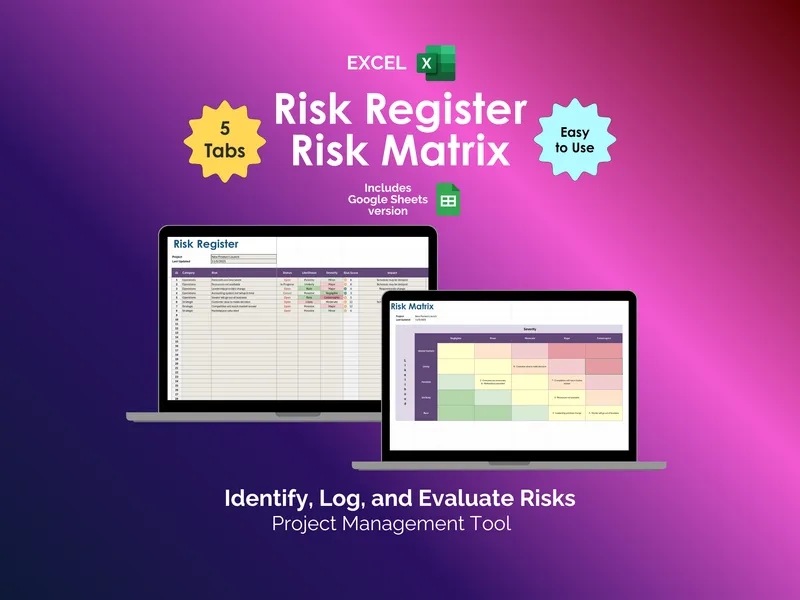
Risk Register and Risk Matrix - Excel
Tired of tracking project risks in scattered notes? This excel risk register template logs threats and auto-builds a risk matrix spreadsheet by likelihood and severity.
Project ManagementView details - $4.95 Sheets
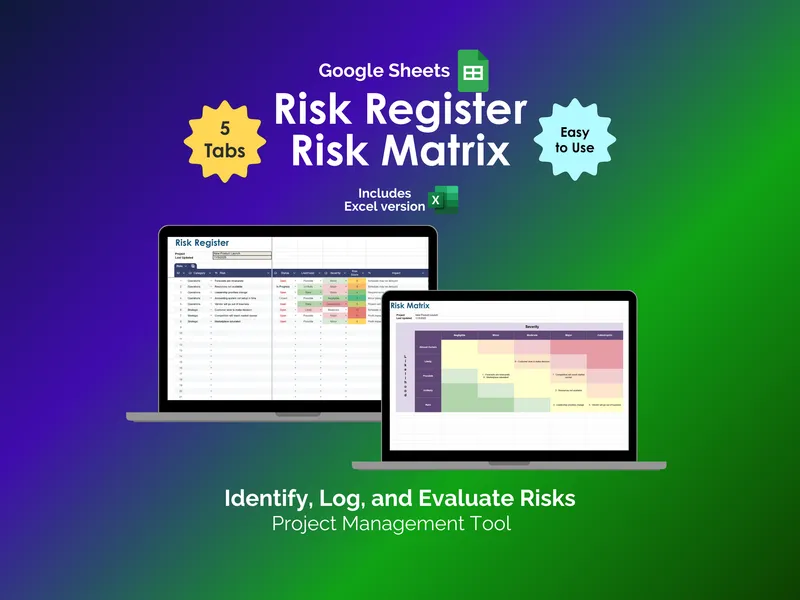
Risk Register and Risk Matrix - Google Sheets
Projects don't fail from unknown risks. They fail from unranked ones. A google sheets risk register that scores, sorts, and visualizes every threat.
Project ManagementView details