This isn't really spreadsheet-versus-software. It's a question of how often you need the picture. A 1099-K reconciliation is, for most sellers, an annual job with a fixed shape — the same bridge, the same jurisdictions, the same fee map, done once a year against last year's statements. Seller bookkeeping software does that same job continuously, live, wrapped in bank feeds and inventory tracking, for a monthly bill. Neither is the wrong tool — they're built for different frequencies.
The software side of this comparison is a category, not one product: Stocksmith (formerly Craftybase), QuickBooks Solopreneur (formerly Self-Employed), Link My Books and others each solve a slightly different slice of it. Their pricing and plan names change often enough that we don't reproduce them here — go and look before you decide.
The job both are for
Every year, a marketplace that processed enough of your sales sends the IRS a 1099-K reporting your gross payment volume — the federal threshold is more than $20,000 and more than 200 transactions, per platform, per year, though nine states and the District of Columbia set a lower bar of their own, and some processors send a form below any threshold anyway. That gross figure is almost never what landed in your bank account: fees, refunds, shipping labels, sales tax a marketplace facilitator already remitted on your behalf, and December-sold, January-paid timing all sit between the two numbers. Getting from the reported figure to a defensible Schedule C means bridging that gap, splitting sales tax you owe from sales tax you don't, and putting every fee on its correct line. That's the job — whether you do it in a workbook once a year or watch it happen continuously in software.
What the software does better
- Live bank and marketplace feeds. Transactions post automatically instead of you pasting in monthly statements — real time through the year, not reconstructed every January.
- Continuous cost-of-goods and inventory tracking. If you need per-item COGS and stock levels updated with every sale, that's a running job software is built to carry; a once-a-year workbook isn't.
- High transaction volume. Past a certain sale count, manually entering or pasting every transaction is real work — automated ingestion earns its subscription.
- A shared system with your accountant. One login your bookkeeper or CPA can check year-round, rather than a file you hand off once a year.
- Someone else owns the upgrade. When a marketplace changes its export format or fee structure, that's the vendor's problem to fix, not yours.
What an owned workbook does better
- The job is annual, not continuous. Most sellers reconcile a 1099-K once a year — paying monthly for a live system used once is renting far more tool than the job needs.
- You can see and change the arithmetic. Every formula in an owned workbook is inspectable and editable end to end. Good software exposes its category rules and lets you edit them too, but the calculation underneath is the vendor's, not yours to read line by line.
- No renting access to your own history. Vendors typically offer an export before you go, but cancel and the live view of your own past figures goes with the account; a file you own stays yours and open.
- The cost shape matches the job. One payment, once, for work you do in one sitting in January — rather than a bill that arrives in the eleven months you aren't doing it.
- It still opens in ten years, no account required. A spreadsheet file survives a vendor shutting down, changing its pricing, or discontinuing the product entirely.
What neither does for you
Be honest about the gap on both sides. The Sales-Tax & 1099-K Reconciliation Workbook covers the marketplace side of Schedule C — the 1099-K bridge, sales tax by state, and marketplace fees mapped to their lines. It does not track cost of goods, materials, home office, or mileage — those come from wherever you already track them. Full seller bookkeeping software generally does cover that ground, continuously, which is a genuine point in its favor for a seller who wants everything in one running system. Neither tool, software or spreadsheet, replaces a tax professional's judgment on your actual return — both are record-keeping and reconciliation, not advice.
How they compare, side by side
| What matters | Reconciliation workbook (owned) | Seller bookkeeping software |
|---|---|---|
| Cost | One-time ($24.95) — yours forever | Typically a monthly subscription; check the vendor's current pricing |
| Five-year cost shape | Flat — one payment, ever | Recurring — a bill every month you keep the account open |
| 1099-K to bank bridge | Its whole purpose — fees, refunds and timing named line by line | Generally covered, as one report inside a broader system |
| Sales tax by state | 52 pre-filled jurisdictions, each with its state source and, where one applies, its threshold | Varies by product and plan; some offer live rate lookups |
| Fees to Schedule C | Every fee bucket mapped to its line — but you enter the ledger | Generally automated and categorized from the imported feed |
| Cost of goods & inventory | Not covered — bring it from elsewhere | Generally a core, continuously-updated feature |
| Live bank/marketplace feeds | None — you paste in statements once a year | Automatic and continuous |
| Kept current for you | You re-check thresholds and fee rules yourself each year | The vendor tracks rule and export-format changes |
| Data ownership | The file is yours, offline, no account needed | Hosted in the vendor's account, with export options |
| Best for | An annual reconciliation done in one sitting | Continuous tracking across a high-volume shop, year-round |
Which to pick, and when to switch
Start with the workbook if you reconcile once a year, want to see and change the formulas yourself, and would rather own a file than rent access to your own numbers. The signals it's time to look at bookkeeping software instead: your transaction volume is high enough that pasting in statements is genuinely eating hours, you need cost of goods and inventory tracked continuously rather than reconstructed once a year, or you want your accountant working inside the same live system with you all year round. None of those is a failure of the workbook — they're the specific jobs a monthly subscription is actually built for, and they're worth paying for once they're real.
The honest middle ground is the point of owning the workbook in the first place: a blank spreadsheet is free but every formula, threshold and fee rule is yours to research and build from nothing; monthly software is comprehensive but rents you continuous access to your own figures forever. An owned workbook sits between the two — built once, correct, and yours — for the specific annual job most sellers actually have.
Reconcile your 1099-K either way
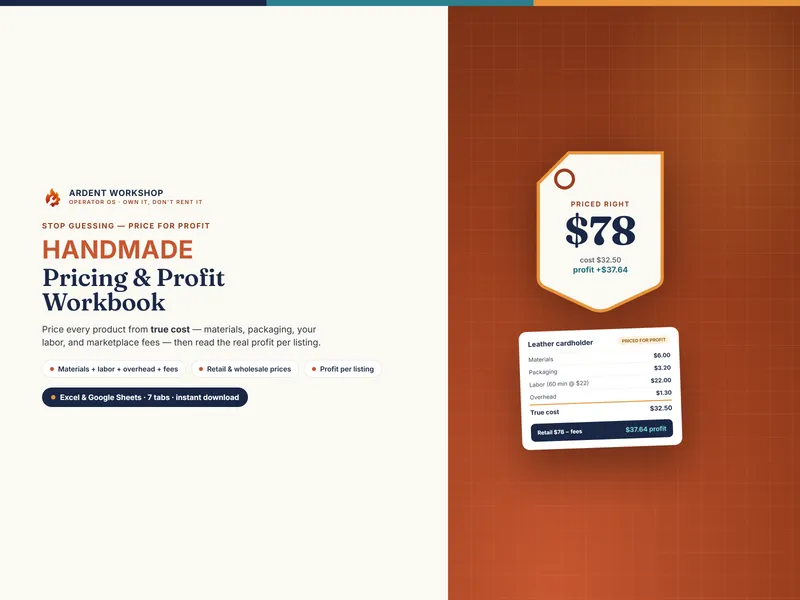
Whichever stack you land on, the reconciliation itself is the same arithmetic: reported gross, minus fees, refunds and timing, equals what reached your bank. The Sales-Tax & 1099-K Reconciliation Workbook does exactly that across eleven connected tabs — bridging your reported gross to your actual deposits, separating the sales tax a marketplace already remitted from what you still owe across 52 pre-filled jurisdictions, and mapping every fee to its Schedule C line — in one owned file for Excel and Google Sheets, no seats and no monthly fee. If pricing your work to survive marketplace fees is the more immediate problem, the Handmade-Seller Pricing & Profit Workbook and the Etsy Seller Toolkit turn marketplace fees into the price you charge, not just the tax you owe after the fact.
New to the terms? Start with what a 1099-K reports and what a marketplace facilitator does and doesn't cover, check whether a form is even coming with the free 1099-K threshold tracker, or walk the eight-step Etsy 1099-K reconciliation by hand first. Every tool is on the Etsy-seller hub and the craft-seller hub.
Frequently asked questions
- Do I need bookkeeping software to reconcile my 1099-K, or can a spreadsheet do it?
- A spreadsheet can do the whole reconciliation — bridging the gross figure your 1099-K reports down to what actually reached your bank, separating sales tax a marketplace already remitted from what you still owe, and mapping fees onto the right Schedule C line. That's a once-a-year job with a fixed, learnable shape, and it doesn't need a live system watching your accounts. Software earns its place when you want that same picture continuously, all year, pulled automatically from bank and marketplace feeds rather than pasted in each January.
- What can seller bookkeeping software do that a spreadsheet can't?
- Live bank and marketplace feeds that post transactions automatically, continuous per-item cost-of-goods and inventory tracking, and one shared system your accountant can log into year-round. If your transaction volume is high enough that manually entering each sale would be real work, or you need materials, cost of goods and home-office deductions tracked alongside the marketplace side, software is doing a job a once-a-year workbook was never built for.
- Is a spreadsheet good enough to reconcile a 1099-K for tax season?
- For most sellers doing the reconciliation once a year, yes. A well-built workbook bridges Box 1a to your bank deposits, handles the December-sold, January-paid timing gap that is a recurring reason a manual reconciliation won't close, separates marketplace-remitted sales tax from what you owe yourself, and produces Schedule C Lines 1 through 3 with the math shown. What it won't do is watch your accounts live or track cost of goods and inventory continuously — bring those from wherever you already track them, or from software built for the job.
- How much does seller bookkeeping software cost vs a reconciliation workbook?
- A reconciliation workbook is a single low one-time cost you own forever (this one is $24.95). Seller bookkeeping software in this category — Stocksmith (formerly Craftybase), QuickBooks Solopreneur (formerly Self-Employed), Link My Books and similar — is typically a monthly subscription, usually tiered by transaction volume or sales channels. We deliberately don't quote their prices here: figures and plan names in this category change often, and the only number worth trusting is the one on the vendor's own pricing page today. The structural difference is the one that holds: over five years the workbook stays a single payment while a subscription recurs, and whether that trade is worth it depends entirely on how much continuous, automated tracking is worth to your shop.