Sources checked September 28, 2026.
"Estate planning" actually covers two jobs that often get blurred together: creating the legal documents (a valid will, a power of attorney, an advance directive) and organizing everything around them (where they're kept, what accounts and policies exist, who to notify). Apps and spreadsheets sit on opposite sides of that line.
The quick verdict
- An estate-planning app is for generating the legal documents themselves — and is worth it if you'd otherwise never get the will written. (A qualified attorney is the gold standard, especially for anything complex.)
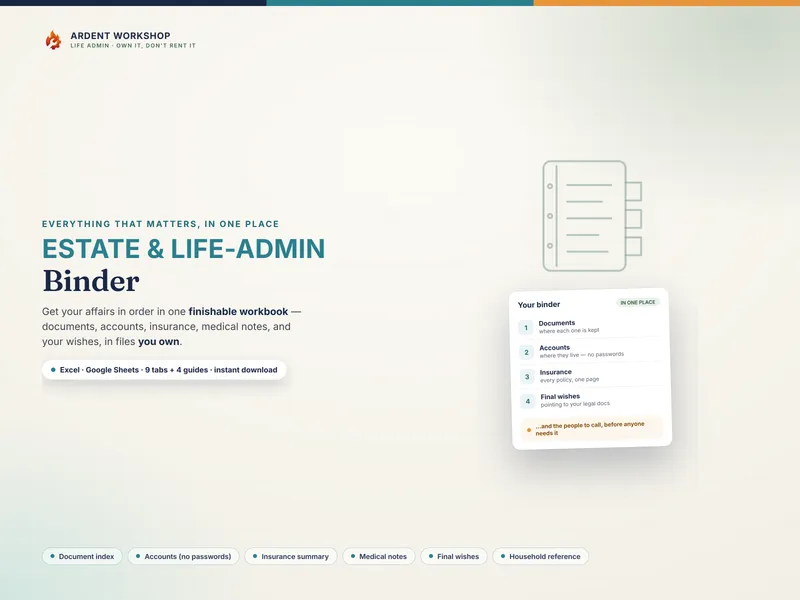
- An owned spreadsheet binder is for organizing where everything lives and managing access to that record — the document index, accounts, insurance, medical notes, final wishes, and household reference an executor or family will actually reach for.
Side by side
| What matters | Owned spreadsheet binder | Estate-planning app |
|---|---|---|
| Main job | Organizes where everything lives | Generates legal documents |
| Cost | One-time purchase (or free to build) | Often a subscription or per-document fee |
| Ownership | Retain a downloaded copy; cloud access and software still need maintaining | Check account requirements, payment terms and export rights |
| Privacy | Local or cloud storage; check permissions and backups | Check storage location, access controls and export settings |
| Customization | Total — add any tab, row, or note | Limited to the app's fields and flow |
| Legal validity | None — it's an organizer, not a legal document | Produces templates; validity still depends on correct execution |
| Best for | Editable records, retained copies and the organizing half | Quickly drafting a first set of documents |
Where an app genuinely wins
A guided questionnaire can help organize a first draft. Check the service’s scope before paying: which document, which jurisdiction, what review is included, and what signing steps remain. A completed questionnaire is not proof of validity. California’s will-execution statutes illustrate that formalities and exceptions depend on the applicable law. Record where the executed documents are kept, whichever drafting route you use.
Where the owned binder wins
For the organizing half, an owned spreadsheet gives you editable tabs, rows and notes. A local copy can be kept on your device; Google Sheets and synced backups use a provider’s servers. Choose storage deliberately, restrict sharing and test that your authorized helper can find a current copy. The life-admin binder supplies the structure without requiring you to build the index from scratch.
The rule that protects both
Whichever tool you use, never store passwords or full account numbers in it. Those belong in a password manager with an emergency-access contact; the binder or app records only where each account lives. A map, not a vault. Check the password manager’s recovery and emergency-access settings; storing a contact name alone does not grant access.
Keep original legal documents distinct from the index. MedlinePlus explains the roles of advance directives and healthcare proxies; listing a contact in a workbook does not itself appoint that person. Omitting account numbers also does not make the remaining financial and health notes safe for unrestricted sharing.
Where to start
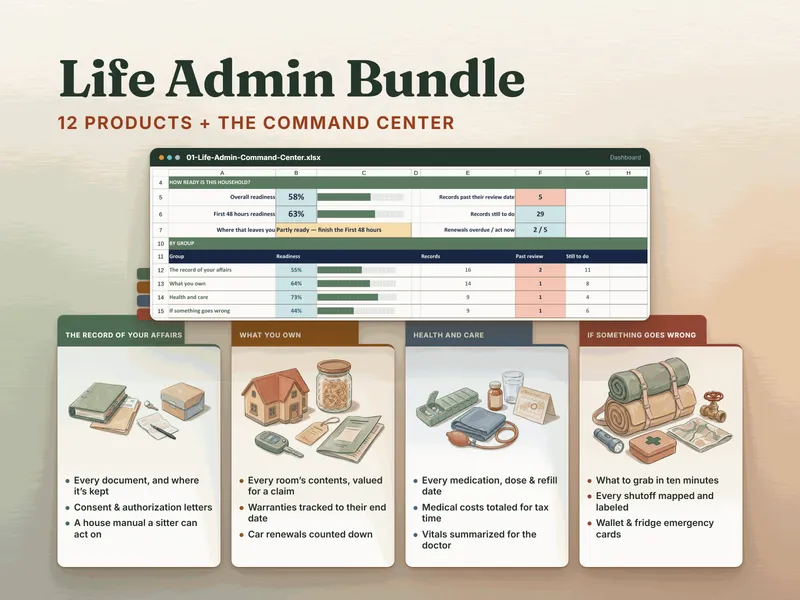
Find what you have first with the free "What Documents Do I Need?" checklist, then organize it in a binder you own. Want the rest of the household's records organized too? The Life Admin Bundle includes the Estate & Life-Admin Binder and eleven more household-records products, plus a Command Center: you mark each record's status, and it scores readiness by group and names the next ten records to fill in. If you care for someone else, the caregiver templates hub also has the caregiving binders the bundle does not include, such as the Caregiver Binder for Aging Parents. This is a record-organizing approach — not legal, financial, or tax advice, and not a substitute for a will or an attorney.
Frequently asked questions
- Is a spreadsheet better than an estate-planning app?
- They can do different jobs. A document service may draft a will or power of attorney; a spreadsheet binder organizes document locations, contacts and records. Some services also offer organization tools. Choose around the work you need and check jurisdiction, storage, costs and exports. A Google Sheets binder uses third-party servers too.
- Can a spreadsheet replace an estate-planning app?
- A spreadsheet can handle a document index, account list and household notes. It does not replace valid legal documents or determine who may act. If drafting is the task, check that a service covers the relevant document and jurisdiction, and get qualified help where needed. Keep the resulting documents accessible and indexed.
- Why do people prefer an owned binder over a subscription app for estate planning?
- A downloadable, editable file can be easier to retain and adapt. That is a practical benefit, not a privacy or permanence guarantee: cloud copies depend on their provider, and local files need backups and compatible software. Compare total costs and access arrangements with the particular app.
- Where does sensitive information like passwords go?
- Neither in the binder nor written into an app's free-text fields. Passwords and full account numbers belong in a dedicated password manager with an emergency-access contact. The binder — owned spreadsheet or app — records only where each account lives and who to call. It's a map, not a vault.