Every reader knows the two piles. There’s the one you mean to read — the stack on the nightstand, the wishlist three years deep — and the one you actually read, which you half-forget by December. Reading Challenge & TBR Tracker is one workbook that holds both: a to-be-read queue you can actually pick from, a year-long reading challenge and a bingo card that make finishing books a game, and a Wrap-Up that turns your reading year into a single screenshot worth sharing. It works in Excel and Google Sheets alike, and unlike a reading app, the file is yours — no account, no subscription, no internet required.
A to-be-read queue you can actually pick from
The TBR Queue is the pile of good intentions, kept honest. One row per book you mean to read — title, author, genre, format, where it came from, an estimated page count, and a target month. The trick is the “want to read” score: rate each book 1–5 for how much you’re actually anticipating it, then sort the pile by excitement instead of guilt. When “what should I read next?” is a glance instead of an agonizing scroll, you read more of what you love.
A curated reading challenge that counts itself
This is the part a blank spreadsheet leaves out. The Reading Challenge tab comes pre-loaded with 30 hand-picked prompts for the year — a book with a single-word title, one a friend told you to read, one you bought and never got to, a book from a genre you rarely pick up. Fill in the book you read for each, mark it Done, and the workbook tallies your progress for you. It’s a menu, not a homework assignment: skip any prompt that doesn’t fit your year, and the goal moves with you.
A reading bingo card that keeps score for you
Want something lighter? The Reading Bingo tab is a 5x5 card — read it outside, finished in one sitting, couldn’t put it down. Type a book into any square you complete and fill a whole row, column, or diagonal for a Bingo. The card counts your filled squares and completed lines automatically (twelve lines are possible, with a free center square) — the most fun part of the whole workbook to screenshot and share.
Your reading year, in one screenshot
Everything you log rolls up to the Wrap-Up — the shareable dashboard. Books finished and pages read against a goal you set, how far you are through the challenge and the bingo, your average rating, a rating breakdown, and your top five books, all on one screen. Every number calculates itself from the tabs as you fill them in. Snap it at the end of a season and you’ve got your own year-in-review — no app, no export, just your file.
Rate every book you finish
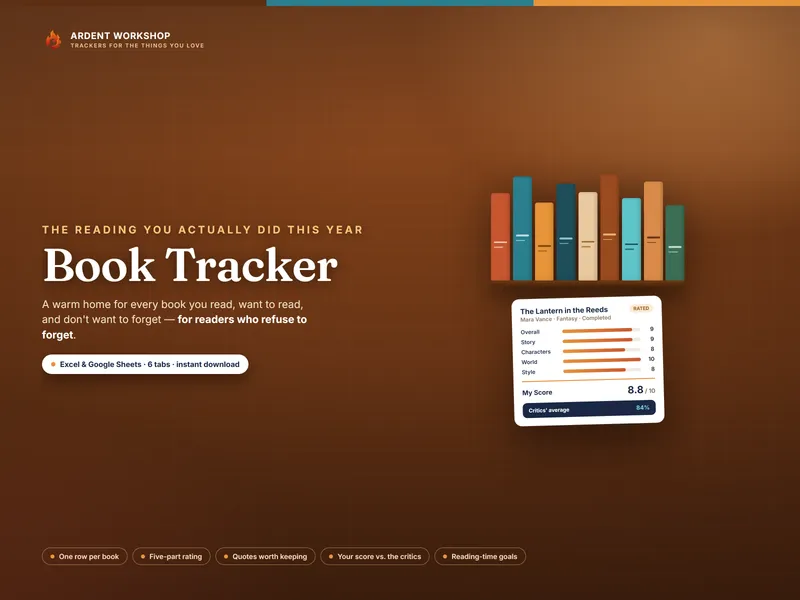
The Finished Books tab is the log the whole Wrap-Up counts from. A row per book you complete — date, pages, genre, format, a rating out of five, whether it’s a favorite, the challenge prompt it filled, and a one-line review while the book is still loud in your head. About thirty seconds a book, and your reading year builds itself.
Excel, Google Sheets, or LibreOffice — your choice
It’s one workbook that opens natively in Excel, Google Sheets, and LibreOffice Calc. Prefer Sheets? You don’t have to fuss with importing — a link in your download opens a ready-made native copy: click Make a copy and the whole workbook lands in your Drive, every dropdown, formula, and color already set up.
Own it, don’t rent it
Reading apps want your library, your email, and a monthly fee — and they decide what to show you. This is the opposite: a plain spreadsheet you buy once and keep for good. No account, no subscription, no internet needed to open it. Your reading lives in a file on your computer, and it’ll still open long after any app has shut down. Back it up, copy it, make it yours.
Want to try it first? A free single-tab reading-challenge starter gives you a taste — list your stack and tick off finishes; the full version adds the challenge prompts, the bingo card, the ratings, and the Wrap-Up.
What you get
- A 6-tab workbook (.xlsx) — Read Me, Wrap-Up, TBR Queue, Reading Challenge, Reading Bingo, Finished Books — that opens in Excel, Google Sheets, and LibreOffice Calc
- A one-click Google Sheets copy (no import)
- Three PDF guides: a Start Here guide, the Reading Challenge Playbook, and a printable Challenge Pack (the 30 prompts, a bingo card, a TBR list, and a finished-books log)
- A worked example you read once, then overwrite with your own year
- Instant download — nothing ships; it’s yours the moment you buy
The example books are fictional and illustrative — a sample reading year to show the workbook in use, not real recommendations. A personal reading log, not professional or purchasing advice.