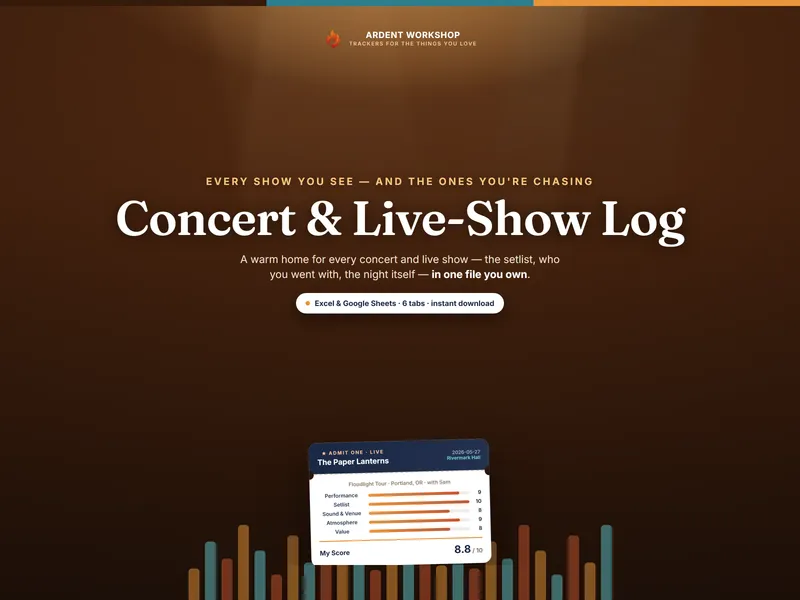
A concert journal isn’t homework, and it isn’t about a number. It’s about keeping the nights you actually had, so that when someone asks about the best show you’ve seen, you have an answer with texture instead of a shrug. The whole habit is one row per show, written while your ears are still ringing.
Why keep a concert journal at all
Here’s the quiet truth about live music: the nights blur. You leave a venue at midnight, certain you’ll remember every song, and a season later all that’s left is that it was a good night. A journal fixes that for the cost of thirty seconds on the drive home. A year in, it stops being a list and becomes a keepsake — the setlist you saved, who you stood next to, the venue you’d go back to in a heartbeat.
What to capture the night of a show
The night of is the only time you’ll remember the texture, so capture it then. At a minimum, log the date, the artist, and the venue — that’s a real journal already. When you have a moment, add the rest:
- The tour or event, the city, and who you went with — the details that make a row read like a memory years later.
- Your seat or section — GA on the rail and a balcony seat are different nights.
- A standout song or moment — the one you’ll bring up first when someone asks.
- The ticket price — so your year-end total is honest.
Rate the night across five lanes
A one-to-five-star rating tells you a show was good, but not why. Rating five smaller things tells you what you’ll actually want to remember:
| Lane | What you’re really asking |
|---|---|
| Performance | Were they on, the night you were there? |
| Setlist | Did they play the ones you came for, in an order that built? |
| Sound & Venue | Could you hear it the way it was meant to sound? Was the room right for it? |
| Atmosphere | The crowd, the energy, the feeling in the room — did it lift the night? |
| Value | All in — ticket, fees, the drive — was it worth what it cost? |
Score each from 1 to 10 and average them. You don’t need an opinion on all five — average whatever you give it. A month later, those five numbers are the difference between “it was great” and remembering exactly what made it so.
Save the setlist moments worth keeping
Some songs land harder live than they ever could on a recording — an encore, a surprise cover, the one the whole crowd sang back. Don’t trust those to memory. The night of, note the show, the song, where it fell in the set (an opener, the encore, an acoustic break), and a line on why it stayed with you. A year from now you can scroll a column of the best things you heard instead of straining to remember them — and it’s the part of a concert journal you’ll reread most.
Keep a wishlist, and an honest count of the cost
Two habits keep a journal from being only a record of the past. A wishlist — the artists you’re hoping to see, with the on-sale dates to watch — turns “I wish I’d known” into tickets in hand. And a spending log — tickets plus the travel, parking, and merch around them — keeps a great year from quietly becoming an expensive one. Set a yearly budget you can live with and just watch it; the point is to decide on purpose, not by accident.
The year-end recap
Once a year, total it up: the shows you saw, the artists and venues, your top nights by your own score, and what you spent. That’s your “shows I saw this year” — a five-minute read that’s the closest thing to a photograph of a year of your nights out, and exactly the kind of thing fans love to screenshot and share. (Want one right now? The free Shows I Saw recap-card builder turns a list of your shows into a shareable card in a minute.)
Do it in one file you own
You can keep a concert journal in a notebook, a notes app, or a spreadsheet — what matters is the habit, not the tool. If you’d rather not build the columns and the year-end math yourself, the Concert & Live-Show Log is a ready-made workbook for exactly this: a Shows log with the five-part rating built in, a Setlists tab, a Wishlist, a Spending Log with a budget, and a Dashboard that counts your year for you. It works in Excel, Google Sheets, and LibreOffice, and it’s yours to keep — no account, no subscription. There’s a free one-tab starter if you want to try the habit first.