Stop typing in a “decoration cost”
Every other apparel pricing template asks you for one number: what the decoration costs. That number is the job — and it is measured in square inches of DTF film, minutes of weeding vinyl, ink colors and the screens you burn for each of them, or thousands of stitches the machine runs while you do something else.
No two of those are billed in the same units. That is why one flat decoration fee is always wrong for something, and why the shop that quotes by feel is fine for a year and then quietly underwater on the first big embroidery order.
This workbook computes it. Per method. In the units that method actually consumes. Then it carries the number all the way through — into a quote with real quantity tiers, into a live order queue that tracks deposits and proof approvals, and into profit you can finally see per order, per customer, and per decoration method.
Try the free version first
The free Decoration Cost Calculator is the costing half of this workbook in a single tab — pick a method, type a size, and get a real cost per piece and a price that holds your margin, with six worked examples pre-filled. No signup, no email. It stops where the quote begins; everything below is what the full workbook adds.
What each method really costs you
The Decoration Methods tab holds six methods with their own cost drivers: DTF, heat-transfer vinyl, screen print, embroidery, sublimation, and pressed plastisol transfers. Materials per unit and per piece, a waste percentage, your hands-on minutes, the machine’s unattended run time, and the setup — charged per design, or per ink color where that is how it really works.
Two of those columns are the ones generic templates never have:
- Your minutes are not the machine’s minutes. An embroidery machine sews without you standing over it, so those stitching minutes never draw your wage. Your hands-on minutes are charged at the loaded shop rate; the machine’s own hourly cost applies for as long as the station is tied up. Charge 25,000 stitches at a full labor rate and you will price yourself out of every jacket order you ever quote.
- Weeding is billable. A detailed vinyl design can hold your hands for five minutes a shirt while the vinyl itself cost pennies. That shows up as minutes per square inch, not as a fudge factor.
A size number becomes a real price
Type the design’s size in that method’s own units — 16 square inches, 3 ink colors, or a 6,000-stitch design entered as 6 thousands — into the Decoration Price Menu and it returns the material cost, your operator minutes, the labor and machine cost, the one-time setup, a cost per piece, and a price that holds the gross margin you set.
Then it does the thing that changes conversations: it prices the same decoration at 12 pieces and at 48, side by side. The setup did not get cheaper; it got divided by more shirts. Once you can point at that, a quantity break stops being a haggle and becomes arithmetic you can show the customer.
Quote the job, then run it
The Job Lines tab is the quote builder. Pick the order, the blank, and the decoration from dropdowns; say how many pieces and how many are 2XL and up. Blank cost with its size upcharges, decoration cost with its setup spread across this run, line price, price per piece, profit, and margin all follow — and the line flags itself if you have ordered below the blank’s case minimum.
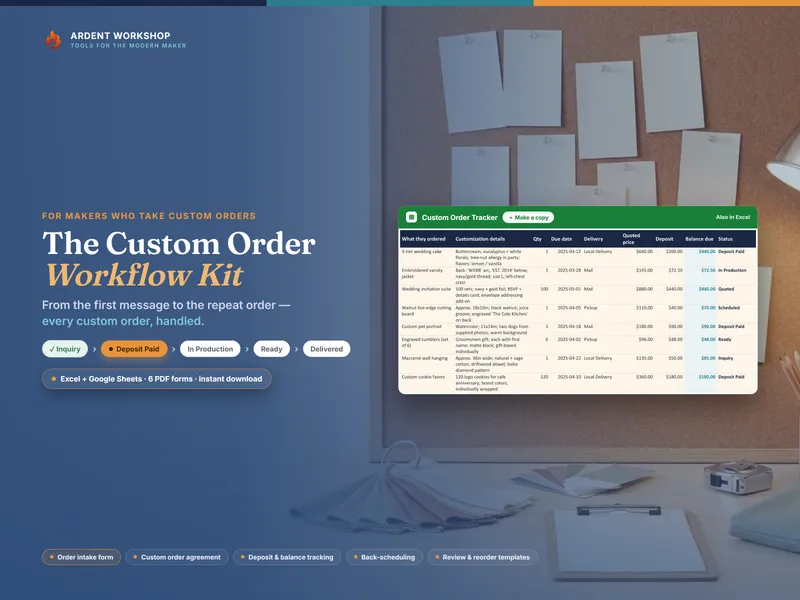
The Order Queue totals each order from its own job lines, then tells you the one live risk on that job:
- a job in production on artwork nobody approved
- blanks ordered with nothing paid
- a payment that landed but came in under the deposit share you set
- a proof still sitting with the customer as the due date closes in
- an order below your minimum
Whose work is actually paying you
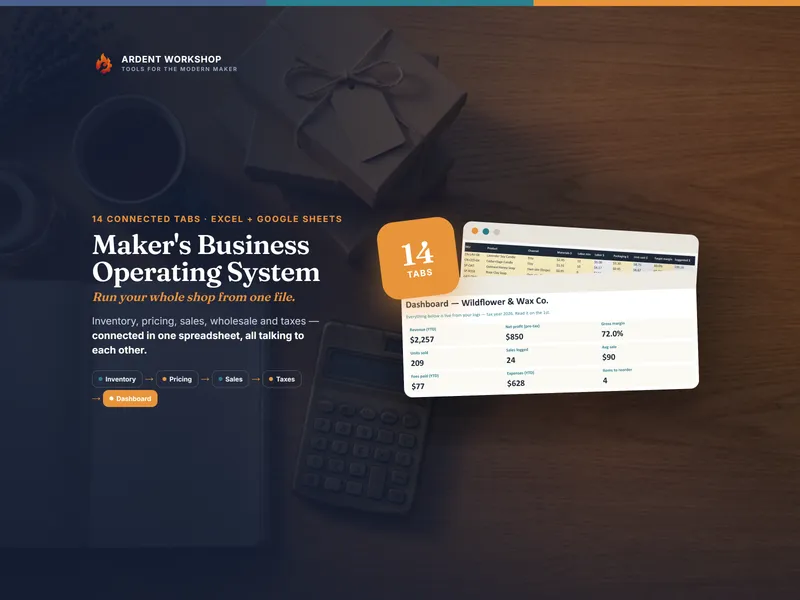
The Shop Dashboard splits profit by decoration method and by customer type, separates profit in the book from profit on orders you have actually won, and shows what you are owed on work you have already delivered. Your revenue list and your profit list are almost never in the same order.
And the Stock & Reorder tab does something a stock list cannot: link a blank to its catalog entry and it counts the pieces your live orders have already promised, so you reorder before a job stalls rather than after.
Own it, don’t rent it
Print-shop software rents you the answer by the month, forever, with your pricing history and your customer list inside someone else’s product. This is a file you own, that opens in the spreadsheet app you already have, and stays yours whether or not you keep paying anyone — structure you keep, sitting between a blank spreadsheet and a subscription you do not need yet.
When your blank stock, your consumables, and your sales start living across more than one file — or a second set of hands needs the same numbers you do — Ardent Seller (opens in new tab) is the living version of this workbook: inventory, production, and sales in one connected place, with a free plan to start.
A business reference, not advice
Every figure in the examples is illustrative — blank costs, film and thread prices, machine rates, and your own labor and tax rates vary widely, so enter your own. The placement sizes and stitch-count bands are common small-shop starting points, not an industry standard: confirm them against the actual blank and the actual digitized file before you press or sew. This workbook is a business reference, not tax, accounting, or legal advice, and it does not file or calculate your taxes. Sales-tax treatment of custom decoration and of the blanks you resell differs by state — confirm yours with a qualified professional.