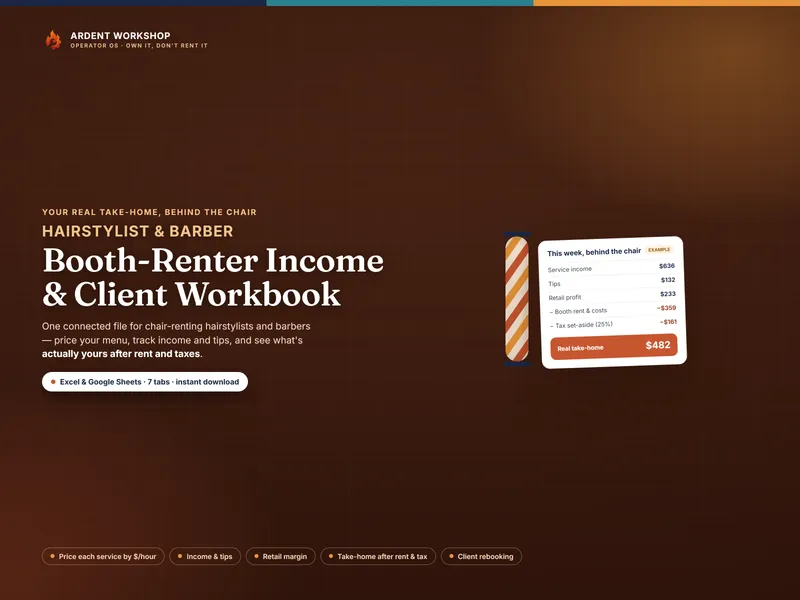
The honest framing is "own it, don't rent it." Salon booking software can be genuinely useful for the front-of-chair experience — letting clients book themselves, sending reminders, taking payments. But the numbers that decide whether renting a chair actually pays — your prices, your take-home after rent and product, your retail margin, and your own client list — are something you want to own, not lease.
The positioning: cash drawer → booth-renter workbook → salon software
Most renters start with a cash drawer and a phone full of appointments — no real picture of what's left after rent. The two ways to get organized sit at opposite ends. A booth-renter workbook is the structured middle ground: real numbers, on a file you keep. Salon software is the heavier, rented option — more front-of-chair features, but usually on someone else's server and behind a recurring bill, with your client list inside it.
Spreadsheet vs salon booking software, side by side
| Consideration | Booth-renter workbook (owned) | Salon booking software (rented) |
|---|---|---|
| You own it | Yes — a file on your own drive or Google account | Usually no — access depends on an active subscription |
| Cost | One-time purchase, keep forever | Typically a recurring monthly fee |
| Your client list | Yours, in a file you control | Usually held on the company's servers |
| Service pricing from cost & time | The core feature — dollars-per-hour per service | Rarely — set prices, but no costing |
| True take-home after rent & taxes | The whole point | Usually not — shows revenue, not take-home |
| Retail margin tracking | Yes — wholesale cost vs. shelf price | Varies; often point-of-sale only |
| Online booking & reminders | No — it's a workbook, not a scheduler | Yes — the thing it does best |
| Card payments | No — log what you collected | Often built in |
| If you stop paying | You still have the file | Access can be lost |
When salon booking software makes sense
If your main challenge is scheduling — clients who want to book themselves online at midnight, automatic reminders to cut no-shows, card payments at the chair — a booking app's features can be worth the subscription. Many renters run an app for the front of the chair and a booth-renter workbook for the money behind it. The two aren't mutually exclusive; just don't let a rented app be the only place your pricing, your take-home, and your client list live.
When the workbook is the better fit
For knowing whether the chair actually pays, the workbook wins. It prices every service on purpose, nets your real take-home after rent and the taxes you set aside, tracks the retail margin most apps ignore, and keeps a rebooking log you own. It costs nothing to keep, works in Excel, Google Sheets, or LibreOffice, and can't be taken away. If you only build one thing, build the owned record of the money — then add a booking app later if you want the front-of-chair features.
If you are an esthetician, nail tech, or lash artist
The comparison above is written from behind the chair, but the same logic holds in a treatment room — with one difference that matters. Hair services are mostly time; esthetics, nails, and lashes are time and a meaningful amount of product bought in bulk and spent by the client. Booking software will happily take a payment for a lash fill without ever knowing that the fill burned $2.68 of tray, adhesive, and disposables.
That is the gap the Esthetician, Nail Tech & Lash Artist Studio Workbook is built for: it converts each container into a cost per use, builds every service from what it actually consumes, adds what an hour in your room costs, and reports the real hourly each service pays you. Booking software schedules the appointment; this decides whether the appointment was worth taking. Most solo pros end up wanting both, and only one of them has to be paid for monthly.
Where to start
Try the free Booth-Renter Take-Home Calculator to net one week, then run the whole chair with the Booth-Renter Income & Client Workbook. New to the model? Read what booth rent is, or browse the hairstylist, barber, and beauty-pro hubs. Costing a treatment-room menu instead? Start with the free Service-Cost Calculator. This is a business reference — not tax, accounting, or legal advice. Not affiliated with or endorsed by any salon-software or booking service.
Frequently asked questions
- Do I need salon booking software, or is a spreadsheet enough for booth rent?
- They do different jobs. Booking software is good at the front of the chair — online appointments, reminders, and taking card payments. A booth-renter workbook is the back of the chair: it prices each service from cost and time, tracks income and tips, keeps your retail margin straight, and shows your true take-home after rent and the taxes you set aside. Plenty of renters use a booking app for scheduling and an owned workbook for the money — but the workbook is the one that still tells you whether the chair pays, with or without a subscription.
- What happens to my client list if I stop paying for the app?
- That's the core risk of renting. Most salon platforms keep your client list, history, and numbers on the company's servers, so your day-to-day access to them depends on keeping the subscription active; if you cancel, the price jumps, or the service shuts down, that access can go with it. A workbook is a file you own: your client and rebooking log lives in your own Excel file or Google Sheet, on your drive, and no one can lock it behind a lapsed payment.
- Can a spreadsheet handle taxes for a booth renter?
- It can help you set aside for them, which is the part that trips renters up. A booth-renter workbook lists every cost and lets you reserve a percentage of every dollar for self-employment taxes, so the bill is a transfer you already made. It does not file or calculate your taxes, and it isn't tax advice — confirm your set-aside and quarterly estimates with a professional. Most booking apps don't do this part at all.
- Is the workbook a replacement for online booking and reminders?
- No — and it doesn't try to be. If your main need is clients booking themselves online and getting automatic reminders, a booking app does that well. The workbook owns the business side: pricing, income, retail margin, take-home, and a rebooking log you keep. The two aren't mutually exclusive; just don't let a rented app be the only place your numbers and your client list live.