A small congregation runs on trust and a lot of unpaid hours — and, usually, on a scatter of notebooks, a shared inbox, and one long-serving volunteer who quietly knows where everything is. It works, right until that person is away, two groups book the hall for the same evening, or January arrives and nobody can produce clean giving statements. The Place-of-Worship Operations Workbook gathers the whole operation into one file you own.
It’s built for the person who keeps a small congregation running — a lay administrator, a treasurer, or a clergy leader — and who doesn’t need a per-seat congregation-management subscription to keep the giving, the calendar, and the volunteers straight. It fits a church, mosque, temple, synagogue, or any small congregation.
New to keeping giving this way? Try the free congregation donations log — a single-tab log for gifts, then upgrade here for the pledges, year-end statements, calendar, roster, and live dashboard.
What does the Place-of-Worship Operations Workbook do?
It runs a small congregation from one connected workbook, across eight tabs:
- Members & Households — your directory, one row per household. The household name is the key every other tab reads from, so a gift, a pledge, and a giving statement all find each other.
- Donations Log — every gift on one log: date, household, fund, amount, method. This is the single source the pledges, the year-end statements, and the dashboard all total from — log a gift and the rest computes itself.
- Pledges — enter what a household pledged and the workbook pulls what they have actually given from the log, works out the balance and percentage, and flags where each stands: Not started, In progress, Nearly there, Fulfilled, or Exceeded.
- Giving Statements — the year-end statement engine. Set the giving year in one cell and every household’s total, gift count, and split by fund computes itself, ready to copy into a printed or emailed contribution statement.
- Events & Facility Calendar — every gathering, class, and outside booking with a live countdown to its date, so two groups never double-book the hall.
- Volunteer Roster — who serves where, on which team, and whether any required background clearance is Cleared, Pending, or Expired — caught on the roster, not at the door.
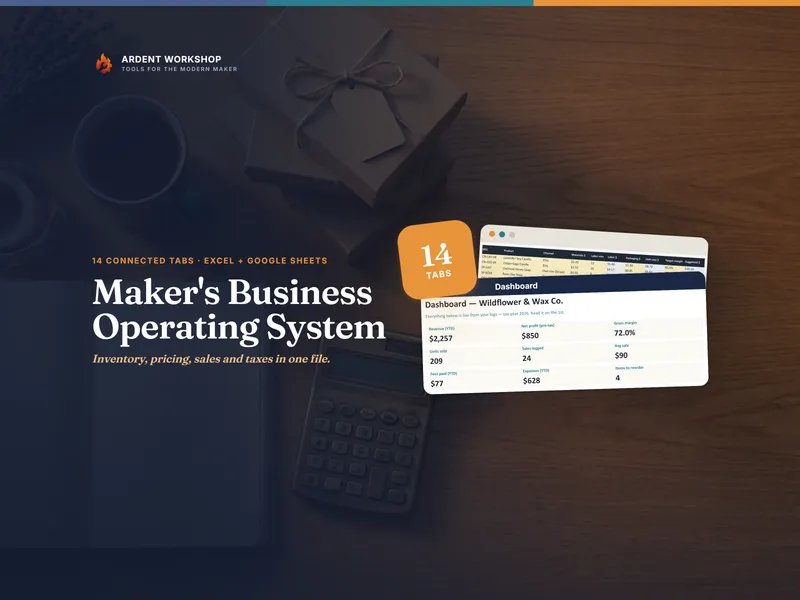
- Dashboard — giving this year and by fund, pledges outstanding, what’s on the calendar, and who needs a clearance, all pulled live the moment you update a cell.
Plus four plain-English PDF guides — a Start Here guide, giving and statements, the calendar and volunteers, and printable congregation logs.
Why an owned workbook, not church software?
Per-seat congregation-management platforms are built for a mega-church, cost a monthly fee for every seat, and hold your directory and giving data on their servers. A blank spreadsheet is free, but you build every formula, dropdown, and statement from scratch. This is the owned middle ground: a connected system that computes giving, pledges, and year-end statements for you — structure you keep, adapt, and share on your own terms. Buy once; no seats, no subscription, no vendor holding your congregation’s data.
Who is it for?
- Lay administrators and secretaries who keep the operation running between services.
- Treasurers and finance volunteers who log gifts, watch the funds, and produce year-end statements.
- Clergy and lay leaders who want the whole picture — giving, calendar, and volunteers — on one screen.
- Boards, councils, and committees that want a clear, current view without paying per seat.
Works in Excel, Google Sheets, and LibreOffice
It’s a workbook, not “Excel only.” Open the .xlsx in Excel or LibreOffice Calc, or click the included link and choose Make a copy for a native Google Sheet — every dropdown, color, and live total already set up and tested, nothing to import.
A record-keeping tool — not accounting, tax, or legal advice
This organizes your own records. It does not replace your books or your treasurer, and it does not decide what a contribution statement must contain to be valid — that depends on the tax rules where you are. Confirm required wording with your accountant, and reconcile against your bank and books before issuing statements. The example congregation and amounts are fictional and illustrative.