For homeowners considering early payoff, the question is rarely whether extra payments help. The question is how much, and when. This excel mortgage payoff calculator was built around that single question, so the answer arrives in seconds instead of years.
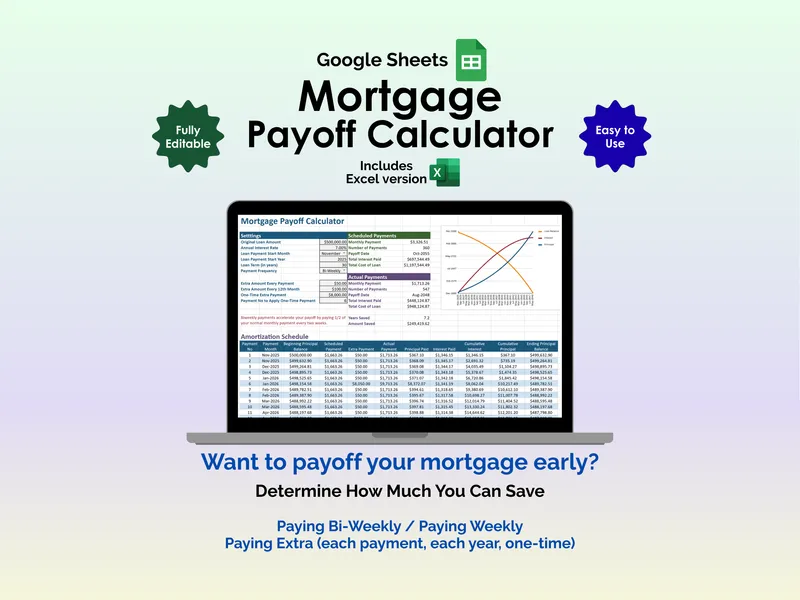
The heart of the tool is an extra-payment scenario simulator that runs a scheduled-versus-actual comparison side by side. Enter an extra amount on every payment, an additional amount every twelfth month, or a one-time lump sum tied to a specific payment number — and the Actual Payments block recalculates the payment count, the payoff month and year, the total interest paid, and the total cost of the loan. Two figures sit at the bottom of that block: Years Saved and Amount Saved. The mortgage amortization spreadsheet makes the trade visible in a way a single payoff figure cannot.
That is the design choice worth lingering on. A small recurring addition — say fifty dollars a payment — does not feel like much against a six-figure principal, but the simulator shows the compound effect: months trimmed off the term, and a meaningful share of lifetime interest left in your account instead of the lender’s. Toggle the bi-weekly payment frequency on, layer in an annual bonus, and the curve shifts again. The excel mortgage payoff calculator is, in effect, a quiet argument for paying attention to small numbers.
Inputs are intentionally short. Original loan amount, annual interest rate, start month, start year, term in years, and payment frequency — monthly, bi-weekly, or weekly. The Scheduled Payments block establishes the baseline: payment amount, total number of payments, payoff month and year, total interest, and total cost. From there, every change to the extras column recomputes both sides.
A dynamic chart plots loan balance, cumulative interest, and cumulative principal across the life of the loan, so the moment principal overtakes interest is easy to spot. The full amortization schedule lists every payment in order — payment number, payment month, beginning principal balance, scheduled payment, extra payment, actual payment, principal paid, interest paid, cumulative interest, cumulative principal, and ending principal balance. The columns are the audit trail behind the headline numbers.
Both an Excel workbook and a Google Sheets version are included, so the same model works on a desktop in Microsoft Excel or in a browser tab on Google Drive. No subscription, no account, no recurring fees. Set your loan once, then come back to the extra-payment scenario simulator whenever a bonus, a raise, or a windfall changes what you can put toward principal — and watch the payoff date move.
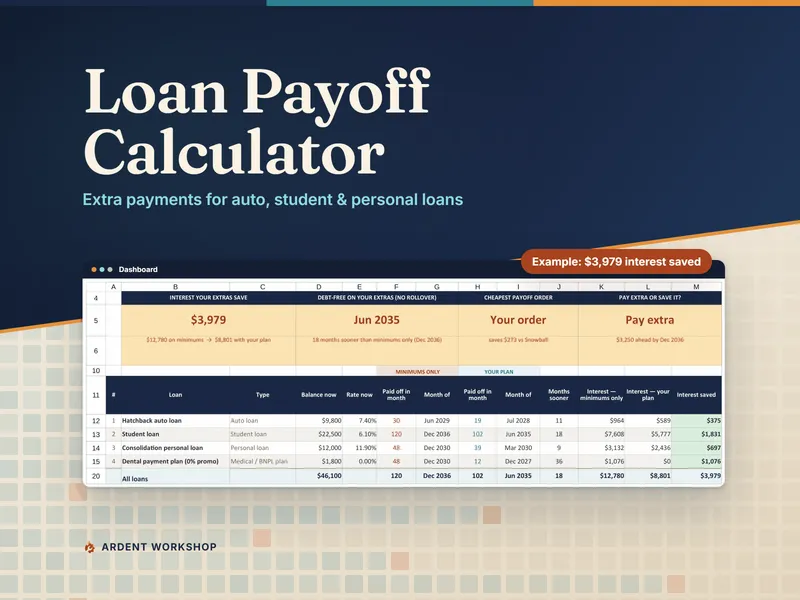
Paying down a car, student or personal loan as well as the mortgage? The Loan Payoff Calculator runs the same extra-payment math on up to eight of those loans at once, and compares which order to pay them off in.