Skip Navigation

Spreadsheet

Job Search Tool — Job Application Tracker, Follow-Ups, Interviews & Offer Comparison (Excel + Google Sheets)

A job application tracker for Excel & Google Sheets that dates every follow-up, flags ghosted applications and shows which job boards reply.

Click to enlarge the image / Click × or press ESC to close

What you'll love

  • A Today tab that ranks your follow-ups — overdue first, then this week, then applications gone quiet — plus interviews to prep for, thank-you notes owed, contacts due a touch and job boards to check
  • Follow-up dates that set themselves — each status carries its own follow-up gap, so every application shows its next follow-up date, days since you last touched it and an Overdue, Due this week or Ghosted flag
  • A funnel per job board and per resume version — applications, replies, reply rate, interviews, offers and the median days to a reply, so you can see which source and which resume actually get answers
  • A Dashboard with a 5-stage funnel and step conversion, this week against your own targets, the best source, the best resume and your next interview
  • Interviews with prep reminders, thank-you tracking and the next interview named at the top; Contacts with a next-touch-due date for every recruiter and referral
  • A Weekly Log of 26 weeks — applications and networking touches against your targets, hit or missed (a record you keep, not an official work-search form)
  • Offers side by side, up to 6 — it pulls the salary range you logged at application, totals base, bonus, match and costs into total annual comp, and scores 10 weighted factors
  • An 11-tab workbook (Excel & Google Sheets) + an 11-page Start Here guide + a 13-page Job Search Playbook + a 5-page Printables PDF — unlocked, no account, no subscription

Thirty applications in, the hard part of a job search stops being the applying. It is remembering who you owe a follow-up, which posting has gone quiet, and whether the board you check every morning has ever produced a single reply. The Job Search Tool is a job application tracker for Excel and Google Sheets that does that remembering for you: it dates every next step, flags what is overdue, and puts it all on one list you can work through each morning.

A job application tracker that tells you what to do next

Log an application once — company, role, source, the resume version you sent, the posted salary range and a status — and the Applications tab takes it from there. Each of the 9 statuses carries its own follow-up gap (set on Start Here), so every row computes its next follow-up date, the days since you last touched it, and a flag: Overdue, Due this week, Ghosted or Closed. An application that never gets touched still comes due, which is the point — the rows that slip are the ones you stop opening.

The Today tab gathers everything that needs you onto one tab, with follow-ups ranked: overdue first, then this week’s, then applications that have gone quiet past your ghost threshold, with the next step written out for each. Below it sit the interviews to prep for, thank-you notes owed, contacts due a touch and job boards you have not checked on schedule.

See which job boards and resumes actually get replies

A plain application log stops at a list of companies. This one runs the funnel. Job Boards counts, for every board and channel, the applications sent, replies, reply rate, interviews, interview rate, offers and the median days to a reply — flags which boards are due a check, and records whether your resume is posted and an alert is set on each. Resume Versions runs the same funnel for each version of your resume and marks the one with the best reply rate. The Dashboard pulls it together: a 5-stage funnel with step conversion, this week against your own targets, the best source, the best resume and your next interview.

Interviews, contacts and a weekly record

The Interviews tab tracks every round with prep and thank-you columns and a computed To do — Prep now, Today, Send thank-you, Thank-you overdue, Upcoming, Done or Closed — and names your next interview at the top. Contacts gives every recruiter, referral and hiring manager a next-touch-due date. The Weekly Log covers 26 weeks of applications and networking touches against the targets you set, marked hit or missed — a record you keep for yourself (requirements for any official work-search log vary by state, and this is not one).

Compare offers with the numbers you already logged

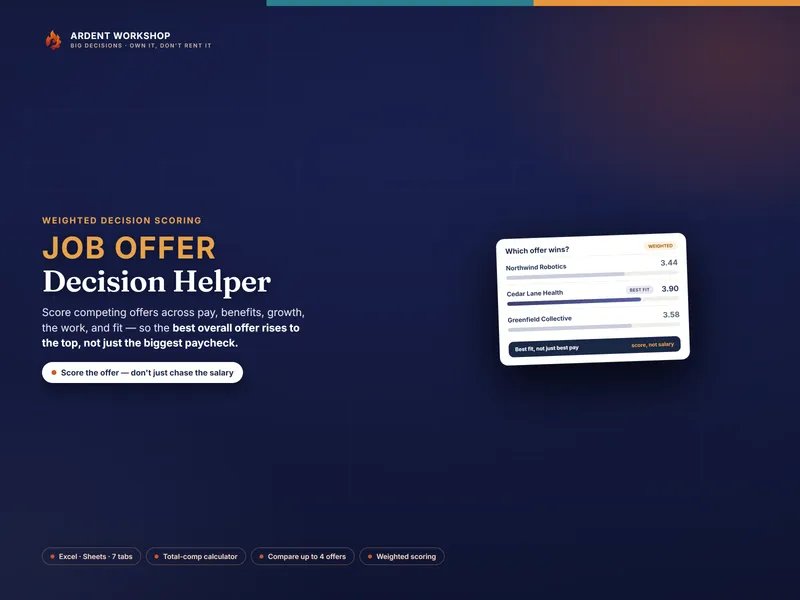
When offers arrive, the Offers tab compares up to 6 side by side. It pulls the salary range you logged at application, totals base, bonus, retirement match and benefits, less your health premium and commute, into a total annual comp, and shows where each base lands against your range and your target. Then it scores 10 factors you weight yourself and says which offer fits best — and what choosing it over the best-paid one costs per year. For equity and multi-year offer math, the Job-Offer Decision Helper goes deeper.

What’s in the download

  • The 11-tab workbook, opening on a clearly fictional worked example whose dates move with today’s date, so it never looks stale
  • The .xlsx opens in Excel, Google Sheets and LibreOffice Calc, and a one-click link also makes a native Google Sheets copy (no import needed)
  • An 11-page Start Here guide, a 13-page Job Search Playbook on follow-up cadence, reading your funnel, STAR interview prep and comparing offers, and a 5-page Printables PDF

Want to try the log before you buy? The free Job Search Tracker Starter is the application log on its own — a spreadsheet pre-filled with a dozen example rows, a days-since-applied column and counts by status and by job board, no sign-up. The full workbook is what adds the follow-up dates, the Today list, the reply-rate funnel and the offer comparison.

Own it, don’t rent it

Many paid job-search apps charge a recurring subscription that keeps billing until you cancel it. This is a file you buy once and keep — unlocked, editable, no account and nothing to cancel, with your applications and contacts staying in your own spreadsheet.

See it in action

Play

Built to last

  • Intuitive and straightforward design
  • Employs software best practices
  • The workbook works in Microsoft Excel, Google Sheets, and LibreOffice Calc — see What's included above for every file in the download
  • Free updates — send us a message to be notified of updates when they are available
  • Completely customizable — add rows and columns, rename headings, and adjust formulas

In the download

This digital product is delivered as a zip file containing the following items:

  • 01 — Job Search Tool (.xlsx, 11 tabs): Start Here, Dashboard, Today, Applications (300 rows), Job Boards, Resume Versions, Contacts (room for 150 contacts), Interviews (room for 100 interviews), Weekly Log (26 weeks), Offers (up to 6 offers), Lists. The workbook opens on a clearly fictional example search you replace with your own
  • Open in Google Sheets.pdf — a one-click "Make a copy" link to a ready-made native Google Sheet, no import needed
  • 02 — Start Here Guide (PDF, 11 pages): setup, the settings, and every tab explained
  • 03 — Job Search Playbook (PDF, 13 pages): pipeline stages, follow-up cadence, reading your funnel, weekly targets, networking, STAR interview prep and comparing offers
  • 04 — Printables (PDF, 5 pages): an interview prep sheet with a STAR story grid, story prompts and a work-search activity log
  • READ-ME-FIRST.txt — where to start and how to open each file

Compatibility & terms

Unless otherwise specified, this digital product is delivered as a spreadsheet (an .xlsx file) designed to work in Microsoft Excel, Google Sheets, and LibreOffice Calc . It is not guaranteed to work in any other application.

One purchase covers personal and household use plus internal use within one organization, including coworkers. You may share completed outputs and client-specific documents. Reusable templates cannot be resold, published, or distributed outside your licensed group; reusable client copies or additional organizations need their own purchase or an explicit product-specific or separate written license. Included client-gift permissions remain valid within their stated limits. Read the digital product license. No refunds, exchanges, or cancellations. Given this is a digital product, no physical product will be delivered.

Why a workbook

Compare the setup effort, collaboration, and automation you need. Ardent Workshop sells ready-made templates; a custom spreadsheet or software platform may fit better depending on the job.

  1. Blank spreadsheet

    Build the structure around your own process, with time set aside for formulas, layout, and maintenance.

    • Flexible structure
    • You build it
    • Software costs vary
  2. You are here

    Ardent Workshop

    Owned, structured, connected workbooks — a one-time price, yours to keep.

    • One-time price
    • Structured & connected
    • Yours to own
  3. Software platform

    Consider a platform when you need shared workflows, automation, or integrations. Check the specific plan, permissions, and export options.

    • Features vary
    • Check total cost
    • Check data portability

Ready to start

Instant download · Free lifetime updates · Personal & internal business use

$7.95 USD
Buy now

Pairs well with

From the Guides

Hand-picked reading on how to actually use a tool like this.