SKU vs. UPC vs. barcode
These three get used interchangeably and they aren't the same thing.
- SKU. An internal code you invent and control. Yours alone — no other shop will ever care what your SKUs are.
- UPC / EAN / GTIN. A global identifier assigned by GS1 (or relevant authority) to a product so any retailer anywhere can identify it. Required for Amazon, retail distribution, and most syndicated catalogs.
- Barcode. A visual encoding of either a SKU or a UPC, so a scanner can read it. The barcode is the picture; the SKU or UPC is the data inside it.
Small shops typically only need SKUs. UPCs become relevant when you sell on Amazon, supply a retail buyer, or list in a marketplace that requires GTINs.
The anatomy of a good SKU
A SKU should be readable enough that a human can identify the product without a database lookup, and structured enough that adding a new color or size doesn't break the pattern. Most working SKU systems use two to four segments separated by a delimiter:
- Segment 1 — category (CDL = candles, JWL = jewelry)
- Segment 2 — sub-category or material (SOY, BWX)
- Segment 3 — variant attribute (LAV = lavender, GLD = gold)
- Segment 4 — size or finish (S, M, L, 8OZ)
Pick a delimiter (dash, dot, or underscore) and stick to it. Spaces are the most common cause of SKU bugs — they sort wrong, copy wrong, and break exports.
Why a system beats free-typed SKUs
- Consistency. Same product, same SKU, every time — including the listing you create next year.
- Scale. Adding a new scent doesn't require renumbering existing products. The pattern absorbs it.
- Inventory accuracy. Counts roll up cleanly when variants share a parent prefix.
- Search and filter. SKUs that follow a pattern are filterable in spreadsheets and POS systems without joins.
- Duplicate detection. If your generator validates new codes against the existing list, you can't accidentally reuse one.
How to build a SKU system in twenty minutes
- List every product category you sell (3–6 is plenty for most small shops).
- For each category, decide the attributes that matter for inventory: material, color, size, finish. Two to four attributes is the sweet spot.
- Assign a short abbreviation (2–4 letters) to every value of every attribute. Write them down — this is your dictionary.
- Pick a delimiter and an order. The order rarely matters as long as it's consistent.
- Generate codes for your existing catalog. If duplicates surface, your attribute list is missing a dimension — add it before going live.
- Lock the dictionary. New values get appended; existing codes don't change.
Common mistakes
- Including price in the SKU. Prices change. SKUs don't.
- Including the year. Same reason — and it makes every January feel like a re-platform.
- Using too many segments. Past four, a SKU becomes a serial number and stops being readable.
- Reusing retired codes. If a product is discontinued, its SKU is retired too. Old order history depends on the mapping.
- Letting marketplaces auto-generate them. Etsy and Shopify will both invent SKUs if you don't supply one. Theirs are random — yours should be patterned.
Related templates and concepts
Most shops that build a SKU system are also tracking inventory, pricing, and orders in adjacent spreadsheets. See the templates for Etsy sellers and templates for craft sellers hubs for the full operating set.
Templates that implement this
Templates that build a SKU system
3 templates
Pick your category structure, set your delimiter, drop in your products — and the generator stitches the code together for you.
- $9.95 Excel
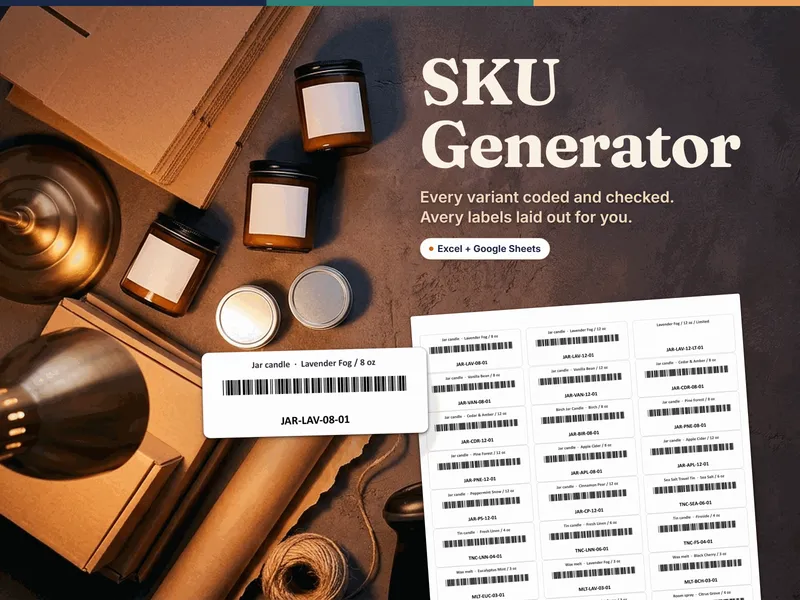
SKU Generator for Excel — Variant SKUs, Clash & Duplicate Checks, Code 39 Barcodes and Avery 5160 Labels
SKU generator for Excel: build a SKU for every variant from your own codes, catch clashes and duplicates, and print Avery 5160 barcode labels.
Operator OSView details - $9.95 Sheets
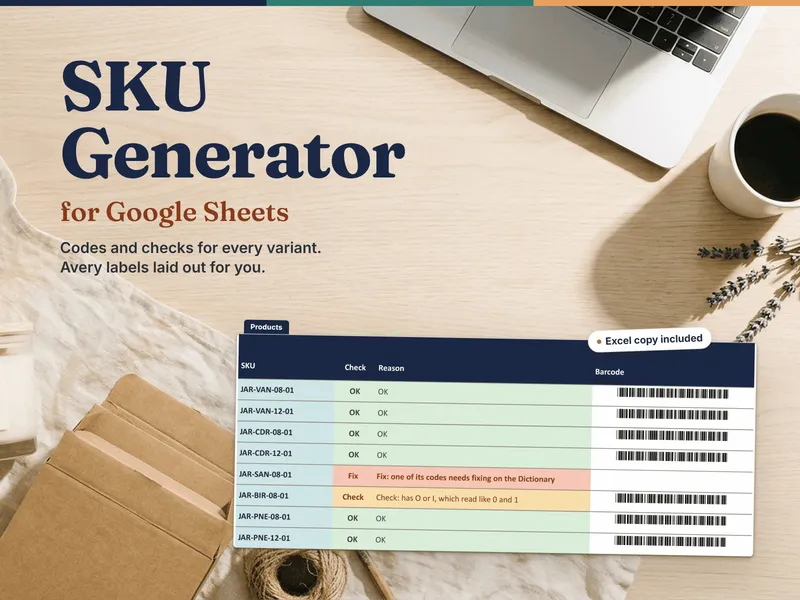
SKU Generator for Google Sheets — Variant SKUs, Clash & Duplicate Checks, Code 39 Barcodes and Avery 5160 Labels
Google Sheets SKU generator: one-click copy, a SKU for every variant from your own codes, clash and duplicate checks, and Avery 5160 barcode labels.
Operator OSView details - $99.00 Bundle
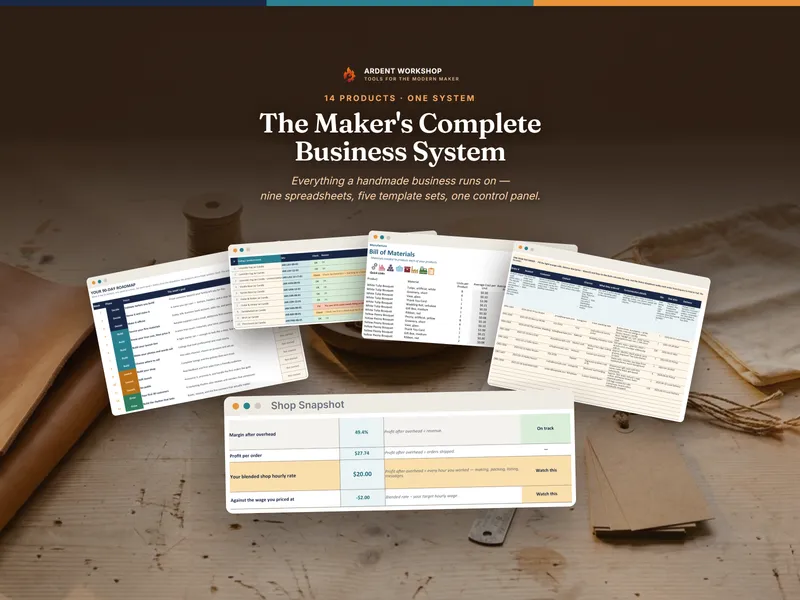
Maker's Complete Business System — 14-Product Bundle for Handmade Sellers (Excel + Google Sheets + PDF)
The Maker's Complete Business System: a handmade-seller bundle of 14 products — pricing, orders, inventory, listings, shop policies and legal templates.
Operator OSView details