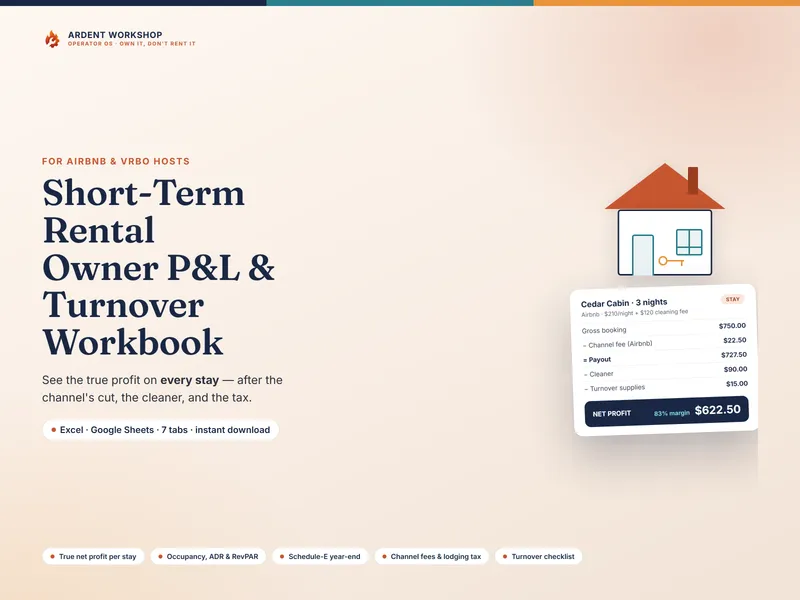
Step 1 — Build the gross booking
Start with what the guest actually pays. That’s the accommodation — the nightly rate times the nights — plus any cleaning fee you charge. Take a cabin booked for 3 nights at $210 a night, with a $120 cleaning fee:
| Gross booking | Amount |
|---|---|
| Accommodation (3 × $210) | $630.00 |
| Cleaning fee charged to guest | +$120.00 |
| Gross booking | $750.00 |
That $750 is what the guest paid — not what you keep. We’ll build each number by hand below so the method is clear; the Short-Term Rental Owner P&L & Turnover Workbook does the same in one linked file if you’d rather not start from a blank sheet.
Step 2 — The channel takes its cut
Every booking channel takes a fee, and the cuts are not the same: Airbnb splits its fee and takes a small host share, the pay-per-booking channels and Booking.com take much more, and a direct booking off your own site costs only card processing. This stay came through Airbnb at an illustrative 3% host fee, charged on the whole booking:
- 3% of $750 = a channel fee of $22.50
So the payout — what actually lands in your account — is $750 − $22.50 = $727.50. A different channel changes this line a lot: the same booking on a channel taking 15% would lose $112.50 instead of $22.50, which is why the workbook keeps a fee for each channel and applies the right one per stay.
Step 3 — The turnover you pay for
The payout still isn’t profit, because you haven’t paid to turn the place over. Every stay costs a full turnover no matter how many nights it was: the cleaner and the supplies you restock. Here the cleaner is $90 and supplies are $15. (Note this is your cost — separate from the cleaning fee you charged the guest in Step 1. The gap between the two is part of your margin.)
Step 4 — Net the profit and the margin
Now stack it up. Start from the payout, then subtract the cleaner and the supplies:
| Net profit | Amount |
|---|---|
| Gross booking | $750.00 |
| Airbnb channel fee (3%) | −$22.50 |
| Payout | $727.50 |
| Cleaner | −$90.00 |
| Turnover supplies | −$15.00 |
| Net profit | $622.50 |
That $622.50 is the real number — not the $750 the guest paid, and not the $727.50 that hit your account. As a margin, it’s $622.50 ÷ $750 = about 83% of what the guest paid. You can run any single stay through the free STR Profit Calculator to see the fee, the payout, and the net without doing the arithmetic by hand.
A note on lodging tax. Many places add a transient-occupancy or lodging tax — say 12%, or $90 on this booking. It’s collected from the guest and remitted to the jurisdiction, so it’s a pass-through: not your income, not your expense, and deliberately left out of the net profit above. Track it and remit it (or confirm your channel does), and keep it out of your profit math.
Step 5 — Then measure the listing with RevPAR
One stay tells you about one booking. To judge the listing, use RevPAR — revenue per available night — which divides accommodation revenue by the nights the property was available to book. If this cabin earned $2,320 of accommodation across a month it was available 25 nights:
- RevPAR = $2,320 ÷ 25 = about $93 per available night
RevPAR blends your nightly rate and how full the calendar is into one number, so you can compare listings on the same scale — a high-rate, half-empty property against an always-full, lower-rate one. See what RevPAR is for how it stacks up against occupancy and ADR.
Why this also matters at tax time
Track the gross booking, the channel fee, the cleaner, and the supplies on every stay and your year-end tax picture assembles itself: your rents received, your commissions, and your cleaning and maintenance are already totaled by category. The workbook folds them into a Schedule-E year-end summary so the spring isn’t spent reconstructing a dozen payout screens.
Track every stay in one connected file
Every number above lives on a scrap of paper or across a dozen payout screens for most hosts — which is how a forgotten cleaner cost or an un-counted supply run turns an 83% stay into a number you only think is good. The Short-Term Rental Owner P&L & Turnover Workbook runs this exact flow — gross booking, the right channel fee, the payout, the net after the turnover, the margin, and the lodging tax — for every stay, then computes occupancy, ADR, and RevPAR per listing and rolls the whole year into a Schedule-E summary. It ships with this cabin stay already built as an example. You own the workbook outright in Excel and Google Sheets — you don’t rent it by the month. When a spreadsheet outgrows the job and live calendar sync across channels becomes the bottleneck, it graduates to Ardent Seller (opens in new tab), the maker-first operations app — see spreadsheet vs Airbnb management software for where that line is, or browse the Airbnb & Vrbo hosts hub.