Most teams don’t lose a quarter for lack of effort — they lose it because effort is scattered across a dozen half-priorities and nobody can say, mid-cycle, whether the things that matter are actually moving. The OKR & Goal-Setting Workbook fixes that with one discipline: pick a few goals that matter, put a number on each, and score the number honestly on a rhythm.
It runs the whole OKR loop as a workbook you own. Set your objectives and key results, type a start, a target, and a current value for each — and the workbook scores the progress 0.00 to 1.00, averages your key results into an objective score, and rolls every objective up to one company view, with a by-team breakdown and a confidence read.
New to OKRs? Try the free single-team OKR starter sheet — write one set of objectives and key results by hand, then upgrade here for automatic scoring, the company roll-up, and the full cadence.
What are OKRs?
OKR stands for Objectives and Key Results. An objective is a short, qualitative statement of what you want to achieve this cycle — the destination. A key result is a measurable outcome that proves you got there — a number with a start, a target, and a current value. You set three to five objectives, two to five key results under each, and score progress every cycle so everyone can see what’s on track and what’s at risk.
Type three numbers — the score fills in
On the Key Results tab, you pick the objective, type a Start, a Target, and a Current value, and the workbook computes the progress and a 0.00–1.00 score and flags the status for you. The formula is (Current − Start) ÷ (Target − Start), capped 0–1, so it works the same whether the target is higher than the start (grow signups) or lower (cut churn, cut days). You never grade anything by hand.
See the whole company on one screen
The Company Rollup tab is the one-screen picture: the company score, how many objectives and key results are on track, at risk, or off track, the confidence spread, the strongest and weakest objective, and a by-team roll-up — all live from your numbers. It’s the view for a leadership check-in. A wall of green usually means the targets were too safe; a cluster of at-risk key results is where your week belongs.
Score, then confidence — the forward read
Each check-in, set a confidence on every key result (High, Medium, Low). The score tells you where a key result has got to; confidence tells you whether you’ll actually land it. A high score with Low confidence is a number that has quietly stalled — the early warning the score alone won’t give you until it’s too late.
What’s inside
- Key Results — the working tab: type start, target, and current, and every key result scores 0.00–1.00.
- Objectives — your objectives, each auto-scored and status-flagged from its key results.
- Company Rollup — the dashboard: company score, on-track / at-risk / off-track counts, confidence, and a by-team view.
- Grading Scale — the 0.0–1.0 bands, what confidence means, and the set-check-grade cadence (the lookup the tabs read).
- How to Set OKRs — writing an objective worth aiming at and a key result you can’t fudge, plus scoring habits.
- Check-in Log — a dated record of each weekly or cycle check-in.
- Read Me — how the tabs fit together and where to start.
- Four PDF guides — a Start Here guide, the OKR method & scoring guide, a guide to running the check-in cadence, and a printable OKR planning sheet.
Works in Excel, Google Sheets, and LibreOffice
One .xlsx that opens in Microsoft Excel and LibreOffice Calc — or, for Google Sheets, open the included one-click link and click Make a copy to drop a ready-made native version straight into your Drive, no importing and nothing to set up. It ships pre-loaded with a worked example — a fictional company’s quarter, spread across on-track, at-risk, and off-track — so the method is obvious on open. Overwrite it with your own goals, and add rows as you need them. It’s an instant digital download: nothing ships, and the workbook and all four PDF guides are yours the moment you check out.
Own it, don’t rent it
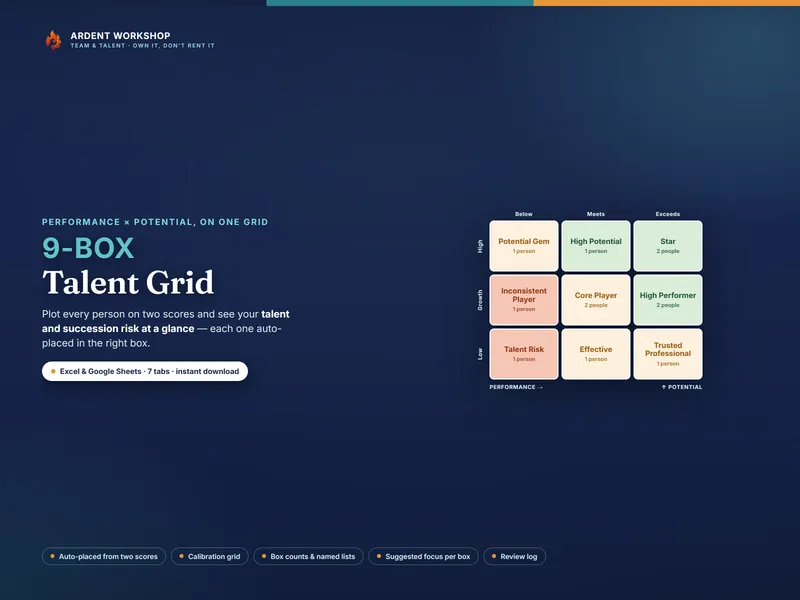
This sits between a blank spreadsheet (free, but you build and maintain the scoring and roll-ups yourself) and a per-seat OKR platform (overkill for most teams, and a recurring bill that holds your plan behind a login). It’s the structure you keep: a connected, owned workbook, with no seats and no monthly fee. See how your people map on performance and potential with the companion 9-Box Talent Grid, and find more people-ops and planning tools in the full Ardent Workshop catalog.
What this is — and what it isn’t
The OKR & Goal-Setting Workbook is a focus-and-alignment and planning tool — not a performance-review score, and not management, legal, or professional advice. Grade the goal, not the person: keep OKR scores separate from pay and ratings, or people quietly set targets they’re sure to hit and the whole point is lost. On a genuine stretch goal, landing near 0.7 is a win, not a miss. The example objectives and numbers are fictional and illustrative. OKR is a widely-used, generic goal-setting method; this product is not affiliated with or endorsed by any company or framework owner.