Home readings are easy to take and hard to use. A column of numbers does not tell a clinician what a week of blood pressure averaged, and it cannot tell you whether a reading was high for this person or only high against a generic chart. This vital signs tracker for Excel keeps blood pressure, pulse, respiration, SpO2 and temperature for everyone you look after, and judges each reading against that person’s own targets.
Everyone you care for, each with their own targets
People & Targets holds up to 6 people, one column each. For every vital you type the low and high their clinician gave them (SpO2 takes a low only), and you add the call-my-clinician thresholds from their care plan: systolic, diastolic, pulse, SpO2 and temperature lines that turn a reading’s status to CALL. Until you replace them, a person’s column follows the general adult examples on the Reference tab, each with its source where one exists (the blood pressure lows and the SpO2 low are left blank for the clinician), and labels itself “Reference examples” so you can see at a glance who still needs real numbers. Temperature is set once in °F or °C, so nothing is guessed row by row.
One log, six vitals, flagged the moment you type
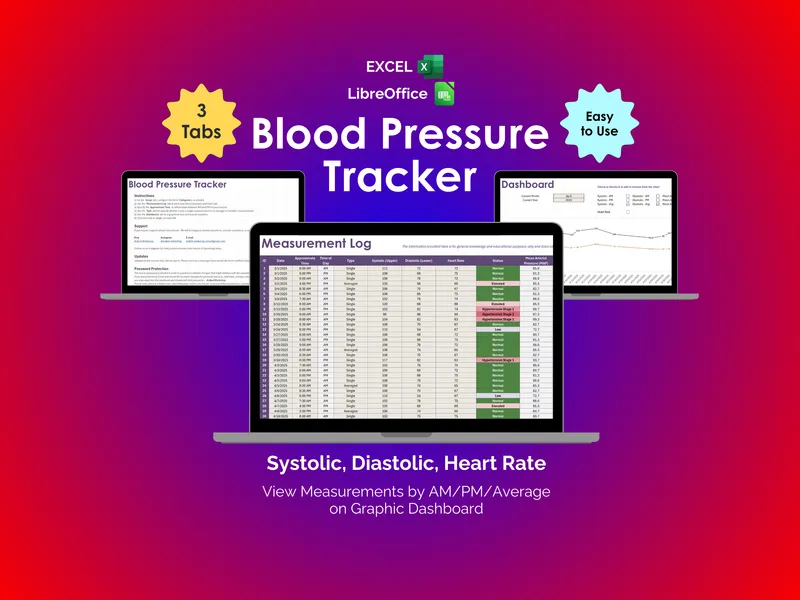
The Log has room for 2,000 readings. Type the date, time, person, context (seated and rested, after activity, after medication, standing, lying down or feeling unwell) and any of the six vitals, plus weight if you track it. The workbook works out morning or evening, a flag for each vital against that person’s targets, mean arterial pressure and pulse pressure, the 2025 AHA/ACC reference category for blood pressure, and a status: in range, the number of vitals out of range, or CALL.
Three yes/no checks before each blood pressure reading, rested five minutes, seated with back supported, arm at heart level, together with a seated-and-rested context, decide whether it is Protocol OK. Readings that miss one stay in the Log and are left out of the average.
The home blood pressure week, averaged the way the guideline asks
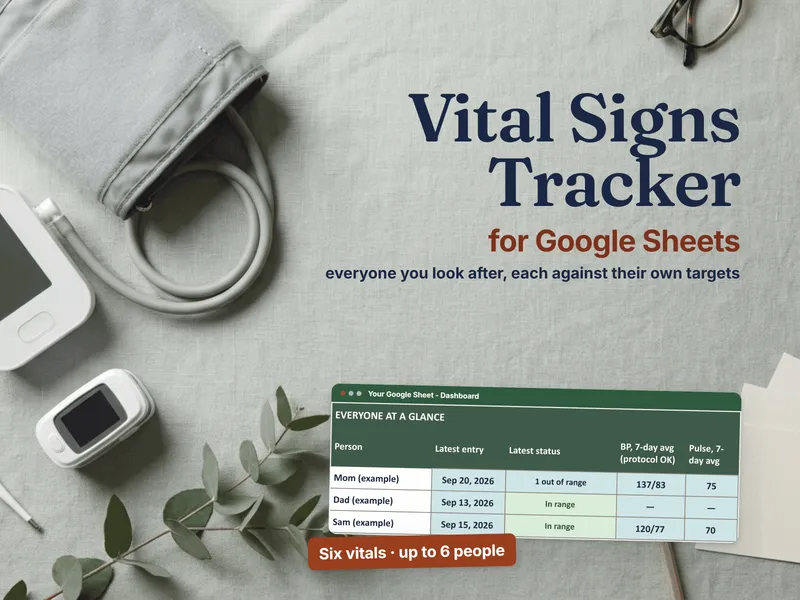
The 2025 AHA/ACC high blood pressure guideline (opens in new tab) asks for two readings a minute apart, morning and evening, for 7 days (at least 3), and then the average rather than any single reading. Home BP Average does that bookkeeping for one person and one week: sessions and days covered, the readings left out, the average of the protocol-OK readings, morning against evening, and the reference category of the average. The categories use the home cut-offs from the 2017 ACC/AHA table of corresponding home and office values (opens in new tab) — Stage 2 starts at 135/85 at home rather than the office 140/90 — and they are a reference, not a diagnosis, so ask the clinician how they read a home average. In the example, Mom’s week averages 137/83 over 26 protocol-OK readings: Stage 2 at the home cut-offs (office cut-offs would say Stage 1), and above her example target.
A summary for the appointment
Visit Summary takes a person and any date range and returns, for every vital, the readings, average, lowest, highest, the share inside their own target and the out-of-range count, then morning and evening blood pressure and the category of the period average. It prints on one page from Excel (in Google Sheets, choose Fit to page), or save it as a PDF, to hand over at the visit.
Trends against their own baseline
Trends lays out 8 weekly averages for any one person, with a bar per week, and compares the last 7 days with a baseline window of their own readings. Each vital reads Drifting up, Drifting down or Steady past a tolerance you set, something to mention to the clinician, not a verdict. The Dashboard puts the whole household on one tab: latest entry and status, 7-day averages, call entries and the share of readings in target for each person.
Printables for away from the computer
The 13-page Start Here guide covers setup and how to take each reading so it counts, citing the American Heart Association for home technique. The 5-page Printable Vitals Log carries a 7-day home blood pressure week sheet and a paper log, and the 4-page Care Plan Card is a card to print and fill in with each person’s clinician, then copy onto People & Targets.
Built for Excel, and in Google Sheets too
The download includes the .xlsx as a worked example, 125 readings for 3 fictional example people, and as a blank copy, for Excel 2016 or later, Microsoft 365, Excel for Mac and LibreOffice Calc. It runs offline and keeps the record on your own computer, with no subscription and no device to pair: readings from any cuff, oximeter or thermometer are typed in. There are no charts or macros to break, so the one-click Google Sheets copy in the same download works the same way. That copy lives in your own Google Drive, so share it only with the people you name. The Google Sheets listing is the same product: Vital Signs Tracker for Google Sheets.
Want to try the log first? The free Vital Signs Log Starter is a one-person, one-tab log of the same six vitals, each reading flagged against a general adult example range, with the lowest, highest and average kept for you. It opens on a fictional worked example. No email, no signup.