Podcasts aren’t the problem. Remembering them is. You finish an episode of Radiolab, mean to recommend it, and by Friday the title is gone. Your queue grows across Apple Podcasts and Spotify while half-listened shows pile up unnoticed. This excel podcast tracker fixes that by giving every show, episode, and listening session a row of its own.
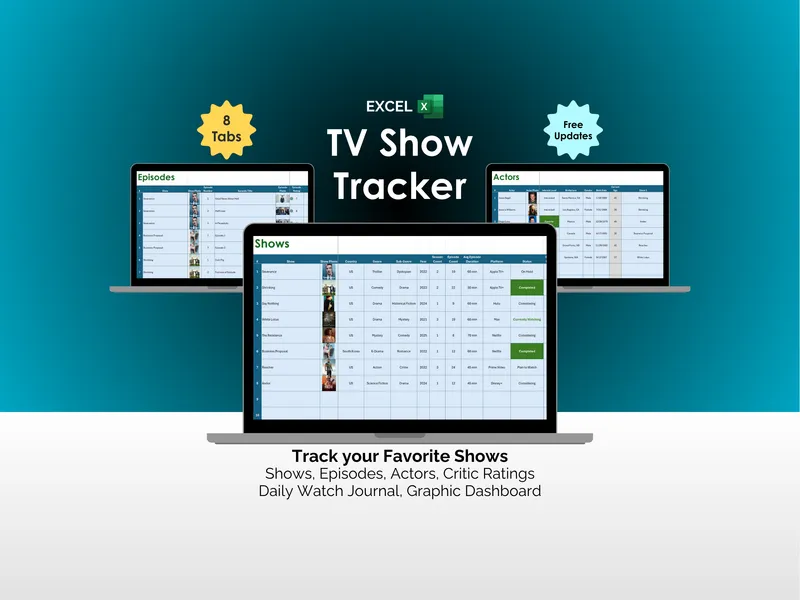
On the surface, this podcast listening spreadsheet does what you’d expect. The Shows tab catalogs up to 500 podcasts with artwork, episode count, duration, platform, and listening status. The Episodes tab tracks 500 individual episodes by number, title, and show name, each with its own rating. Seven tabs, clean layout, a working Excel template you can use the day you download it.
But here’s where it gets interesting. The Shows tab rates each podcast across five categories: Overall, Content, Host, Guest, and Quality. You stop guessing whether a show is actually worth your time and start seeing it on paper. The Critic Ratings tab stacks external reviews against your own, with review dates, scores, source names, and direct URLs from places like Apple Podcasts and Good Pods.
The Journal tab logs daily listening by date, show, platform, and notes, then surfaces a line chart of your progress over the past week plus weekly and monthly activity summaries. Drop a comedy show in by mistake and you’ll see the streak break the next time you scan it. This is the excel podcast tracker turning loose habit into something you can actually read.
The Dashboard is where the pattern lands. It pulls total shows tracked, shows completed, episodes tracked, time spent listening, critic rating count, and shows currently listening into one view, with three charts behind it: a bar chart of your top-rated shows, a bar chart of critic top-rated shows, and a pie chart of shows with critic ratings. Open the file in Microsoft Excel, keep it forever, take the free updates as they ship. No account, no subscription, no internet required.