You know that moment when a friend asks if Solo Leveling is worth starting, and you blank on whether you ever finished it? That is what happens when your watchlist lives in three different apps and your brain. This Google Sheets anime tracker is a spreadsheet built specifically for anime fans, with 8 tabs that log your shows, episodes, characters, and viewing time in one place you actually own.
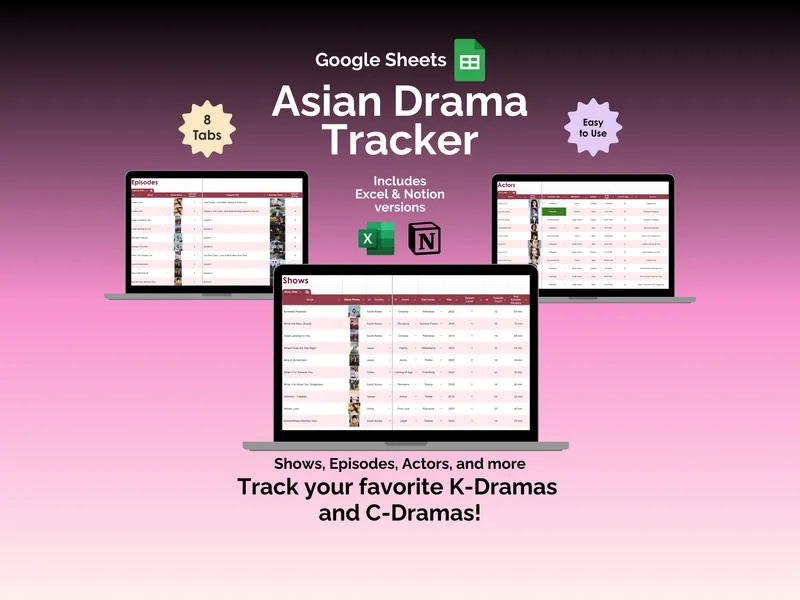
On the surface, it looks like a tidy watchlist (which it is). The Shows tab holds up to 500 series with fields for country, genre, sub-genre, year, season count, episode count, average episode duration, platform, and watch status. Each row gets its own show photo, so you can scroll through the table and recognize a series at a glance instead of squinting at titles like “My Happy Marriage” vs “Hayate” and guessing.
The Episodes tab is where this Google Sheets anime tracker starts pulling away from a generic watchlist. You can log up to 500 individual episodes with show name, episode number, title, episode photo, and a personal rating — so when you remember “there was that one episode of BEASTARS I keep thinking about,” you can actually find it again. The Characters tab pairs alongside, letting you keep a roster with character photo, interest level, gender, and the show they belong to. Useful when a side character (looking at you, Yuno) ends up more memorable than the lead.
But here is where it gets interesting. The Critic Ratings tab lets you log scores from sites like IMDB, Crunchyroll, and Google next to each show, with fields for rating, max rating, percentage, review type, and a direct site URL. You can rate every title yourself across five categories — overall, story, characters, animation, and music — and then see exactly where your taste diverges from the consensus. It turns the tracker into a small personal database of “what I actually thought” versus “what the internet thought.”
The Journal tab answers a different question: how much anime are you actually watching? Log daily sessions by date, show, platform, and minutes watched, then set a weekly goal in minutes and a monthly goal in hours. The sheet shows your activity this week and month against your goal, flags whether you met it, and plots a “Progress Over the Past Week” line chart so you can spot the binge weekends versus the dry spells.
The Dashboard tab is where everything you have logged turns into a picture. A Show Status bar chart breaks down what is completed, currently watching, on hold, plan to watch, and dropped. Stat cards surface total shows tracked, shows completed, episodes tracked, total time spent watching, characters tracked, shows currently watching, and total critic ratings logged. Two bar charts compare your top-rated shows against the critic top-rated shows, and a pie chart shows which series have critic ratings recorded. A small Setup tab lets you adjust the genre list to fit what you actually watch.
The combined effect is what makes this anime tracker spreadsheet different from a watchlist on Crunchyroll or Netflix — you own the data, you own the file, and you can see your whole anime history (shows, episodes, characters, ratings, hours) in one view. Your purchase includes the Google Sheets version, plus Excel and Notion versions in the same download. The design is protected so you will not accidentally nuke a formula, but the cells that should be yours are fully editable.