Step 1 — Start with how to get in
Before anything clever, write the boring, essential basics a sitter needs the moment they pull up: the full address (they may need to give it to a delivery driver or an emergency line), how to get in, where to park, and how to reach you — plus a local backup who can come by if you’re unreachable on a plane or in a meeting.
Say how the entry works — “spare key with the neighbor at number 14,” “keypad on the side door” — but don’t write the actual code on the page. That’s the one safety rule, and it starts right here at the front. Hand the code over in person or by a quick call when the sitter arrives.
Step 2 — Cover the essentials and where the shutoffs are
Next, the everyday facts of the house so a sitter isn’t guessing: the thermostat (and not to touch the settings, if that matters), trash and recycling day, the Wi-Fi (network name and where the password lives — not the password typed out below the account), and any appliances they’ll actually use.
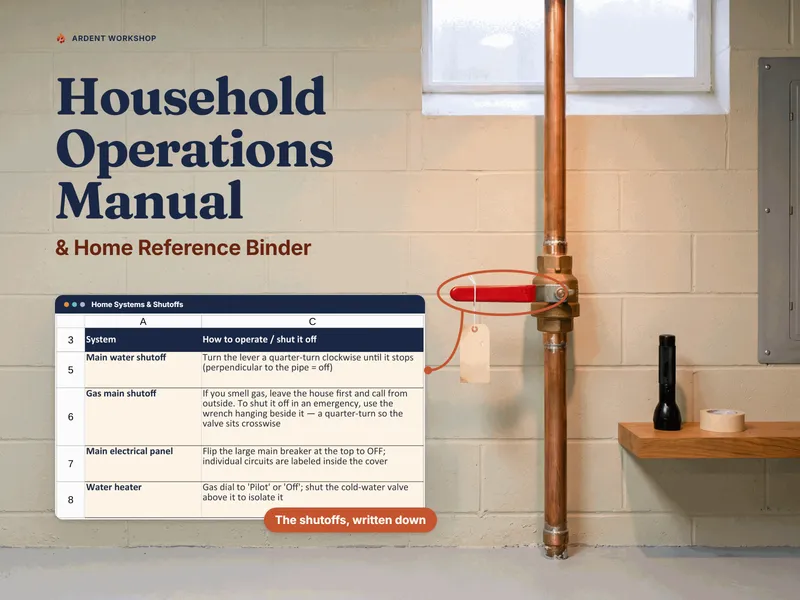
Then the part most instructions skip and every sitter is grateful for: where the shutoffs are. Where’s the water main, in case a pipe lets go? Where’s the breaker panel if the power trips in one room? Where’s the gas shutoff? Write each location and a plain step or two — enough that a sitter can stop a small problem from becoming a flooded basement before help arrives. The free If I’m Away house-sitter sheet is exactly this one-page handoff if you want to start there today.
Step 3 — List the daily must-dos
Now the routine that only lives in your head. Write it as a plain daily checklist a sitter can run down without interpreting:
- Bring in the mail and any packages.
- Bins out Tuesday night, back in Wednesday.
- Water the fern by the window — it wilts fast.
- Lock the back door at night; the front locks itself.
Keep each line short and specific. “Take care of the plants” invites guessing; “water the fern by the window every other day” doesn’t. The goal is that nothing you’d normally do on autopilot gets quietly missed while you’re gone.
Step 4 — Write the pet and plant care clearly
If there’s a pet, this is the section the sitter reads most, so give each animal its own short block: what they eat, how much and when, where the food and supplies are kept, the walk or litter routine, any medications and how to give them, the quirks (hides during storms, bolts for open doors), and the vet’s name and number. Note anything a stranger wouldn’t know — the cat that slips out, the dog that can’t have table scraps.
Do the same, briefly, for plants: which ones need water, how often, and which to leave alone. Care shouldn’t depend on the sitter guessing right.
Step 5 — Say who to call and what to do if something goes wrong
Give the sitter a short contact list so they never have to hunt for a number in a bad moment: you, a local backup, the vet, a trusted neighbor, the utilities’ emergency lines, and a plumber or electrician you’d actually call.
Then add a few lines of what-if for the small emergencies that actually happen — because “call me” isn’t useful when you’re on a plane:
- Power’s out in one room → check the breaker panel (Step 2), flip any switch that’s tripped.
- No hot water → the water heater’s in the basement; call [plumber] if it won’t reset.
- A pipe is leaking → shut the water main (Step 2), then call [plumber] and text me.
You’re not asking a sitter to fix the house. You’re making sure they know the first move so a small problem stays small.
The one rule that keeps the page safe to leave out
House-sitter instructions get left on the kitchen counter, photographed, and texted around. That’s exactly why they need one rule running through every line: record where things live and how the home runs — never the alarm or gate codes, the Wi-Fi password written beside the account, or full account numbers.
Write that the alarm has a code and who knows it — not the code. Write where the spare key is kept in a way that means something to your sitter but not to a stranger who finds the page. Hand the genuinely sensitive things — codes, the alarm PIN — over separately, in person or by a quick call. Kept on the safe side of that line, the page is a map to the house, not a key to it.
A worked example: the front page a sitter reads first
Here’s what the top of a good handoff looks like — the at-a-glance a sitter needs before they’ve read anything else. (Illustrative, not a real home.)
| Field | What the sitter sees |
|---|---|
| Address | 14 Maple Court (tell a delivery driver "the blue door") |
| Getting in | Side-door keypad — code given to you by text on arrival |
| Parking | Driveway on the left; don't block the neighbor's |
| Reach us | Us: [cell] · Local backup: Sam next door, [cell] |
| Water shutoff | Basement, behind the stairs — turn the red handle clockwise |
| Breaker panel | Garage, left wall — labels inside the door |
| Trash | Bins out Tuesday night, back in Wednesday |
| The pet | Cat, fed twice a day (see pet section) — do not let out |
| If something's wrong | See the "what to do" list; text us after you've made the first move |
Notice what’s not in the table: no alarm code, no Wi-Fi password, no account numbers. The page tells the sitter how the home runs and where to find things — and stays safe if it’s left on the counter.
Put it in one owned file
If you’d rather this stayed on paper, the Home Emergency & “If I’m Away” Printables Pack is the print-and-fill version: an “If I’m Away” sheet built around the daily rhythm and what isn’t normal, plus seven more pages — emergency contacts, a shutoff and breaker map, pet-care and medical cards, and a family meeting-place card — every one of them shown already filled in for a worked example. The free home shutoff & breaker location map is one page of it, ungated.
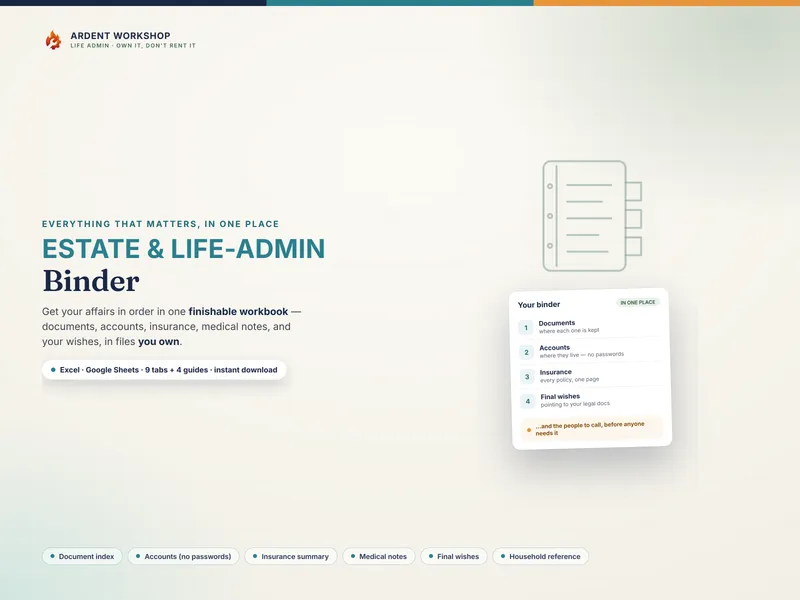
You can write all of this on a sheet of paper, and for one trip that’s plenty. If you’d rather start from a structure that’s already set up — a home summary, the systems and shutoffs, the utilities, emergency contacts, and a ready-made if-I’m-away handoff, in one workbook for Excel, Google Sheets, or LibreOffice — the Household Operations Manual & Home Reference Binder is exactly that. Fill it in once and the sitter’s page is already written; print it before every trip. It’s a file you own and keep, not a subscription app holding your home’s details on someone else’s server — the calm middle between a blank spreadsheet and a rented app. This is a record-organizing approach, not legal or safety advice; for a real emergency, call your utility’s emergency line or 911.