Step 1 — Gather every bottle in one place
A brown-bag medicine review (opens in new tab) brings medicine containers to a visit so a clinician, pharmacist or nurse can review what is actually being taken. To prepare, gather prescriptions, over-the-counter medicines, supplements, inhalers, drops and creams. Copying labels is a starting point; it does not resolve a conflicting instruction or identify an interaction by itself.
Record differences between the label, actual use and the most recent care instructions, and ask the pharmacist or prescriber to clarify them.
Step 2 — Build a medication list you can trust
Use one row per medicine and check it against the current plan. The FDA medication-list guide (opens in new tab) supports keeping a current list to share with healthcare professionals:
</tbody>| Medication | Dose & form | When it's taken | What it's for |
|---|---|---|---|
| Example medicine A | Tablet — fictional example | 1 tablet at 08:00 and 20:00 | Purpose recorded from care team |
Write what each one is for in plain language so anyone reading the list understands it, note who prescribed it, and set anything that’s been stopped to its own note or remove it. Date the list and flag uncertainties so nobody mistakes an old entry for a confirmed instruction.
Step 3 — Map the dose schedule across the day
A list tells you what; a dose schedule tells you when. Copy the confirmed times and food instructions into the schedule. Frequency alone does not tell you the required spacing between doses. In this fictional example, the confirmed instructions say one tablet at 08:00 and 20:00 with food; the table copies that plan:
| Medication | Morning | Midday | Evening | Bedtime | With food? |
|---|---|---|---|---|---|
| Example medicine A | 1 tablet at 08:00 | 1 tablet at 20:00 | With food in this fictional plan |
The FDA’s medication safety advice for older adults (opens in new tab) emphasizes following the healthcare professional’s directions. Never change a dose or time to make the table tidier. Ask the pharmacist whether an organizer is suitable for each medicine and what to do about unclear directions.
Step 4 — Stay ahead of every refill
A refill reminder gives you time to ask about supply before it runs out. For each medication, record where it’s filled, the last-filled date, and the days’ supply (30 and 90 are common), then work back a week from the run-out date for a refill-by date — this is an example planning buffer, not a clinical rule or a guarantee. Ask the pharmacy about shipping, prior authorizations, refill restrictions and the buffer suitable for that medicine.
| Medication | Last filled | Days' supply | Refill by | Status |
|---|---|---|---|---|
| Example medicine A | Jun 1 | 90 | Aug 24 | Auto-refill |
| Example medicine B | May 10 | 90 | Aug 2 | OK |
| Example medicine C | Jun 18 | 30 | Jul 11 | Refill soon |
A status you set — okay, refill soon, overdue — shows at a glance what needs attention. Ask the pharmacy to align refill dates so everything comes due together, and watch the “refills left” count: when it hits zero, contact the prescriber or pharmacist about the next steps.
Step 5 — Prepare for the next appointment
A prepared visit is a better visit. Bring the medication list (or a photo of it) to every appointment and to the ER — it’s often the first thing clinicians ask for. Write the questions down before the visit, while you’re thinking clearly, and note what was decided after, while it’s fresh:
- Is every medication on this list still needed, at this dose?
- Could any of these interact, or be combined to take fewer pills?
- Which should never be stopped suddenly?
- What should we watch for, and what would mean we call you?
Step 6 — Keep it current and shared
A medication list is only as good as its last update. Update it the day a prescription starts, stops, or changes dose; do a light monthly pass to confirm the rest and re-date what you checked; and re-check everything after any hospital or ER visit, since medications often change at discharge.
Then make it count: the people who share the care — a sibling, a spouse, a neighbor, a fill-in helper — should know three things. That the record exists, where it is, and how it’s organized. Keep one printed copy where a dead phone battery can’t hide it. And keep it safe to share by recording the care, not the credentials — never a pharmacy- or patient-portal login or a full insurance member number.
Put it in a tracker you own
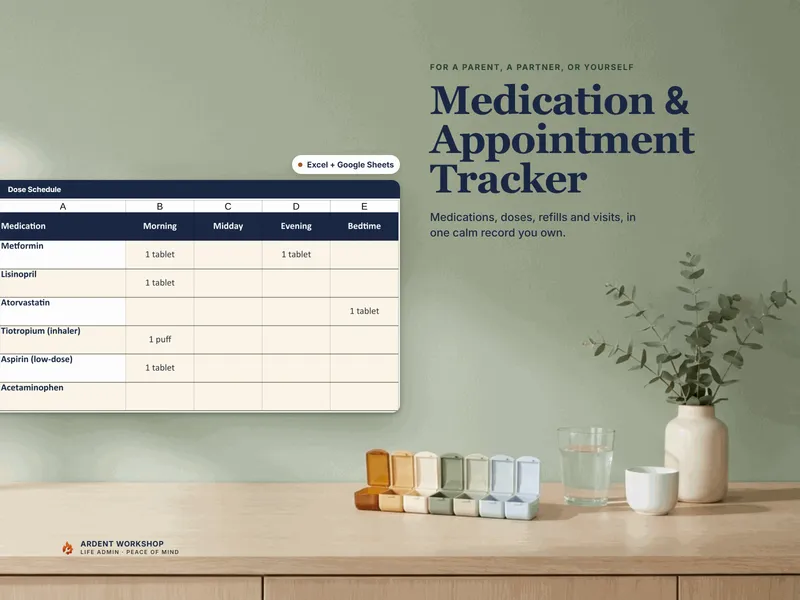
You can do all of this in a plain spreadsheet. The Medication & Appointment Tracker is the same method already built — a medication list, a dose schedule, refill tracking with a status you set, appointments with the questions to ask, and the providers behind the care, in Excel and Google Sheets. Want to try it first? The free Med List starter is the one page to keep on the fridge. For the wider job of coordinating a parent’s care, the Caregiver / Aging-Parent Care Binder adds insurance, a daily schedule, and where the documents live.
Sources and related reading
- AHRQ — Conduct Brown Bag Medicine Reviews (opens in new tab): preparing medicine containers for a professional review; also cited in our family medication guide.
- FDA — Create and Keep a Medication List (opens in new tab): keeping a current record to share with the care team.
- FDA — 5 Medication Safety Tips for Older Adults (opens in new tab): following instructions and reviewing medicines.
After a hospital stay, use the medication reconciliation explainer to prepare questions about changed instructions. The hospital discharge guide discusses the wider handoff. The spreadsheet layout, monthly reminder and refill-buffer examples here are organizing suggestions, not schedules prescribed by these sources.