Step 1 — Gather the plan and the paper
The fastest way to a meeting you feel ready for is to get the paperwork out of the drawer and the inbox and into one place. Pull the current IEP or 504 plan, the most recent evaluation reports (the psychoeducational evaluation, plus speech, OT, or any independent evaluation you arranged), the prior IEPs in order, and the latest progress reports.
Record where each document lives rather than copying student ID numbers or other sensitive details onto a shared page. For a U.S. IEP, IDEA requires review at least annually (opens in new tab) and reevaluation at least every three years unless the parent and agency agree it is unnecessary (opens in new tab). Confirm dates with the school. Section 504 has its own evaluation and safeguard procedures; do not automatically apply IDEA deadlines to a 504 plan.
Step 2 — Pull the accommodations onto one page
Buried in the plan, the accommodations are hard to act on. On one page, they become a tool. Copy each accommodation, modification, and support exactly as the plan words it, and note where each applies:
| Accommodation or support | Type | Where it applies |
|---|---|---|
| Extended time (1.5x) on tests and quizzes | Timing & scheduling | All classes; state tests |
| Small-group or separate setting for testing | Setting | Tests and quizzes |
| Directions given one step at a time | Presentation | All classes |
| Text-to-speech for reading passages | Assistive technology | Reading and content classes |
This is the page to hand a new teacher, a substitute, or a therapist so they can support your child from day one — and the page you check the accommodations against during the meeting.
Step 3 — Note what’s working and what’s hard
The professionals bring their data; you bring the part only you can see. Before the meeting, write your own read of the year in plain language: your child’s strengths and what helps, and the concerns you want to raise. A concrete example from home — “he melts down after an unwarned change, but a two-minute heads-up prevents it” — carries more weight than a general worry, and it gives the team something specific to build a support around.
Step 4 — Write your priorities, goals, and questions
A meeting can move fast, and it’s easy to leave realizing you never raised the thing that mattered most. Write it down first. List the priorities and goals you care about most this year, the changes you’d like to the plan, services, or accommodations, and the questions you want answered:
- Is each accommodation actually happening in every class it’s listed for?
- How is progress on each goal being measured, and what does the data show?
- What would it take to add, change, or increase a service?
- What should I be doing at home to support the same goals?
Step 5 — Review your meeting-notes paper trail
Months of meetings and calls blur together. A running log — the date, who was there, what was decided, and the action items — is how you remember what was agreed and what still hasn’t happened. Re-read it before you go, and note anything from last time that’s still open.
Keep every Prior Written Notice (PWN), too: it’s the school’s written notice of what it proposed or refused and why, and it’s the record that anchors what was actually decided.
Step 6 — Walk in prepared, and get it in writing
Bring your one-page prep and the accommodations page to the table, and answer from your own record instead of your memory. Walking in prepared is the single biggest thing that shifts a meeting from happening to you to happening with you.
Afterward, note what was decided while it’s fresh, and ask for the updated plan and any required notice. IDEA prior written notice (opens in new tab) concerns proposed or refused changes to identification, evaluation, placement or FAPE; it is not a substitute for meeting notes. For a 504 plan, ask about the school’s Section 504 procedural safeguards (opens in new tab).
Put it in a binder you own
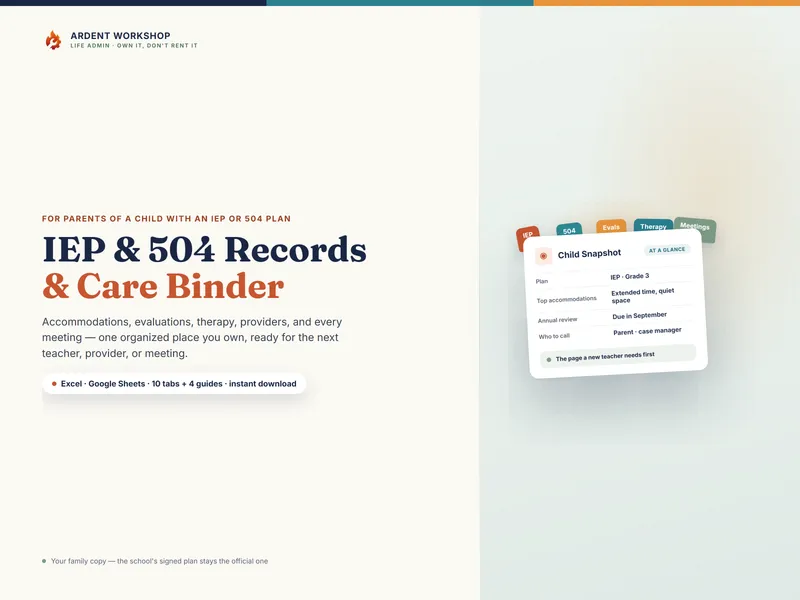
You can do all of this in a plain spreadsheet. The Special-Needs / IEP Records & Care Binder is the same method already built — a child snapshot, an accommodations page, evaluations, the therapy schedule, providers, medications, and a meeting-notes paper trail, in Excel and Google Sheets. Want to prep for just the next meeting first? The free IEP Meeting Prep Sheet is the one page to fill in and bring. For the wider question of a records binder versus an app, see IEP binder vs a special-education app.