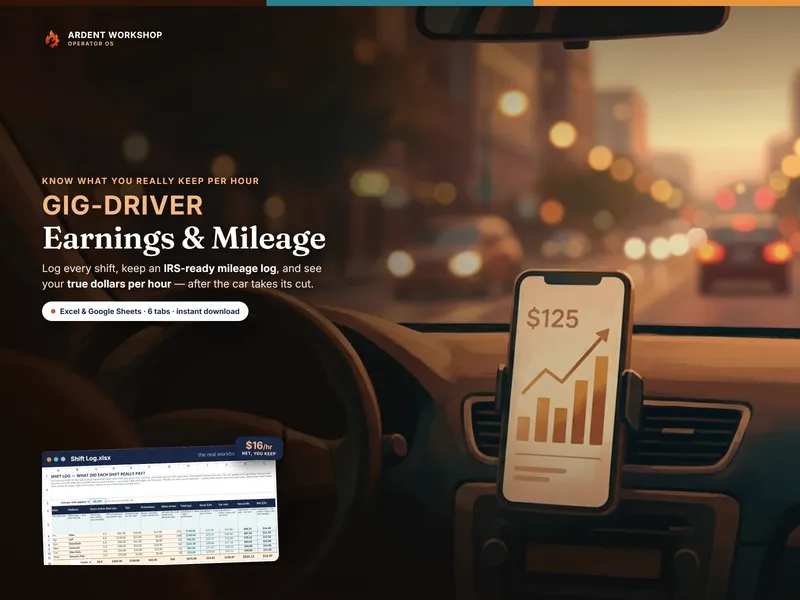
This isn't really spreadsheet-versus-app. The two tools answer different questions. A mileage-tracking app answers how far did I drive? — automatically, in the background, so you never forget to start the timer. An earnings-and-mileage workbook answers am I actually making money, and on which app? — the question the mileage tracker was never built to touch. Knowing which question you're trying to answer is the whole decision.
What a mileage-tracking app is best at
Give the app its due — it's genuinely good at the thing it does, and it's a thing a spreadsheet can't do on its own:
- Automatic GPS trip capture. It detects when you start driving and logs the trip without you touching anything — no shift you forget to record.
- Swipe-to-classify. Each drive gets sorted business or personal with a tap, which keeps your mileage log building itself.
- Set-and-forget logging. If your only goal is a clean, hands-free record of business miles for the deduction, that's exactly what it delivers.
If you'll never remember to write down your odometer, that automatic capture is worth something — and it's the one honest reason to keep paying monthly.
Where an owned workbook wins
Miles are only half the money picture. Here's what the app leaves on the table — and what a workbook is built to do:
- Your true dollars per hour. The workbook applies your real cost per mile to every online mile and shows each shift's net profit and net hourly — not the gross the platforms advertise. A mileage app doesn't know your pay or your hours, so it can't tell you this.
- Per-platform profitability. It ranks every app you drive on net dollars per hour, so you can see whether Uber, Lyft, DoorDash, or Instacart is actually paying — a comparison the mileage tracker can't make.
- Sorted Schedule-C expenses. It flags each cost for whether it stacks on top of your mileage deduction or is already inside the rate, so you claim what you can without double-counting.
- You own your data. It's your file, in Excel, Google Sheets, or LibreOffice — not a record that lives behind someone else's login and disappears the month you stop paying.
- No monthly rent. One purchase, reused every week, for as long as you drive. Nothing to cancel, nothing that expires.
Spreadsheet vs mileage-tracking app, side by side
| What matters | Earnings & mileage workbook | Mileage-tracking app |
|---|---|---|
| Cost | One-time, $19.95 — yours to keep | Typically a monthly subscription |
| Mileage capture | You log miles per shift; other trips added by hand | Automatic over GPS — its core strength |
| Standard mileage deduction | Calculated from your log, audit-ready | Calculated from captured miles |
| True net dollars per hour | Yes — pay and hours against your cost per mile | No — it doesn't know your pay or hours |
| Per-platform profit | Ranks every app on what you actually keep | Not tracked |
| Schedule-C expenses | Sorted, with stack-or-inside-the-rate flags | Usually limited or add-on |
| Data ownership | Your file, offline, forever | Lives in the vendor's account |
| Best at | Seeing whether — and where — you make money | Capturing miles hands-free |
When to use which
Reach for a mileage-tracking app when hands-free capture is the feature you can't do without — you drive constantly, you'd forget to log trips, and an automatic record of business miles is all you're after. Reach for an owned workbook when the question that keeps you up is am I actually making money, and on which app? — because that's the money math the tracker doesn't do. If you want both the auto-capture and the real dollars-per-hour, the honest answer is that neither tool alone gives you everything.
They can complement each other
This doesn't have to be either-or. Plenty of drivers let an app capture the miles automatically, then bring that total into the workbook to run the money — cost per mile, net dollars per hour, per-platform ranking, and the Schedule-C sort the app can't do. The app is the odometer; the workbook is the ledger. If auto-capture earns its subscription for you, keep it — and still own the number that tells you whether the driving is worth it.
Own the money side of driving
Here's the part the subscription pitch skips: capturing miles isn't the same as knowing whether the shift paid. The Gig-Driver Earnings & Mileage Workbook applies your real cost per mile to every online mile, shows your true net dollars per hour, keeps an audit-ready standard mileage deduction log, and ranks every platform on what you actually keep — in one connected file you own, in Excel, Google Sheets, or LibreOffice. Own the numbers; rent the capture only if you truly need it.
Want to test the math first? The free Gig-Driver Hourly Calculator takes one shift's earnings, hours, and miles and shows your true dollars per hour — no signup. New to the deduction side? Start with what the standard mileage deduction is, walk through how to calculate your true rideshare hourly rate, or browse every tool built for drivers on the gig-driver hub.
A note on the tax side: this is a business and tax-record reference, not licensed tax, accounting, or legal advice. The IRS standard mileage rate changes every year, which deduction method wins depends on your car, and your state and local rules are yours to verify — a tax professional is worth it. Not affiliated with or endorsed by any rideshare, delivery, or mileage-tracking platform, or the IRS.
Frequently asked questions
- What's the difference between a mileage-tracking app and a spreadsheet?
- A mileage-tracking app runs on your phone and captures drives automatically over GPS, then lets you swipe each trip business or personal — a set-and-forget mileage log, typically for a monthly subscription. An earnings-and-mileage workbook is a file you own once: you log a shift's pay, hours, and miles, and it shows your true net dollars per hour, your standard mileage deduction, and your Schedule-C expenses. The app is best at capturing miles hands-free; the workbook is best at turning your driving into money you can steer by.
- Do I need a mileage app, or is a spreadsheet enough?
- If all you want is a hands-free record of business miles for the deduction, a mileage app earns its keep — auto-capture is the one thing a spreadsheet genuinely can't do. But if the question you actually care about is 'am I making money, and on which app?', a workbook answers it and the mileage tracker doesn't: it applies your real cost per mile to every online mile and shows net dollars per hour, per platform. Many drivers run both — the app catches the miles, the workbook runs the money.
- How much does a mileage app cost vs a workbook?
- A mileage-tracking app is typically a recurring monthly subscription — you pay for as long as you drive, every month, forever. An earnings-and-mileage workbook is a one-time purchase you own and reuse every week, priced once at $19.95. Over a year of driving, monthly rent adds up while the workbook is paid for after the first purchase. The subscription is worth it if hands-free capture is the feature you can't live without; otherwise you're renting a log you could own.
- Can a mileage app show my true hourly rate?
- Generally no. Mileage-tracking apps are built to log miles and classify trips — they don't know your pay, your hours, or which platform a shift was on, so they can't tell you your net dollars per hour or rank Uber against DoorDash on what you actually keep. A workbook does, because you log the pay and hours alongside the miles. Miles are only half the money picture; the workbook is the half the app leaves out.