This isn't really spreadsheet-versus-app. It's "the right tool for where your practice is today." Most freelancers should start on a workbook and stay there longer than the software companies would like — knowing your numbers is a solved problem in a spreadsheet. The skill is recognizing the day the file flips from saving you time to quietly costing you time — and not subscribing a moment before.
When a workbook is exactly right
- You want to know your true cost per billable hour and quote a rate you can defend.
- You want to see which clients actually pay well — per-client effective rate, not just total revenue.
- You want a weighted pipeline and a retainer burn-down without a monthly bill.
- You send a manageable number of invoices and don't mind collecting payment yourself.
- You want something private, cheap, and bent exactly to how you work.
At this stage an owned workbook beats an app outright. It costs once, it's yours, and there's no subscription or onboarding. The freelancers and consultants hub collects the tools built for exactly this phase, and the free Project Pipeline Tracker is a no-signup taste of the approach.
The signals you've outgrown it
You don't decide to switch — the workload tells you. The tells:
- Invoicing and chasing payment eats your week. Sending, reminding, and reconciling by hand takes more time than the work it bills.
- You want clients to pay in one click. Card and ACH through a built-in processor, not a bank-transfer request you send manually.
- You need automatic payment reminders. Overdue invoices should nudge themselves instead of waiting for you to feel awkward.
- Clients expect a portal or e-signed proposals. A place to log in, approve scope, and pay — not a PDF over email.
- You need it to sync to accounting. Income and expenses flowing into bookkeeping software on their own, come tax time.
One or two of these is normal. All of them, every week, is the work telling you the file has hit its ceiling.
Side by side
| What matters | Owned workbook | Freelance-management app |
|---|---|---|
| Cost | One-time, low — yours forever | Ongoing subscription, sometimes per client or a cut of payments |
| Ownership | You own the file; it works with no account | Access ends when the subscription does |
| Your data | A plain Excel or Sheets file on your own drive | Lives in the vendor's system; export on their terms |
| Rate & per-client profit | Full — cost per hour, effective rate per client, blended target | Varies; many apps invoice well but don't compute per-client profit |
| Pipeline & retainers | Weighted pipeline and retainer burn-down built in | Often has a pipeline; retainer tracking varies by app |
| Sending & collecting payment | You send the invoice and collect yourself | Sends invoices, takes card/ACH, auto-reminds |
| Client-facing | You share what you choose | Client portal, e-signed proposals, online payment |
| Flexibility | Total — change any formula or column | Structured around how the app models a client |
| Best for | Knowing your numbers; a manageable client load | High invoice volume where collecting and chasing is the bottleneck |
The honest middle ground
Plenty of freelancers run on a workbook far longer than they "should" — and that's fine, because the workbook is free of subscriptions and bent exactly to how they work. The hidden cost only becomes real when the hours you spend sending, chasing, and reconciling exceed what an app would cost. Track that honestly and the decision makes itself. And the two aren't mutually exclusive: plenty of freelancers use a simple invoicing tool to collect payment while still running their numbers — rates, per-client profit, pipeline — in a workbook the app was never built to replace.
Know your numbers either way
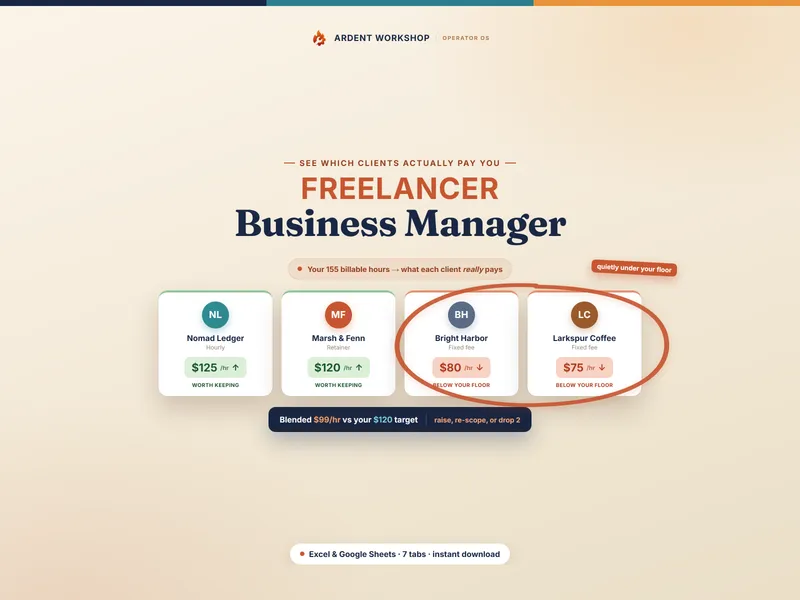
Here's the part the app pitch skips: even freelancers who pay for a management app still need a clear, honest picture of which clients are worth keeping. The Freelancer Business Manager builds your true cost per billable hour, shows each client's effective hourly rate, weights your pipeline by probability, and tracks retainer burn-down in one linked file — so you can defend a rate and spot an unprofitable client whether or not you've added an app for the invoicing. Own the numbers; rent the collecting only when the volume demands it.
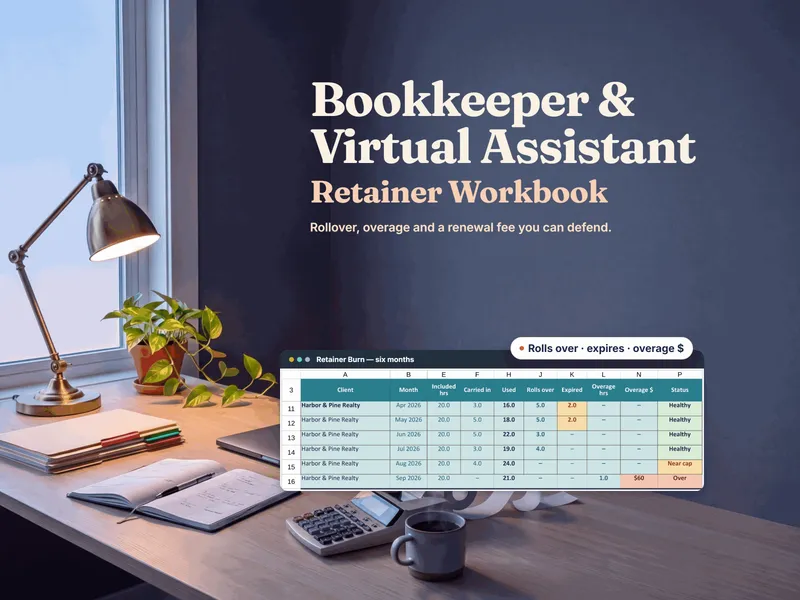
If most of your income is monthly retainers — bookkeeping, virtual assistance, online business management — the Bookkeeping & VA Retainer Workbook goes deeper on that one model: hours against each fee, rollover and overage priced in dollars, and renewals repriced from your recent real usage. To check one retainer client first, try the free Retainer Rate Calculator. See also spreadsheet vs practice-management software.
New to the math? Start with what effective hourly rate is and why your quoted rate hides it, or browse every tool on the freelancers & consultants hub.
Frequently asked questions
- When should a freelancer move from a spreadsheet to a freelance-management app?
- When client work — sending invoices, collecting payment, and reminding people to pay — becomes a bigger job than doing the actual work, and you have enough clients that keeping it all straight by hand takes real time every week. Until then, an owned workbook usually covers pricing, per-client profit, pipeline, and retainers for a one-time cost, without a monthly bill or your data locked in someone else's software.
- What can a freelance-management app do that a spreadsheet can't?
- A rented app typically sends invoices and payment reminders on its own, takes card and ACH payments through a built-in processor, syncs to accounting software, and puts a client portal and e-signed proposals in front of clients. A spreadsheet can model your numbers — rates, per-client profit, pipeline, retainer burn-down — but it can't collect a payment or chase an overdue invoice for you.
- Is a spreadsheet good enough to run a freelance business?
- For knowing your numbers, yes — often indefinitely. A well-built workbook handles your true cost per billable hour, per-client effective rate, a weighted pipeline, retainer burn-down, and an invoice log, and it's yours to keep. Where a spreadsheet stops is doing things for you: it won't process a payment, send an automatic reminder, or give a client a portal to log into. Run your numbers in the workbook; add an app when the collecting and sending become the bottleneck.
- How much does a freelance-management app cost vs a workbook?
- An owned workbook is a single low one-time cost you keep forever; a freelance-management app is typically a recurring monthly subscription, sometimes with per-client tiers or a cut of payments processed through it. The subscription earns its keep once the time and payment-chasing it saves exceeds what it costs — but paying every month before you have enough clients to feel that pain usually buys capability you're not using yet.