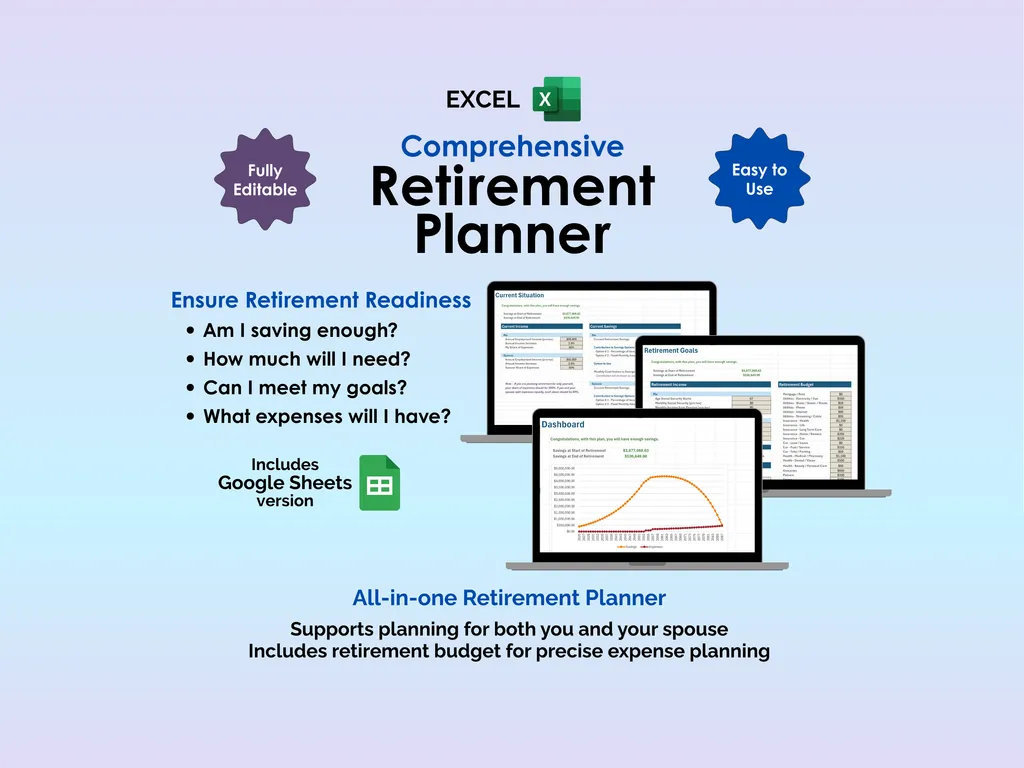

“Am I saving enough?” is one of those questions that gnaws at you quietly for decades. You do the mental math in the shower, Google “how much do I need to retire” for the fifth time, and still leave feeling unsure. The problem isn’t lack of motivation — it’s that retirement planning involves too many moving parts to keep in your head: inflation, investment returns, salary growth, Social Security, and whatever healthcare will cost in thirty years. This Excel retirement planner spreadsheet does the math for you and gives you a straight answer.
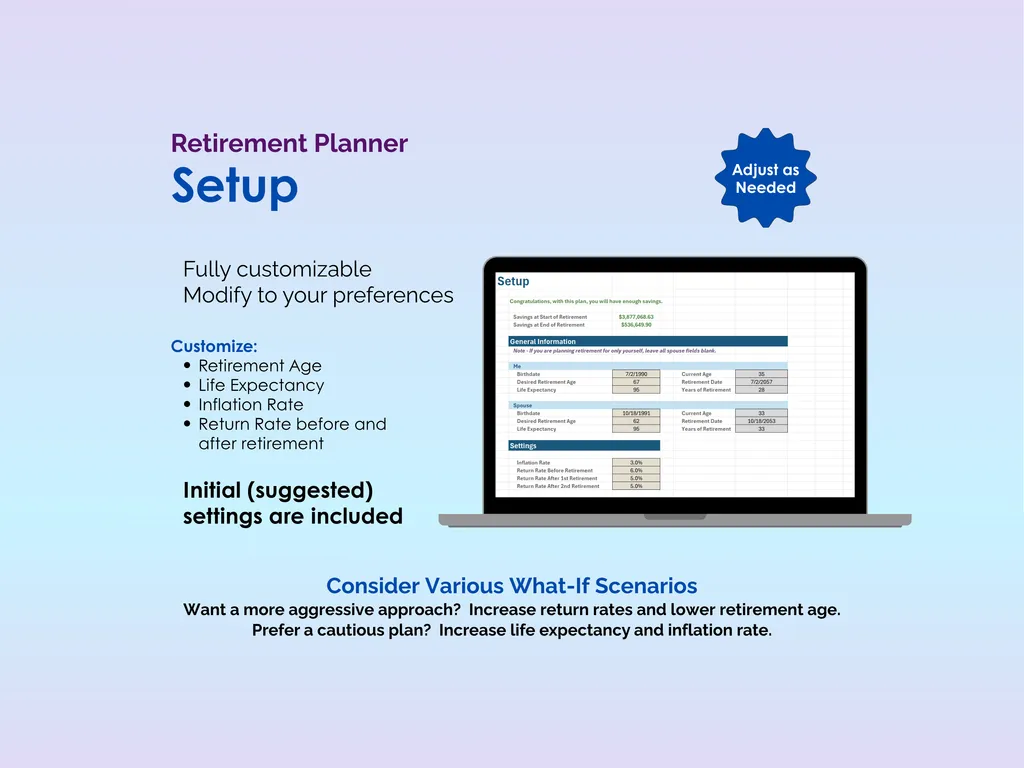
The Setup sheet is where you configure the big assumptions: retirement age, life expectancy, inflation rate, and expected return rates for both pre-retirement and post-retirement savings. Default values are included so you’re not starting from scratch, but every number is editable. Want to see what happens if you retire at 55 instead of 65? Change one cell. Curious about a more conservative return rate? Adjust it and watch everything recalculate. It’s built for what-if scenarios.
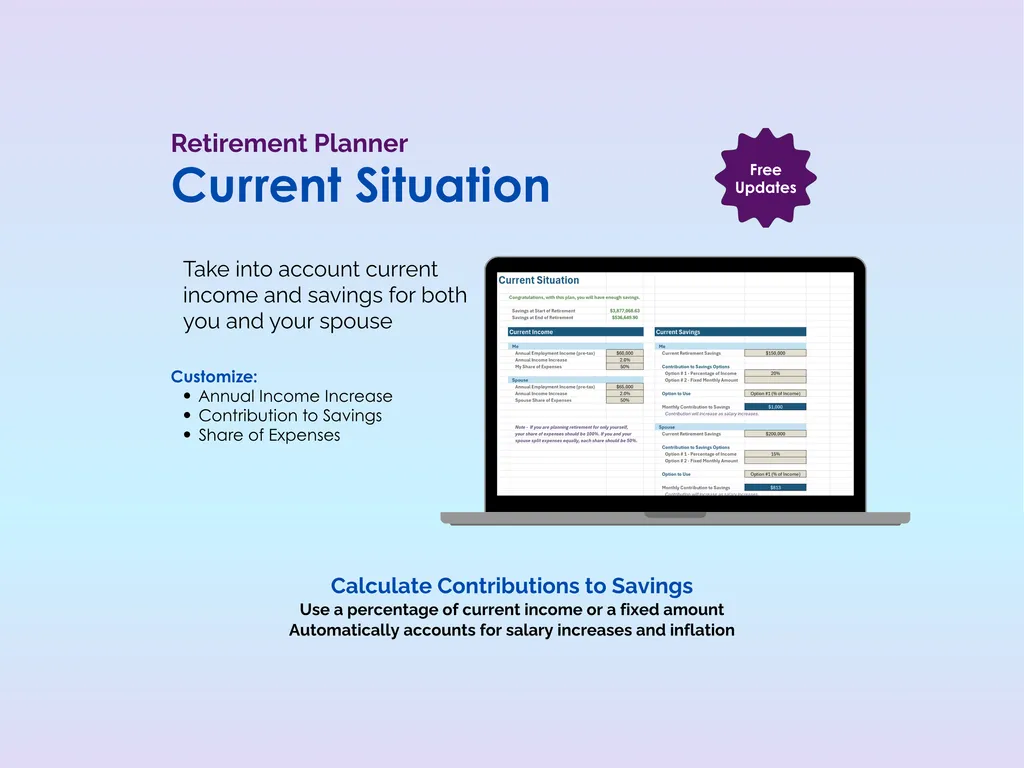
The Current Situation sheet captures where you are right now — current income, existing savings, and how much you’re contributing. It supports both you and your spouse with separate profiles, so you can track individual income, savings pools, and each person’s share of expenses while still seeing the combined picture. Contributions can be set as a percentage of income or a fixed dollar amount, and the spreadsheet automatically accounts for salary increases and inflation over time.
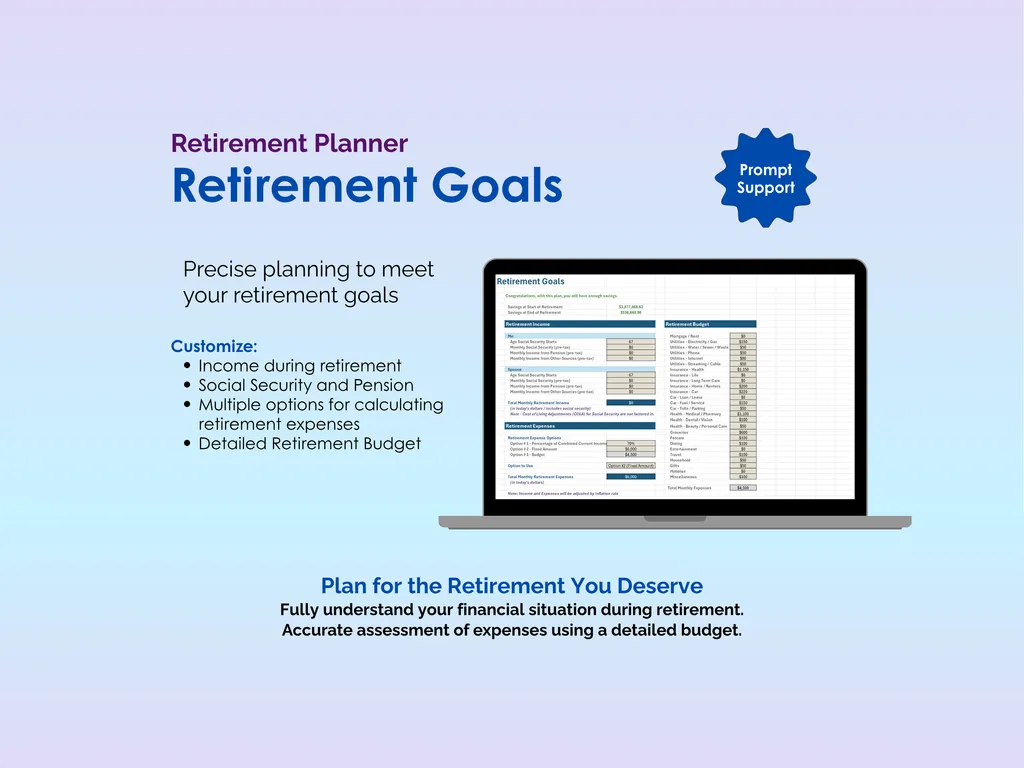
The Retirement Goals sheet is where you plan the other side: income during retirement from Social Security, pensions, and any additional streams, plus a detailed retirement budget with categories for healthcare, housing, travel, hobbies, and more. There are multiple options for how you calculate retirement expenses, so you can start simple or get granular.
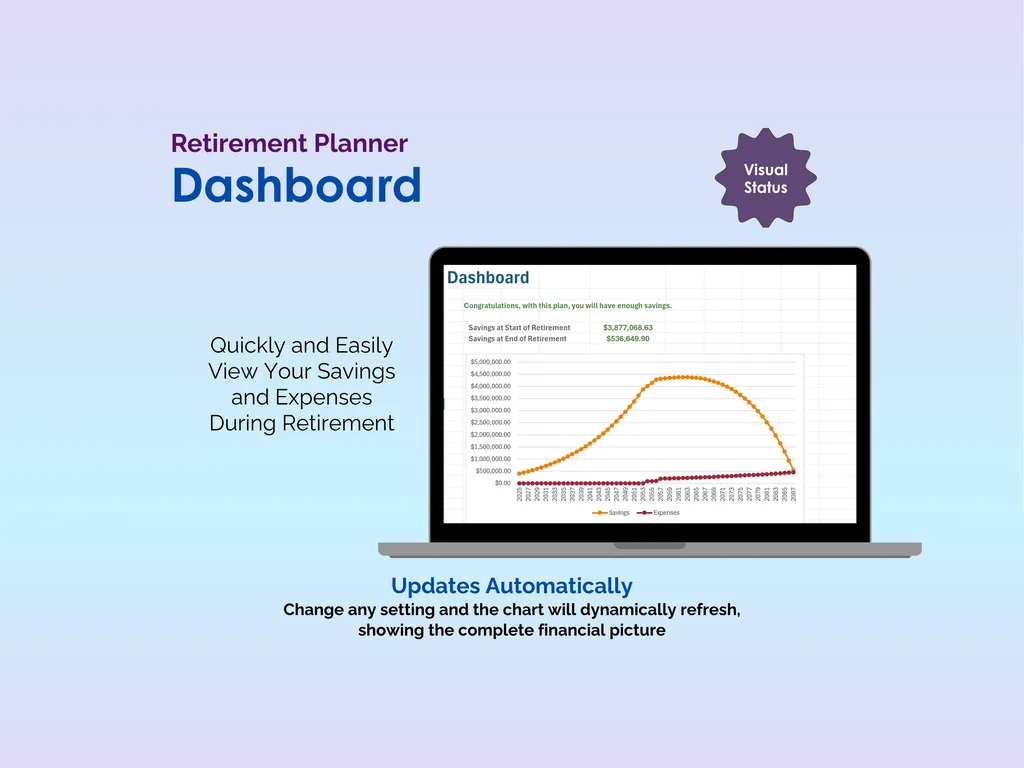
The Dashboard delivers the verdict. It shows your projected savings at the start of retirement, your savings at the end, and a dynamic chart plotting your savings curve and expenses year by year. You’ll see exactly where the lines cross — or whether they don’t. Change any input anywhere in the planner, and the dashboard updates immediately.
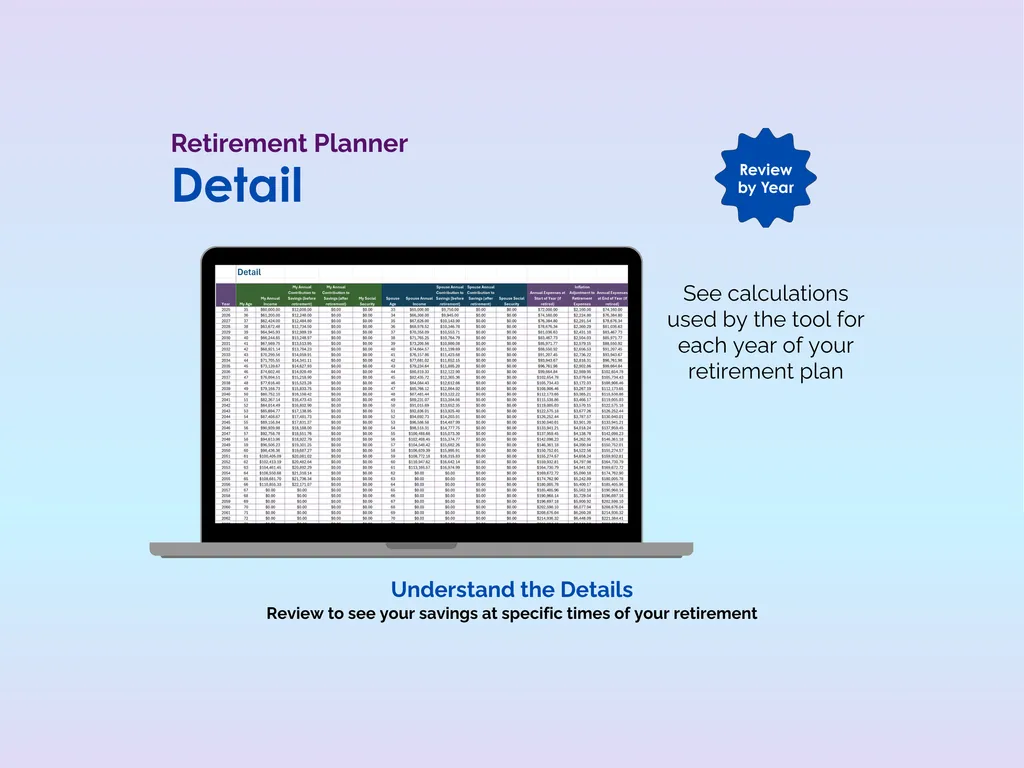
If you want to dig deeper, the Detail tab lays out the full year-by-year calculations so you can see your projected savings at any specific point in time. No black-box magic — every number is traceable.
Unlike retirement calculators that give you a single number and no context, this is a spreadsheet you own and can customize completely. It includes both Excel and Google Sheets versions, works offline, and doesn’t require sharing your financial data with anyone. The scariest part of retirement planning is the uncertainty — this planner replaces it with numbers you can actually trust.
Highlights (for Retirement Planner - Excel)
- Supports planning for both you and your spouse
- Includes retirement budget for precise expense planning
- Automatically calculates compounded returns, inflation, salary increases
- Multiple options for calculating savings contributions and retirement expenses
- Detail tab shows full calculations for closer review
Video Walkthrough (for Retirement Planner - Excel)
Features (for Retirement Planner - Excel)
- Intuitive and straightforward design
- Employs software best practices
- Delivered as a blank Excel template - customize and populate with your data
- Free updates - send us a message to be notified of updates when they are available
- Completely customizable - add rows and columns, rename headings - unlock with provided password
Disclaimer (for Retirement Planner - Excel)
Unless otherwise specified, this digital product is designed to work in the current version of Microsoft Excel or Microsoft 365. It is not guaranteed to work in any other application.
This digital product is copyrighted. It is intended for personal use only. It is strictly prohibited to reproduce, resell or share this product, in part or in full, with or without modifications. No refunds, exchanges, or cancellations. Given this is a digital product, no physical product will be delivered.