
Nobody forgets a bad podcast. The problem is forgetting the good ones — which episode of Radiolab blew your mind, where you left off with SmartLess, or why you subscribed to that show about competitive cheese-making in the first place. When your queue spans Apple Podcasts and Spotify and your memory does not, things slip through.
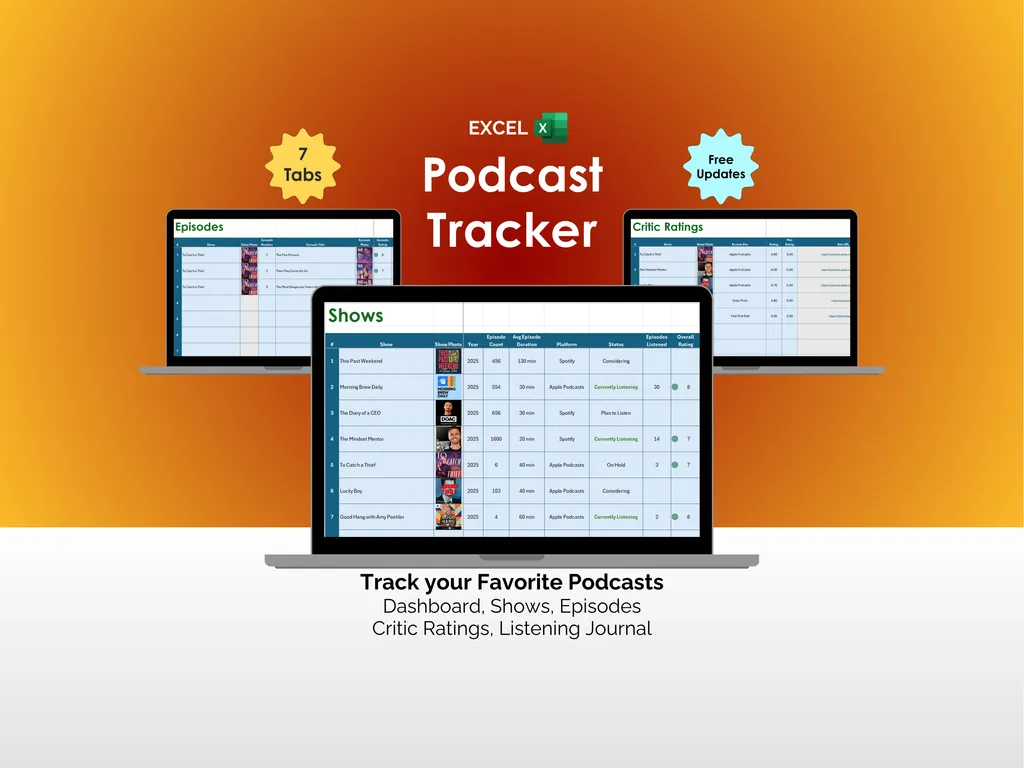
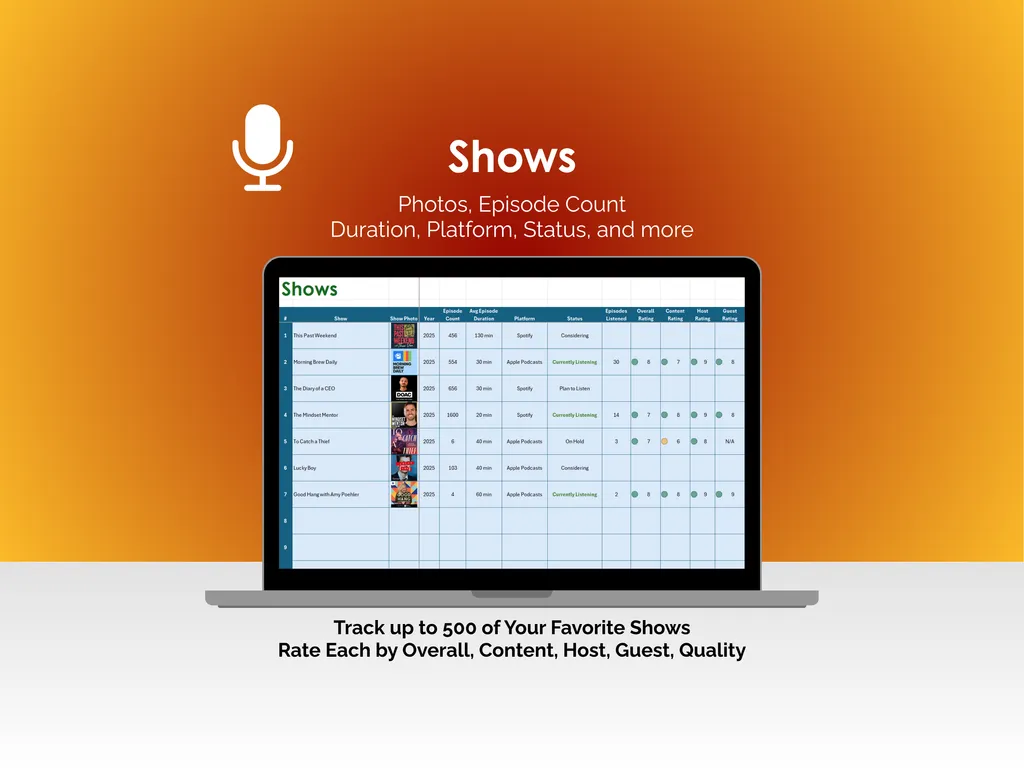
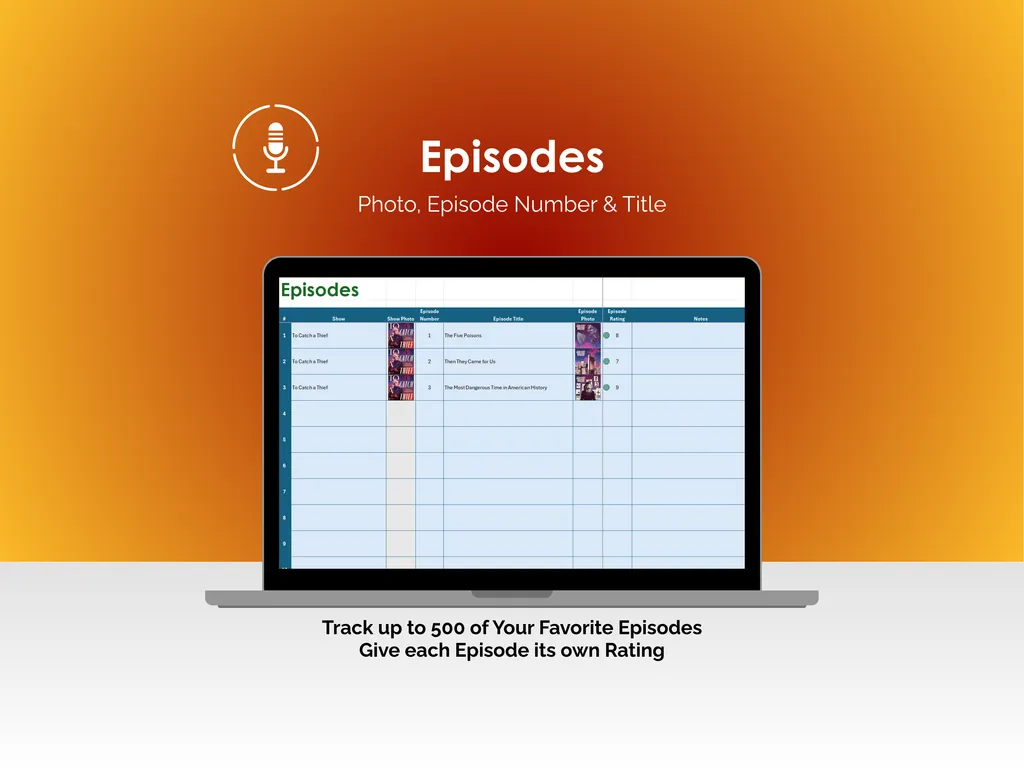
On the surface, this podcast tracker spreadsheet for Microsoft Excel does exactly what you would expect. The Shows tab catalogs up to 500 podcasts with artwork, episode count, duration, platform, and listening status. The Episodes tab tracks up to 500 individual episodes by number, title, and show name, each with its own rating. Seven tabs, clean layout, solid Excel template. You could stop there and already be ahead.
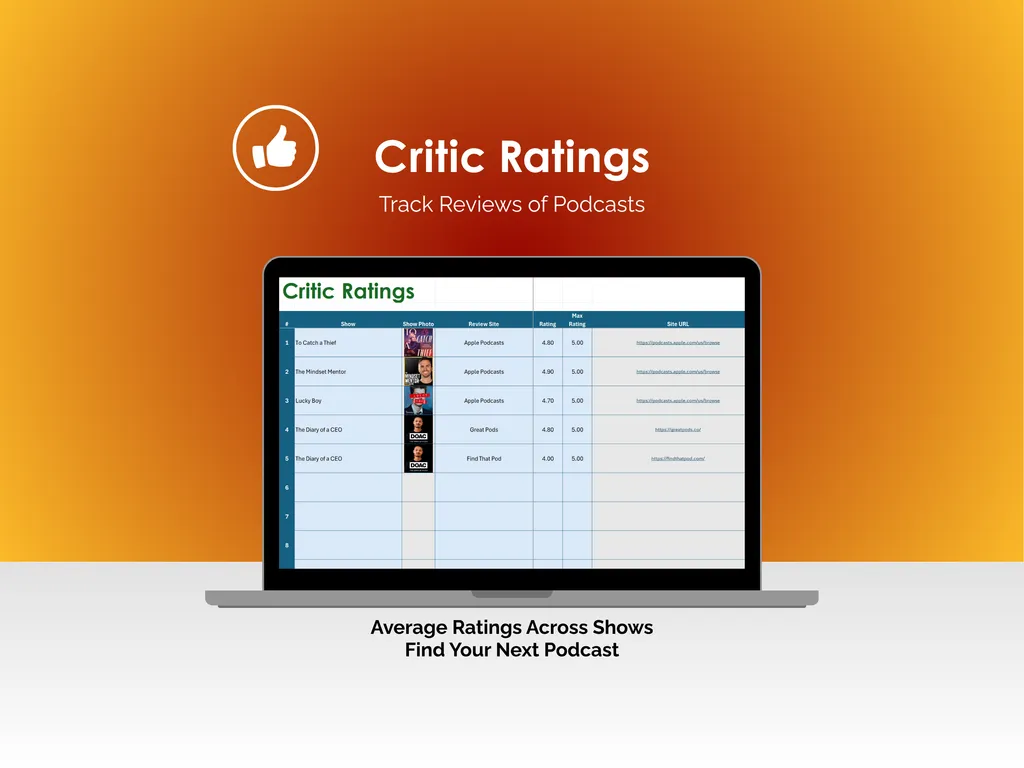
But here is where it gets interesting. The Shows tab does not just list your podcasts — it lets you rate each one across five categories: Overall, Content, Host, Guest, and Quality. That means you are not just logging what you listened to; you are building a personal record of taste. The Critic Ratings tab takes it further by storing review dates, scores, source names, and direct links from places like Apple Podcasts and Good Pods, so you can stack your opinions against the critics. Yes, we are turning podcast opinions into structured data. Stay with us.
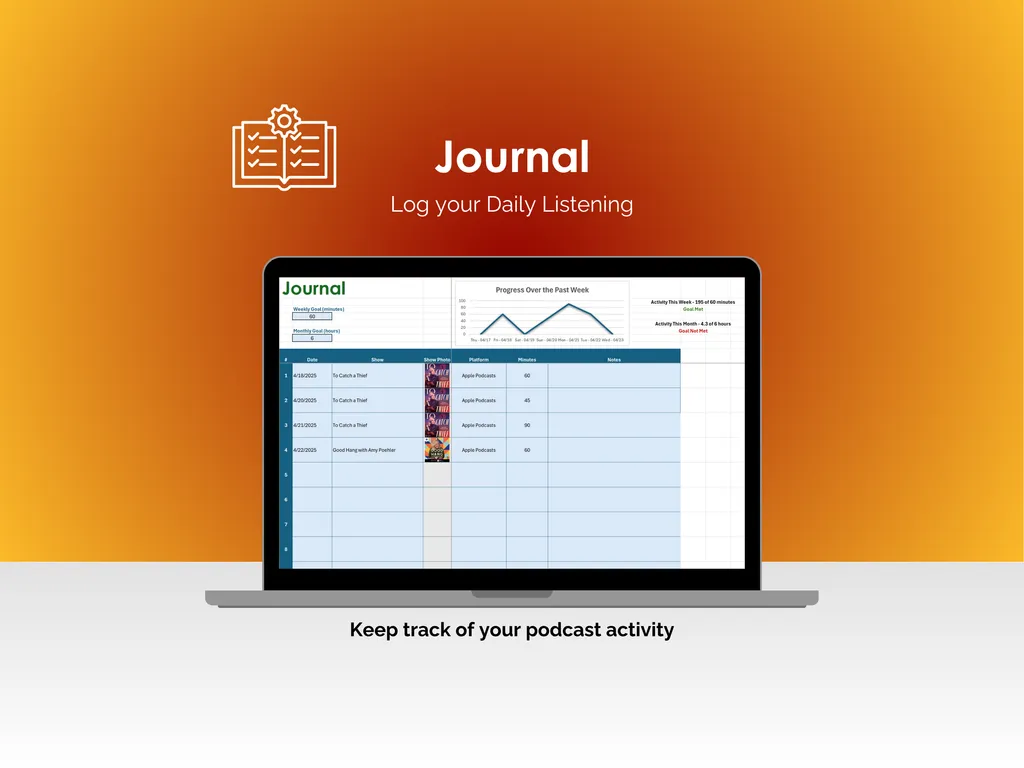
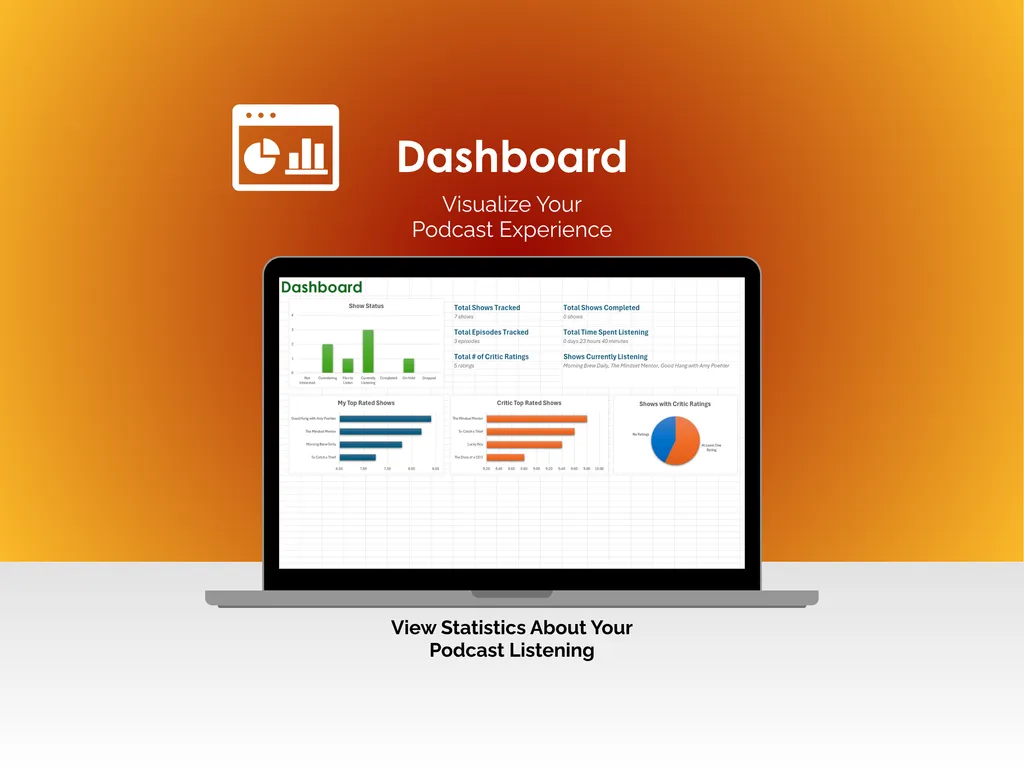
The Journal tab logs your daily listening — date, show, platform, and notes — alongside a line chart tracking your progress over the past week and summaries for both weekly and monthly activity. It is the kind of tab that quietly reveals you spent three straight weeks on nothing but true crime. The Dashboard pulls everything together: total shows tracked, shows completed, episodes tracked, time spent listening, critic rating count, and which shows you are currently listening to. Three charts — a bar chart of your top-rated shows, a bar chart of critic top-rated shows, and a pie chart of shows with critic ratings — give you the full picture without any extra effort.
This is a downloadable Excel file. No account, no subscription, no internet connection required. Open it in Microsoft Excel and it is yours to keep. Free updates are included, so the template keeps improving at no extra cost.
Video Walkthrough (for Podcast Tracker - Excel)
Features (for Podcast Tracker - Excel)
- Intuitive and straightforward design
- Employs software best practices
- Delivered as a blank Excel template - customize and populate with your data
- Free updates - send us a message to be notified of updates when they are available
- Completely customizable - add rows and columns, rename headings - unlock with provided password
Disclaimer (for Podcast Tracker - Excel)
Unless otherwise specified, this digital product is designed to work in the current version of Microsoft Excel or Microsoft 365. It is not guaranteed to work in any other application.
This digital product is copyrighted. It is intended for personal use only. It is strictly prohibited to reproduce, resell or share this product, in part or in full, with or without modifications. No refunds, exchanges, or cancellations. Given this is a digital product, no physical product will be delivered.