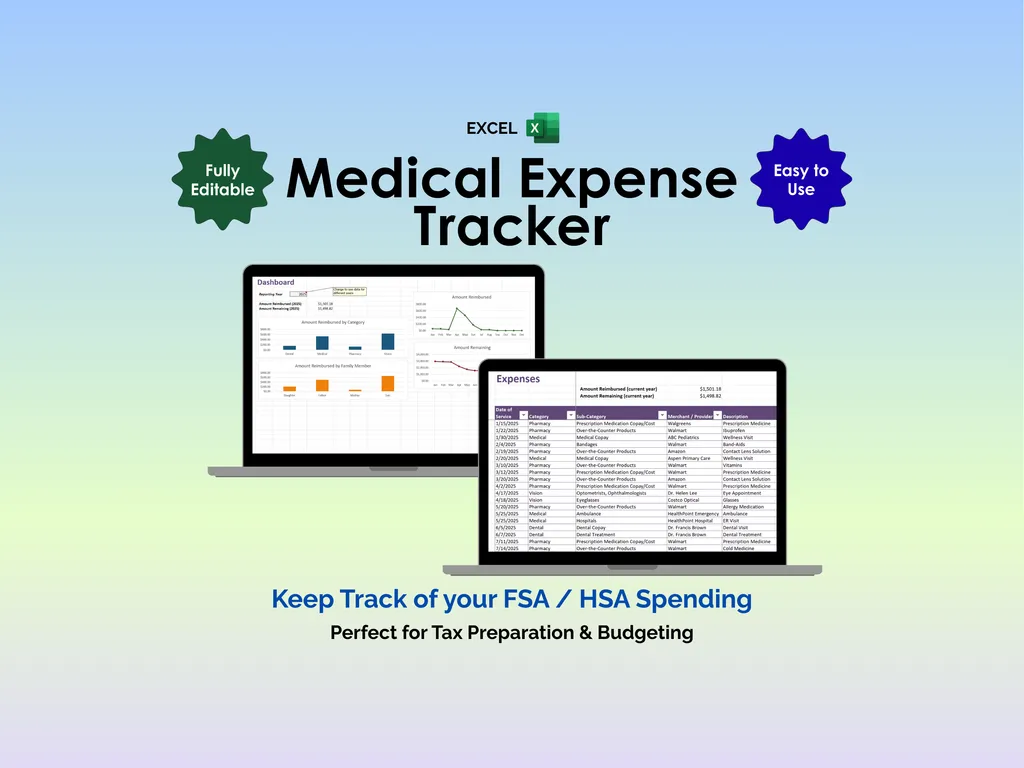

Medical expenses are the most annoying category of spending to track. You’ve got co-pays at the dentist, pharmacy runs, vision appointments, the occasional ER visit — scattered across multiple family members, paid with different methods (FSA, HSA, credit card, checking), and half of them need reimbursement paperwork you’ll definitely forget about. Then tax season arrives and you’re digging through a year’s worth of receipts wondering what’s deductible. This Excel medical expense tracker puts all of it in one place so you can stop guessing and start knowing.
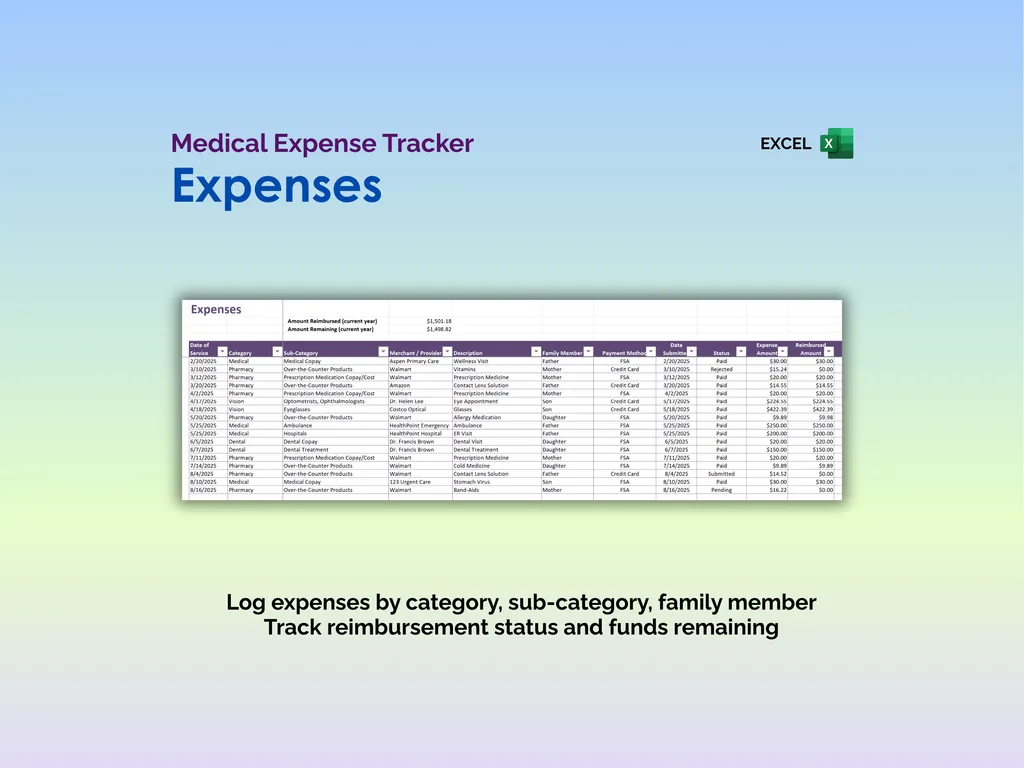
The Expenses sheet is where you log every medical cost as it happens. Each entry captures the date of service, primary category (Medical, Dental, Vision, or Pharmacy), a more specific secondary category (everything from contact lenses to hospital fees to laboratory work), a description, the medical provider, which family member the expense is for, payment method, amount, reimbursement status, and notes. At the top, running totals show your amount reimbursed and amount remaining for the current year so you always know where you stand against your FSA or HSA budget. Drop-down lists keep entries consistent and fast — no free-typing category names and hoping you spelled it the same way last time.
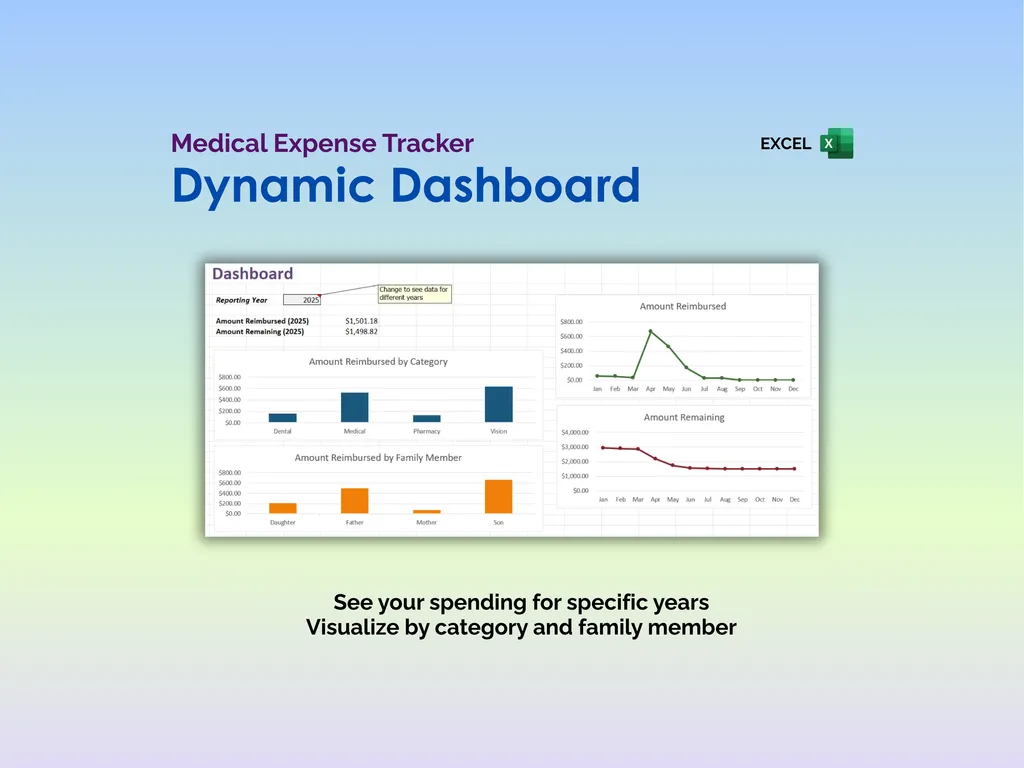
The Dashboard gives you the visual summary. Pick a reporting year, and four charts break down your spending: amount reimbursed by category (so you can see whether dental or pharmacy is eating your budget), amount reimbursed by family member (helpful when one kid seems to need a doctor every other week), and monthly trend lines for both amount reimbursed and amount remaining throughout the year. You’ll spot patterns immediately — like realizing you burn through most of your FSA by October.
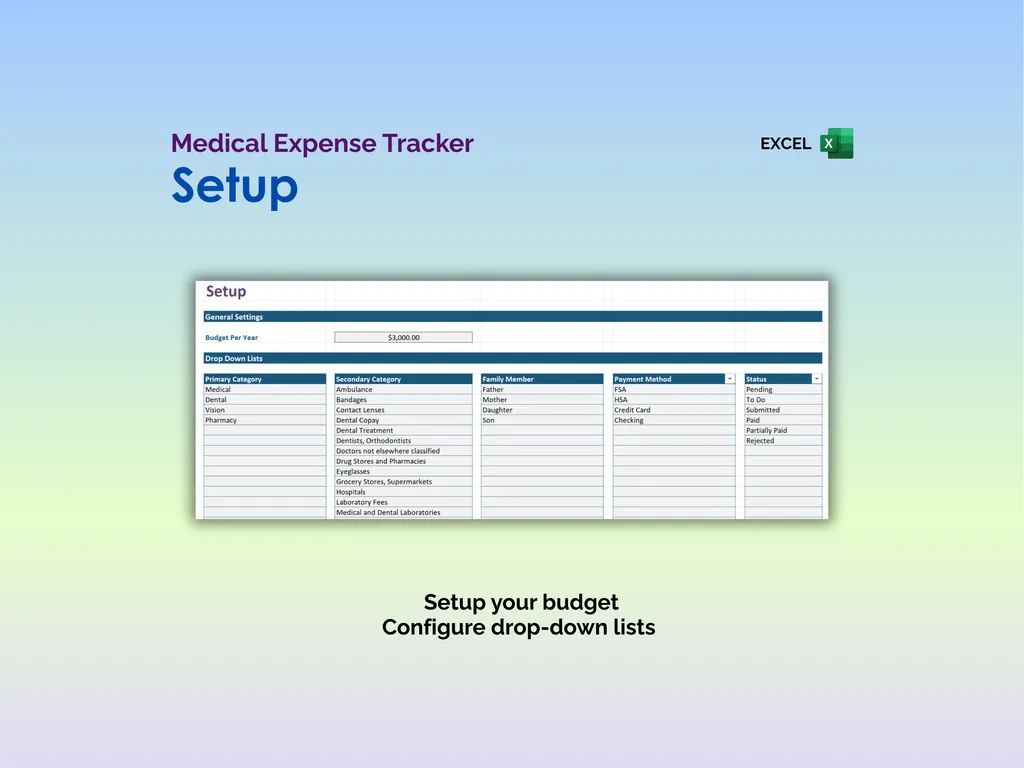
The Setup sheet is where you configure everything: your annual budget, and all the customizable drop-down lists for primary categories, secondary categories, family members, payment methods (FSA, HSA, Credit Card, Checking), and reimbursement statuses (Pending, To Do, Submitted, Paid, Partially Paid, Rejected). Add or rename entries to match your family’s specific situation.
Whether you’re tracking FSA/HSA spending throughout the year or organizing deductible expenses for tax preparation, this is a spreadsheet that does the bookkeeping so you don’t have to reconstruct it from memory in April. No app required, no subscription, no sharing your medical data with a third party. Just your records, organized and ready when you need them.
Video Walkthrough (for Medical Expense Tracker - Excel)
Features (for Medical Expense Tracker - Excel)
- Intuitive and straightforward design
- Employs software best practices
- Delivered as a blank Excel template - customize and populate with your data
- Free updates - send us a message to be notified of updates when they are available
- Completely customizable - add rows and columns, rename headings - unlock with provided password
Disclaimer (for Medical Expense Tracker - Excel)
Unless otherwise specified, this digital product is designed to work in the current version of Microsoft Excel or Microsoft 365. It is not guaranteed to work in any other application.
This digital product is copyrighted. It is intended for personal use only. It is strictly prohibited to reproduce, resell or share this product, in part or in full, with or without modifications. No refunds, exchanges, or cancellations. Given this is a digital product, no physical product will be delivered.