Owning the stuff is easy. Documenting it well enough to back an insurance claim is the part that fails. You can probably list the big things in your house from memory, but if a fire, flood, or break-in happened tomorrow, “I think I had a TV” doesn’t get reimbursed. This google sheets home inventory turns a vague mental list into a defensible, line-by-line record your insurer can actually work with.
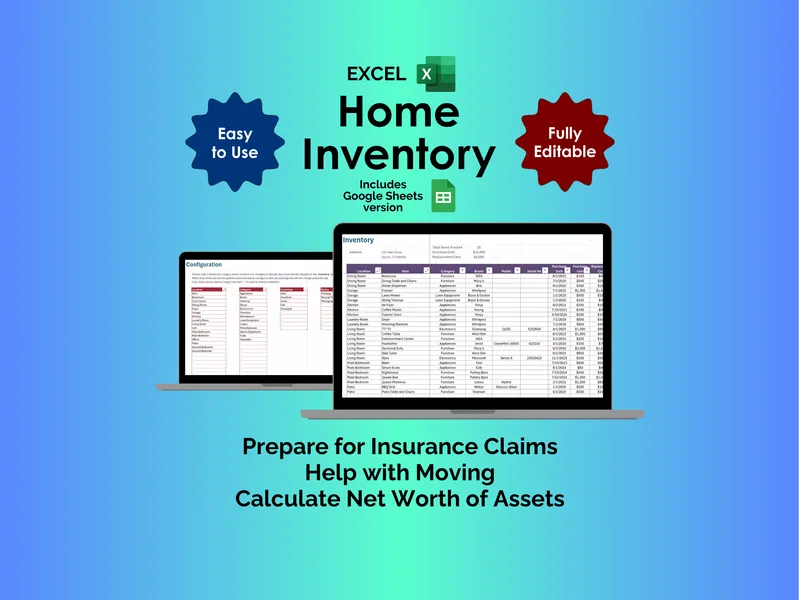
On the surface, it does exactly what you’d expect. You open the Inventory tab and log each item—brand, model, serial number, purchase date, purchase cost, location, and category. The dropdowns are already preloaded (Attic, Basement, Kitchen, Living Room, Office, and so on), so you’re picking from a list instead of typing the same room name fifty times. That alone makes this home inventory spreadsheet faster to actually fill out than a blank Excel sheet you’d build yourself.
But here’s where it gets interesting. Each row also captures replacement cost alongside purchase cost, which matters more than people realize. Insurance adjusters care about what it costs to replace your laptop today, not what you paid for it in 2019. By logging both numbers, you’re giving yourself two valuations: a depreciated picture for net worth and a replacement picture for claims. (This is the kind of detail that quietly determines whether a payout feels fair or insulting.)
The Status column is the other piece most people overlook. For every item you can mark Receipt Filed, Photographed, or Pending—so you know at a glance which entries have proof of ownership backing them up and which are still just words in a cell. That distinction is what separates a google sheets home inventory that holds up under an adjuster’s review from one that doesn’t. Filter the column for “Pending” and you’ve got an instant to-do list of what still needs a photo or receipt scan.
The Configuration tab is where you make it yours. The Location, Category, Condition, and Status dropdowns come preconfigured, but you can rewrite them freely—add a workshop, a storage unit, a collectibles category, whatever fits your house. Change them once and every existing row updates automatically, which is the kind of small thing that saves you from re-doing work later.
Two more things worth knowing. First, you get both the Google Sheets and Excel versions in one purchase, so you’re not locked into a platform. Second, it includes free updates—when the template improves, your copy improves. Between the per-item depreciation tracking, the proof-of-ownership workflow, and the customizable rooms, this is less of a list and more of an asset file you’ll actually keep current.