Product facts
- Best suited to: home bakers and small bakeries managing ingredients, recipes, and customer orders in a spreadsheet.
- Software: Microsoft Excel, with a separate Google Sheets version included. Use the supplied Sheets access guide for that version.
- Download: one .zip with a blank Excel workbook, an example Excel workbook, a Google Sheets access PDF, step-by-step instructions, a read-me, and an optional Ardent Seller comparison.
- Scope: 17 connected sheets covering ingredient and packaging inventory, recipe costs, production, sales, invoices, and reporting.
- Purchase: one-time digital download. You enter and maintain your business records in the workbook.
Here’s the thing nobody tells you about running a small bakery: the baking is the easy part. The hard part is the eight other places your numbers live - the flour invoice taped to the fridge, the recipe card with a price scribbled in pencil, the customer text asking whether the lemon bars have almonds, the mental math on whether last weekend’s market actually made money once you backed out the packaging.
So you end up running the bakery the same way most home bakers and micro-bakery owners do, without an Excel bakery business manager pulling it together. One sheet for ingredient costs, another for recipes, a notebook for orders, a quick search every time someone asks about allergens. Things work, mostly. But pricing is a guess, low stock comes as a surprise, and the question “how much did this batch actually cost me?” takes longer to answer than the batch took to bake.
The Bakery Business Manager is an Excel bakery business manager built to collapse all of that into one workbook. Seventeen connected sheets covering inventory, purchases, recipes, products, sales, invoices, and reporting - with the relationships between them already wired up. Both an Excel version and a Google Sheets version are included in the download, along with an example file and a step-by-step instructions PDF.
The two Inventory sheets - one for ingredients, one for packaging - hold what you stock, the average cost per unit, the current quantity, and the allergens that travel with each ingredient. Status flags (Available, Low Inventory, Unavailable) update automatically from a threshold you set on the Settings sheet, which is the only knob you need to turn to make the low-stock warnings yours. The allergen columns are why Price List can print a customer-facing sheet with allergens already filled in - you tag once at the ingredient, and it carries through.
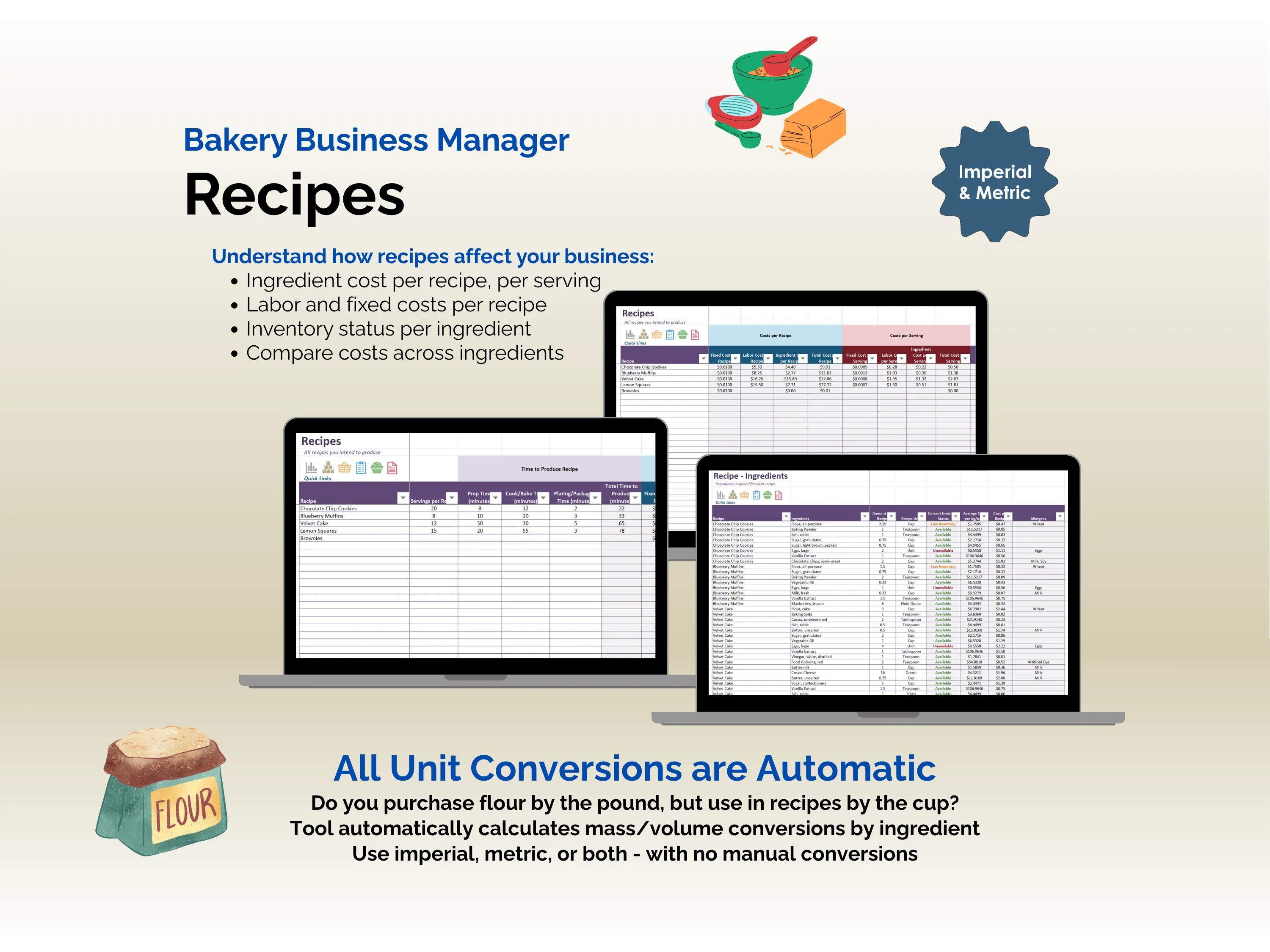
Purchases - Ingredients and Purchases - Packaging are where new buys get logged with a date and quantity. That entry does three things at once: it raises inventory, recalculates the average cost per unit, and feeds the cost into every recipe that uses the ingredient. Unit conversions are handled by an internal density table per ingredient, so buying flour by the pound and using it by the cup needs no manual math, and imperial and metric can coexist in the same workbook. Recipes and Recipe - Ingredients turn those costs into a true cost per recipe and per serving, including labor and fixed costs you define, so the margin you see on Products is the actual margin, not the optimistic one.
The Product - Sales sheet logs orders with customer information, fulfillment and payment status, shipping, handling, discounts, and platform or transaction fees - the line items most bakery sheets quietly leave out. Logging a sale draws inventory down through Recipe Production, populates a printable Invoice, and lifts the totals on the Dashboard, which shows revenue, cost, and profit broken out as bar, pie, and line charts. A Product Recall Report is there for the day you need to know exactly which orders contained a flagged lot, and the Quick Links panel, drop-down lists, and conditional formatting on production status (Complete, In Progress, Pending) exist so the workbook stays usable on a phone screen during a market morning.
What vanishes is the duplicate entry and the guessing. An Excel bakery business manager that knows the relationship between an ingredient purchase and a slice of cake means a price change at the supplier reaches the margin column on its own, and the question of whether a recipe is still profitable has an answer instead of a feeling. The workbook is fully editable, supports any currency, uses no add-ins or macros, and is built for home bakeries, counter-service bakeries, pastry shops, and food truck operators who’d rather spend the evening proofing dough than reconciling spreadsheets.
Example: check the cost of a batch of cookies
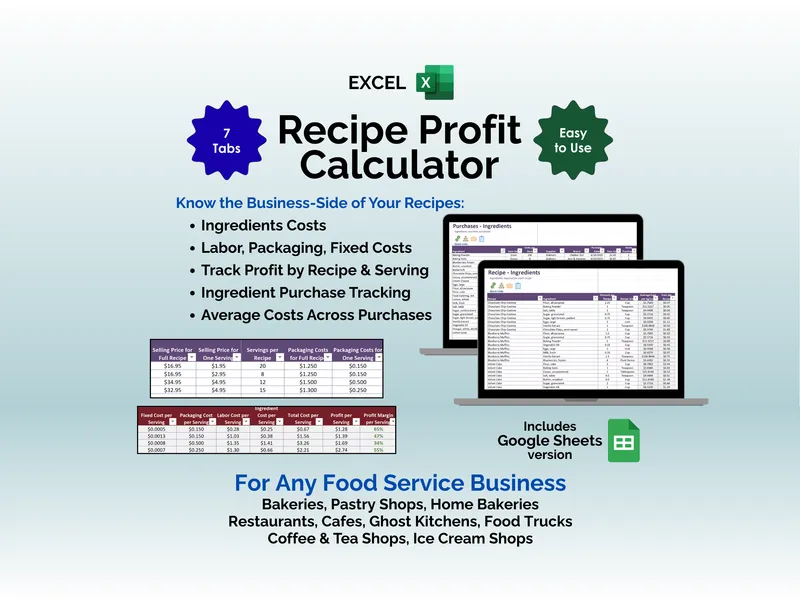
Start with the included example workbook. In Recipe - Ingredients, review the chocolate chip cookie ingredients and quantities. In Recipes, compare the ingredient, labor, and fixed costs per batch with the costs per serving. The screenshot shows where those inputs and results sit; its figures are illustrative example data.
For your own recipe, enter your purchase costs, ingredient quantities, yield, and preparation time before using the calculated cost to review your selling price. A batch cost spread over 20 servings answers a different pricing question from the same batch cost spread over 12.
Before you buy
Does this include Google Sheets, or do I need to convert the Excel file?
Both versions are included. Follow the Google Sheets access PDF to open the supplied Sheets version; you do not need to convert the Excel workbook yourself.
Which should I choose: Bakery Business Manager or Craft Business Manager?
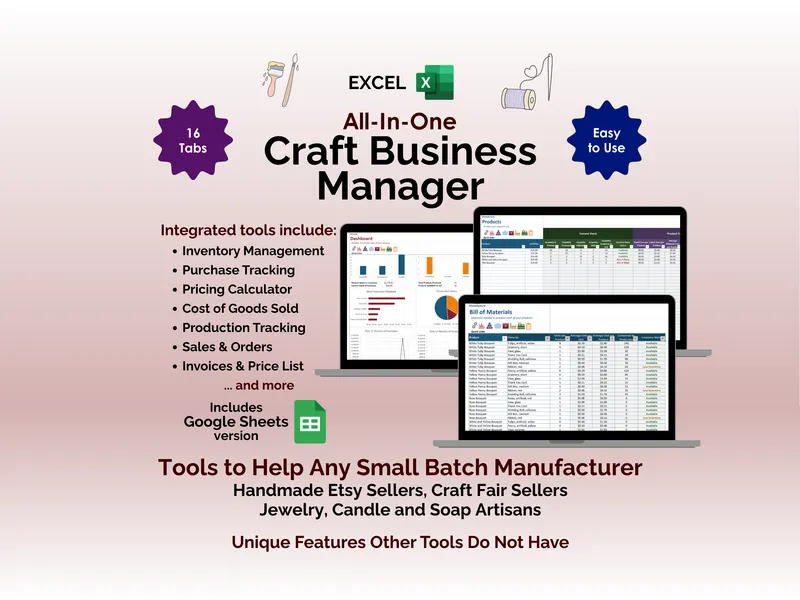
Choose this workbook for ingredient-based recipes, servings, ingredient unit conversions, and allergen records. The Craft Business Manager organizes component-based products around a bill of materials and production batches.
Does the workbook determine which allergens are in my products?
You enter the allergen information for your ingredients. The workbook carries those records into its outputs; their accuracy depends on the information you supply. Check ingredient labels and supplier information when maintaining your records.
For purchase conditions and usage terms, read the Terms of Service and licensing FAQ. For help with your download, contact Ardent Workshop.